
Dynamic QR Platform
Create QR codes Instantly
Website URL
Send users to any webpage
Website URL
Website URL
Send users to any webpage
Wi-Fi
Let users connect instantly
Wi-Fi
Wi-Fi
Let users connect instantly
Menu
Create a digital menu
Menu
Menu
Create a digital menu
Start a chat with one tap
Start a chat with one tap
Image
Showcase visuals
Image
Image
Showcase visuals
Show a downloadable file
Show a downloadable file
10 Aug 2026 • 10 min read
Restaurant Waitlist QR Code: Let Guests Join the Queue Without an App
A practical guide for restaurants using a restaurant waitlist QR code at the host stand, entrance, sidewalk sign, and parking area so guests can join the queue from their phones without downloading an app. Learn how to build the form, set wait expectations, route guests to menus or specials while they wait, update destinations during peak periods, protect guest privacy, and track scans, completed joins, no-shows, and return visits.
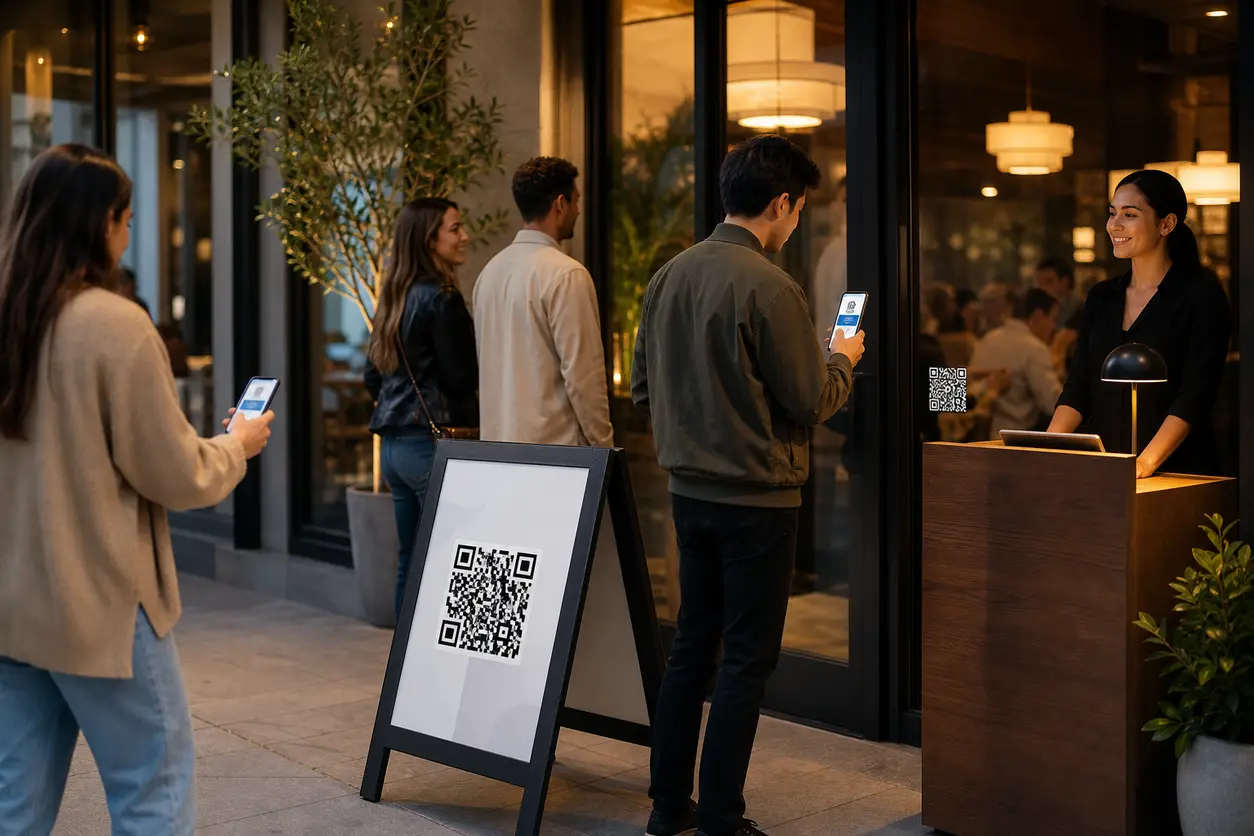
IntroductionWhy a QR waitlist works better than a crowded host standHow the no-app workflow should workWhat to collect on the waitlist formWhere to place your restaurant waitlist QR codeWhat the landing page should includeUse dynamic QR codes to stay flexible during peak periodsPrivacy considerations restaurants should not skipThe metrics that tell you if the workflow is workingCommon mistakes to avoidA simple rollout plan for one locationWhy QR Rapid fits this use caseFinal takeawayFAQ
When guests bunch up around the host stand, your front-of-house team gets pulled into the same conversation over and over: How long is the wait? Can we put our name in? Where do we stand? Can we look at the menu first?
A well-planned restaurant waitlist QR code fixes that friction without asking guests to download another app. They scan, open a mobile-friendly waitlist page, enter a few details, and join the queue from wherever they are standing: the door, the sidewalk, the parking area, or a food hall corridor.
That makes the line feel shorter, reduces crowding at the entrance, and gives you a better way to capture demand during peak service. For restaurants building out a broader front-of-house workflow, QR codes for restaurants can support everything from waitlists to menus and guest engagement.
Why a QR waitlist works better than a crowded host stand
Most guests already have a phone in hand by the time they reach the entrance. The problem is not device access. The problem is process design.
A QR waitlist gives you a faster, lower-friction flow:
- guests do not need to flag down a host just to get in line
- your team collects cleaner information in a standard format
- guests can browse the menu or specials while they wait
- you can set expectations before frustration starts
- you can track which signs actually drive joins
This is different from a QR menu or a review QR code. The goal here is operational: move walk-in demand into a mobile queue quickly, keep the entrance clear, and turn waiting time into a more controlled guest experience.
How the no-app workflow should work
The best setup is simple enough to use during a rush.
1. Guest scans the code
Place the QR code where the decision happens:
- host stand
- front door or entrance glass
- sidewalk A-frame
- parking area sign
- overflow waiting area
- food hall stall sign if seating is shared
2. The code opens a short mobile waitlist page
Do not send guests to a desktop-style form or a generic homepage. The landing page should immediately answer three questions:
- Am I in the right place?
- What do I need to do?
- What should I expect next?
A strong top section might say:
- Join today’s waitlist
- Current wait estimate: 20 to 30 minutes
- Complete this quick form and we’ll text you when your table is almost ready
3. Guest submits basic details
Keep the form short. For most restaurants, that means:
- first name
- mobile number
- party size
- seating preference if relevant, such as indoor, patio, bar, or accessible seating
- optional note for high chair or stroller
If you allow remote joins from the parking lot or nearby foot traffic, add one more field:
- Are you on-site now? yes or no
4. Confirmation sets expectations
After submission, show a confirmation page instead of dropping guests onto a blank thank-you screen.
Include:
- confirmation that they joined the waitlist
- current estimated wait range
- when they should return to the host stand or watch for a text
- a reminder to reply or check in if required
- a link to the menu QR code, specials, or drinks list
5. Guests stay engaged while waiting
This is where the workflow becomes more than a utility.
While guests wait, your confirmation page can offer:
- the food menu
- limited-time specials
- happy hour details
- allergy and dietary information
- directions to the bar or pickup counter if relevant
You are not turning this into a generic QR menu article. You are using the waitlist page to reduce uncertainty and keep guests interested instead of losing them to the place next door.
6. Follow up after the visit
If your guest consent process allows it, send a follow-up message after the meal. Keep it useful, not spammy.
Examples:
- Thanks for dining with us tonight. Show this message on your next weekday visit for a dessert special.
- Missed your table tonight? Here’s a link to join the waitlist again before you head over.
- Thanks for visiting. See this week’s lunch specials.
That turns a line outside into an owned guest list you can re-engage later.
What to collect on the waitlist form
The biggest mistake is collecting too much.
Your waitlist form should help the host seat the table, not become a full customer profile.
Recommended fields
Required
- first name
- mobile number
- party size
Optional but useful
- seating preference
- accessibility needs
- stroller or high chair note
- estimated arrival if joining before reaching the door
What to avoid
- full street address
- email unless you have a clear reason
- birth date
- long comment boxes
- account creation
- password setup
- app install requirement
If the form takes more than about a minute to complete, you will lose people during busy periods.
Where to place your restaurant waitlist QR code
Placement matters as much as the code itself. Different locations serve different guest behaviors. For more ideas on sign performance, where to place QR codes for maximum scans is a useful planning reference.
Host stand
Use this when the host is busy and guests are already inside or at the front door.
Best CTA copy:
- Scan to join the waitlist
- No app needed
- Add your party in under a minute
Entrance door or front window
This catches guests before they enter a crowded vestibule.
Best CTA copy:
- Wait starts here
- Scan to join today’s queue
- Check wait time and add your name
Sidewalk A-frame or stanchion sign
This is ideal when the line forms outside.
Best CTA copy:
- Skip the host stand crowd
- Scan to join the waitlist from your phone
- View the menu while you wait
Parking area
Useful for suburban restaurants, drive-up-heavy concepts, and rainy or hot-weather conditions.
Best CTA copy:
- Arriving now?
- Join the waitlist from your car
- We’ll text when your table is close
Food hall or shared-seating vendor area
If guests order from a stall but need shared seating, clarify the process.
Best CTA copy:
- Need a table?
- Scan to join this vendor’s seating queue
- Add party size and mobile number
What the landing page should include
A restaurant waitlist QR code works best when the destination page is purpose-built for mobile.
Essential page elements
- clear headline
- short form above the fold
- current or approximate wait expectation
- privacy note near the submit button
- link to menu or specials
- basic policy note, such as complete party must be present or grace period for seating
Example structure
Headline: Join the waitlist
Subtext: Enter your party details and we’ll text you when your table is almost ready.
Fields: Name, mobile number, party size, seating preference
Expectation note: Current wait is approximately 25 to 35 minutes.
Secondary links: View menu, today’s specials, parking info
Policy note: We hold tables for 5 minutes after notification.
That is enough information to reduce confusion without overwhelming the screen.
Use dynamic QR codes to stay flexible during peak periods
A static code locks you into one destination. That is a problem when your waitlist rules change throughout the day.
With QR Rapid, you can use a dynamic QR code generator so the printed sign stays the same while the destination changes behind it.
That matters in real operations. For a deeper breakdown of the strategy, Dynamic vs Static QR Codes explains why flexible destinations are so useful.
Practical ways to update the destination
- switch from lunch waitlist to dinner waitlist
- pause joins when the kitchen is backed up
- reroute guests to a page that says walk-ins are full for the night
- send guests to reservations for a later time slot
- direct patio-only traffic to a separate queue
- swap in a brunch menu or game-day specials page while guests wait
For example, your sidewalk sign may use the same QR code every day, but on a slammed Saturday night you update the landing page to say: Walk-in waitlist currently capped. Join for patio only or order takeout here.
That is much better than leaving a stale sign outside or forcing staff to explain exceptions to every party.
Privacy considerations restaurants should not skip
Because a waitlist usually collects names and phone numbers, privacy is part of the workflow.
Keep it practical and visible.
Minimum privacy checklist
- collect only the information you need to manage seating
- explain why you need the mobile number
- separate operational texts from marketing consent
- limit staff access to guest details
- define how long waitlist data is retained
- make sure any follow-up offer complies with local messaging rules
A simple note near the form can do a lot of work:
“We use your number only for waitlist updates unless you choose to receive future offers.”
That reduces hesitation and builds trust at the point of scan.
The metrics that tell you if the workflow is working
If you cannot measure the flow, you cannot improve it.
A dynamic, trackable restaurant waitlist QR code lets you monitor both scan activity and queue performance.
Start with these core metrics
Scans
How many people scanned each sign.
Completed joins
How many guests finished the form and entered the queue.
Scan-to-join rate
A simple way to see whether your landing page is converting interest into actual waitlist entries.
No-shows
How many parties join but do not return or respond when called.
Return visits
How many guests come back after a follow-up message or offer.
What to learn from the numbers
- high scans, low completed joins usually means the form is too long or unclear
- strong entrance scans but weak parking scans may mean the parking sign is too small or poorly placed
- high no-shows may mean your wait estimate is inaccurate or follow-up timing is off
- strong return visits from post-meal offers may justify keeping the workflow active even during slower periods
If you use QR Rapid, create separate dynamic codes for each placement instead of one code for the whole property. That way you can compare host stand, window, sidewalk, and parking performance directly.
Common mistakes to avoid
Even a good idea can underperform if the execution is sloppy.
1. Requiring an app
If the guest has to install something before joining the queue, many will drop off.
2. Making the form too long
A waitlist is not a loyalty signup. Ask for the minimum.
3. Hiding the next step
Guests should know whether they will get a text, whether they need to stay nearby, and how long you hold a table.
4. Using tiny signage
If guests need to walk up close and squint, you have recreated the line problem.
5. Forgetting the waiting experience
A good waitlist page should point to something useful: menu, drinks, specials, or policies.
6. Not updating during busy periods
If the queue is full but the sign still says scan to join, frustration grows fast.
A simple rollout plan for one location
If you want to test this quickly, start with one restaurant and one weekend service window.
- Create a mobile waitlist landing page.
- Add a short form with name, party size, and phone number.
- Add a confirmation page with wait expectations and a menu link.
- Print separate QR Rapid codes for host stand, entrance, sidewalk sign, and parking area.
- Train hosts on when to direct guests to scan versus when to enter them manually.
- Review scans, completed joins, and no-shows after the test period.
- Adjust signage copy, form length, and destination rules before rolling out wider.
This keeps the launch manageable and gives you clean data on whether the workflow reduces congestion.
Why QR Rapid fits this use case
Restaurants need more than a QR image generator. They need a flexible, trackable front-of-house tool.
QR Rapid is a strong fit for this workflow because it helps you:
- create a dynamic restaurant waitlist QR code
- update the destination without reprinting signs
- assign different codes to different placements
- keep the scan experience mobile-friendly
- track which placements produce scans and completed joins
- support branded signage that looks intentional at the entrance
That combination is what turns a simple scan into an operational system.
Final takeaway
A restaurant waitlist QR code is not just a convenience feature. It is a practical way to reduce host-stand congestion, capture more walk-in demand, and give guests a clearer, calmer experience during peak service.
If you set it up well, guests can join the queue without downloading an app, see what happens next, browse the menu while they wait, and receive a useful follow-up after the visit.
If you want a setup you can actually manage during real service, use QR Rapid to create dynamic, trackable waitlist QR codes for each placement in your restaurant and optimize the flow from first scan to return visit.
FAQ
Do guests need to download an app to use a restaurant waitlist QR code?
No. The best setup opens a mobile web page or form directly in the guest’s phone browser, which keeps the process fast and reduces drop-off.
Should I use one QR code for the whole restaurant or different codes by location?
Use different dynamic codes for the host stand, entrance, sidewalk sign, and parking area if you want clean placement-level tracking. That shows which signs drive the most joins.
What should a restaurant waitlist form ask for?
Keep it short: first name, mobile number, and party size. Add optional fields only if they help seating, such as patio preference, accessibility needs, or a high-chair note.
What should happen when the waitlist is full?
Update the destination behind your dynamic QR code so guests see the current situation right away. You can pause joins, offer a later reservation option, direct them to takeout, or open a patio-only queue.
Can I link to my menu or specials from the waitlist page?
Yes. That is one of the best ways to use wait time productively. Add links to the menu, specials, drinks, or dietary information on the confirmation page after guests join the queue.
How do I measure whether the QR waitlist is working?
Track scans, completed joins, scan-to-join rate, no-shows, and return visits from follow-up offers. Those numbers show whether the signage, form, and waitlist flow are actually improving service.
Similar Blogs
The latest industry news, interviews, technologies, and resources.
 September 14, 2026
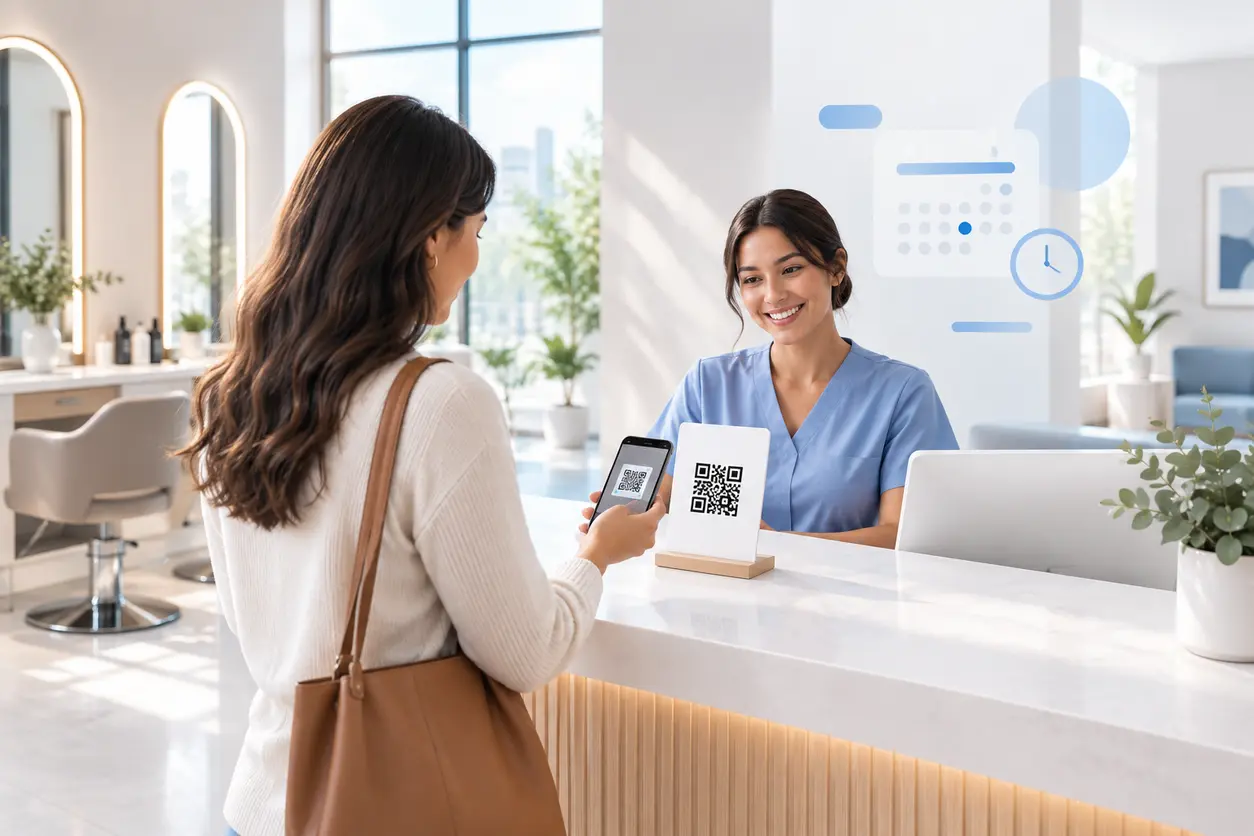
Appointment Booking QR Code Workflows for Service Businesses
Appointment Booking QR Code Workflows for Service Businesses
Read post
 August 9, 2026
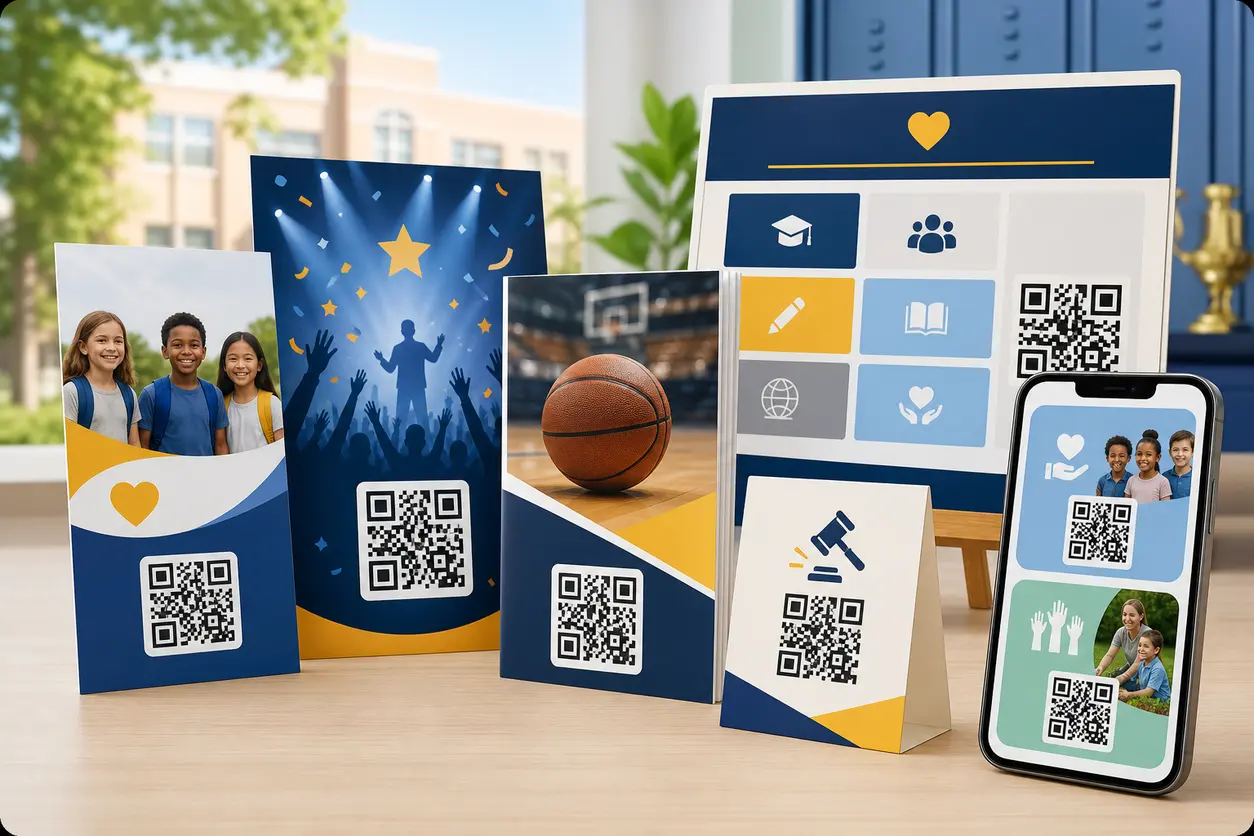
QR Codes for School Fundraisers: Donation Pages, Sponsor Recognition, and Volunteer Sign-Ups
QR Codes for School Fundraisers: Donation Pages, Sponsor Recognition, and Volunteer Sign-Ups
Read post
Join 2,000+ subscribers
Stay in the loop with everything you need to know.
We care about your data in our privacy policy