
Create dynamic QR codes for your window, front desk and studio doors. Each one opens the page you choose, such as your booking page, this week’s timetable or your website. Change that page later and the printed code keeps working.
 Printed once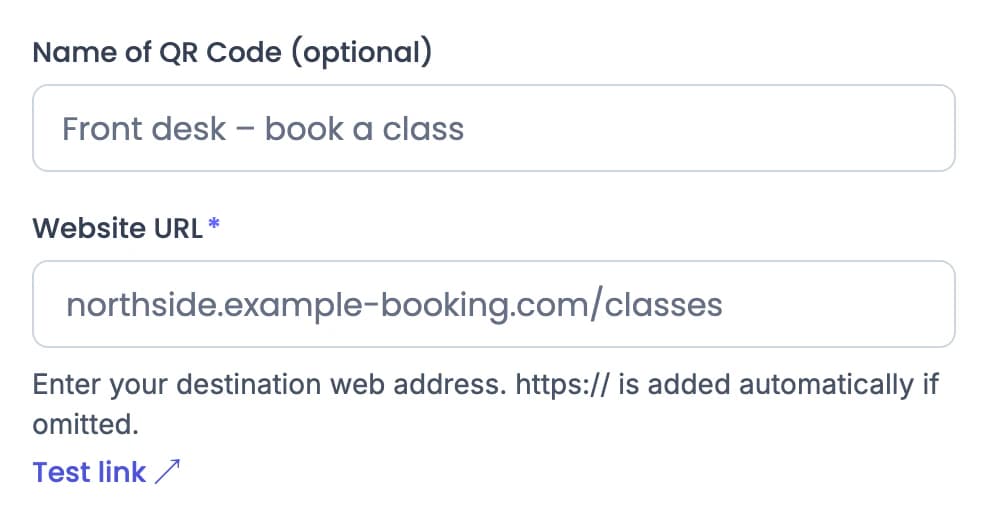
Demo QR opens QR Rapid’s Website URL creator.
Members look for different things at the window, the desk, the studio door and the gym floor. Pick the QR type that fits each spot, and name each code after its place.
A poster in the window opens your intro-offer page in your booking system, so people can sign up from the street.
Website URL codes can be static or dynamic. Choose dynamic so you can change the link later and see scans.
Create a dynamic Website URL QR codeA sign at the desk opens your booking page, so members and visitors can book a class from their phone.
QR Rapid opens the page. Classes, bookings, payments and memberships stay in your booking system.
Create a dynamic Website URL QR codeUpload the timetable as a PDF and members open it on their phone. When the schedule changes, replace the file in your dashboard.
The code on the door stays the same when you replace the PDF.
Create a PDF QR codeA small label on a machine opens a short demo of the set-up and technique. Upload the video to QR Rapid (up to 100 MB) or add a YouTube link.
QR Rapid supports MP4, MOV and WebM uploads up to 100 MB, or a YouTube link. Use one code per machine and name it after the machine, so Statistics shows which demos get scanned.
Create a Video QR codeMembers and guests scan to join your network without typing the password.
Wi-Fi codes are static: the network details are stored in the code itself, so it can’t be edited or tracked. If the password changes, print a new code.
Create a Wi-Fi QR codePut a PDF QR code on the studio door. When the classes change, upload the new timetable in your dashboard. The printed code keeps pointing to the same QR Rapid link, which now opens the new file.
Printed once. The code on the door doesn’t change.
Demo QR opens QR Rapid’s PDF creator.
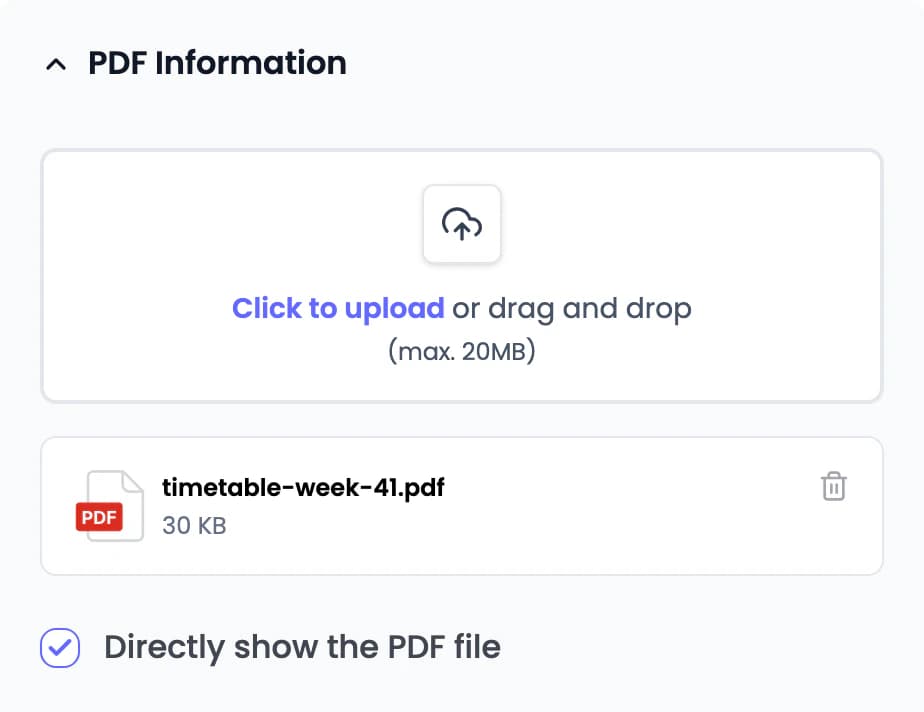
Upload the new file. The QR code, its name and its design stay the same.
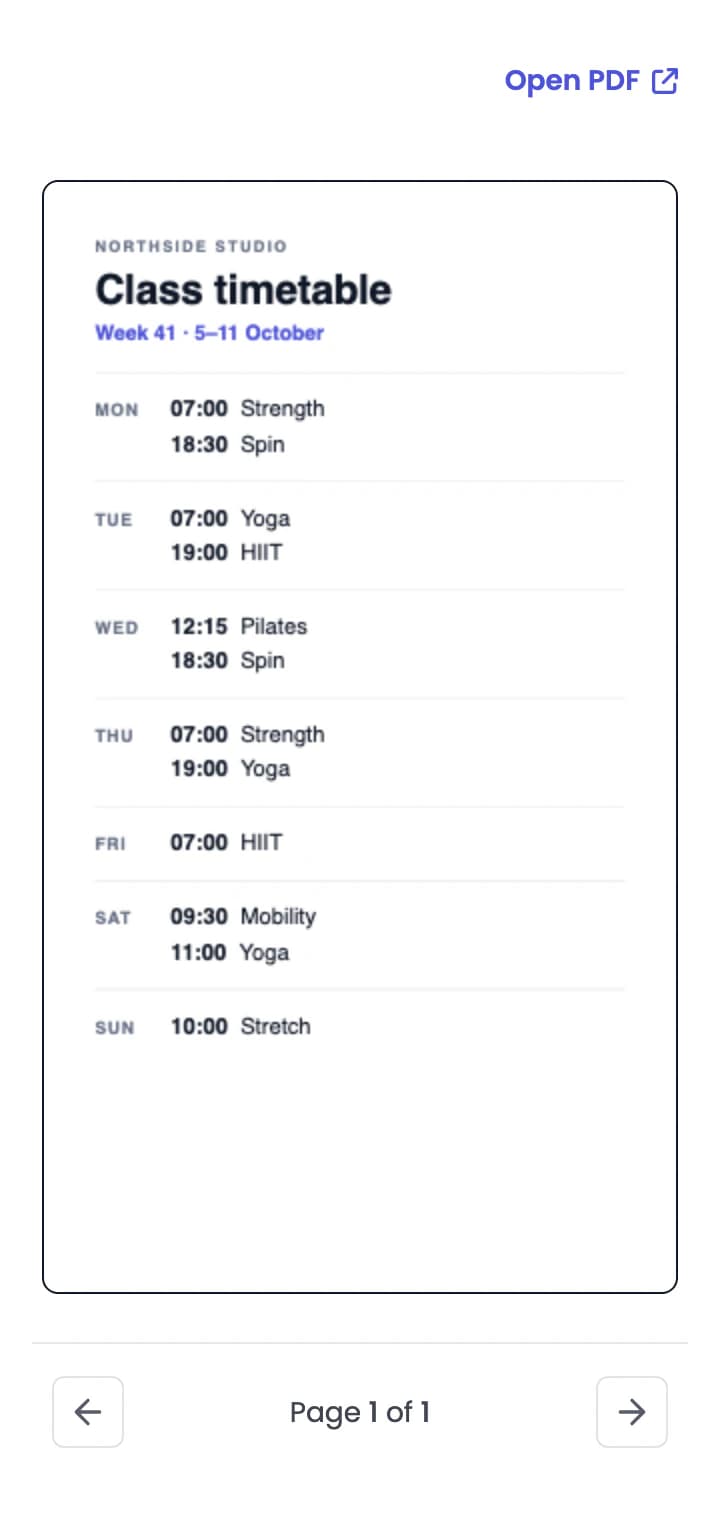
The same scan opens this week’s timetable.
Does your timetable live in your booking system? Use a dynamic Website URL QR code and change the link instead. Wi-Fi codes are static, so they can’t be updated this way.
Sample studio and timetable.
Statistics ranks your dynamic QR codes by scans and shows the weekdays and hours people scan them. Codes named after their place tell you which wall is working.
4 codes · ranked by scans in range
Scans by weekday and hour
Busiest on Tuesdays, 16:00–19:00
Only dynamic QR codes are tracked. Wi-Fi codes are static, so they don’t appear in Statistics.
Sample studio data. Scan figures are illustrative.
Yes. Create a Website URL QR code that opens your booking page, and choose dynamic so you can change the link later. QR Rapid opens the page; classes, bookings, payments and memberships stay in your booking system.
Not if the code is dynamic. A dynamic QR code always points to the same QR Rapid link. Replace the timetable PDF or change the link in your dashboard, and the printed code opens the new version. Static codes, such as Wi-Fi codes, can’t be changed after they’re created.
Yes. A Wi-Fi QR code joins your network without typing the password. Wi-Fi codes are static: they can’t be edited or tracked, so if the password changes, create and print a new code.
Yes. A Video QR code opens your video on members’ phones. Upload the video to QR Rapid (up to 100 MB) or add a YouTube link. QR Rapid supports MP4, MOV and WebM uploads up to 100 MB, or a YouTube link.
Yes. Create a Social Media QR code for each trainer with their profiles, or a vCard QR code that saves their contact details to a member’s phone.
Yes, for dynamic QR codes. Statistics shows total scans, estimated unique visitors and scan activity over time, ranks your codes by scans, and shows the weekdays and hours people scan. Name each code after its place, such as “Studio door timetable”, so you can tell them apart.
Dynamic QR codes start with a 7-day trial, no credit card required. After the trial, choose a plan to keep editing and tracking them. The dynamic QR types on this page are available during the trial. Plan limits apply to the number of codes, scans and users. Static QR codes, such as Wi-Fi codes, have fixed content and no scan tracking.
Create a dynamic QR code for your front desk, window or studio door, print it once, and change where it points as your classes change.