
The fastest way to create QR codes from your browser.
Generate static or dynamic QR codes in one click from any active webpage, link, or text selection. Export high-res PNG or SVG files, or manage destinations and track scans with QR Rapid.
Install free from the official Chrome Web Store.
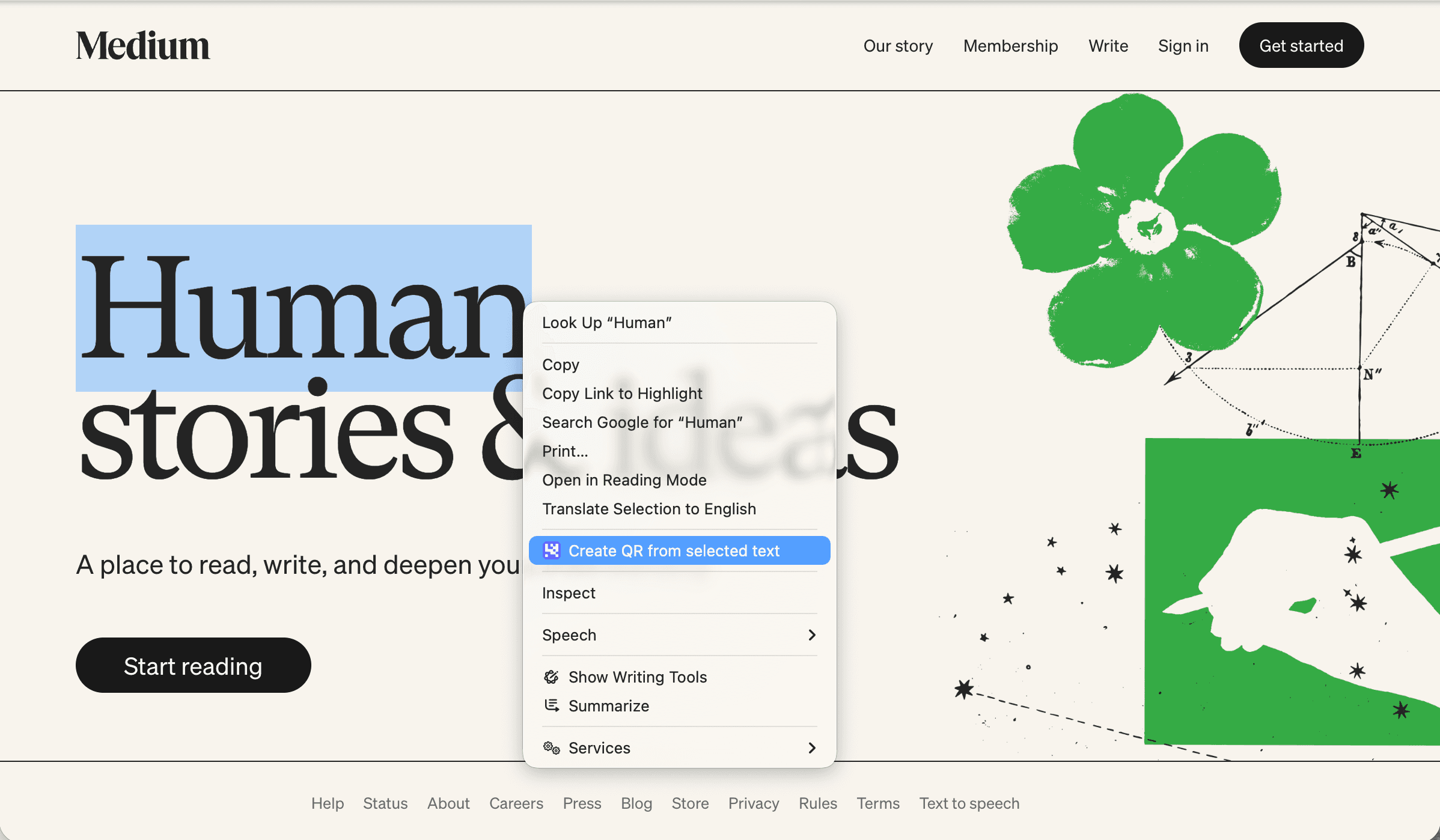
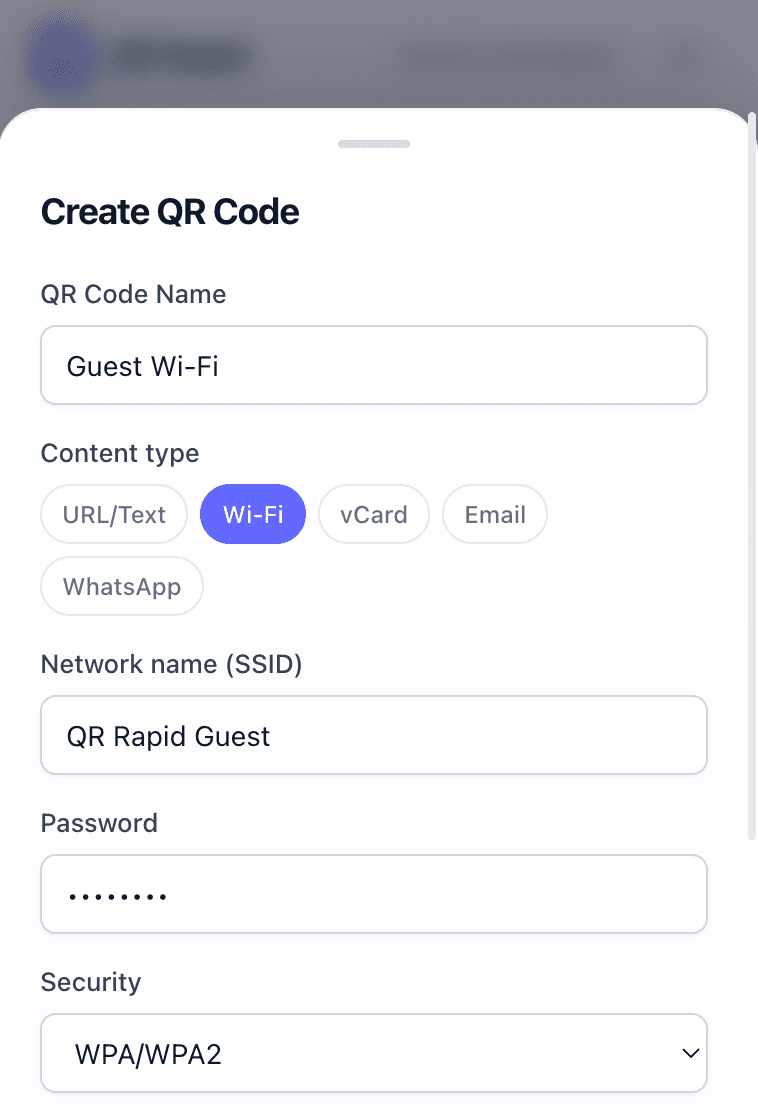
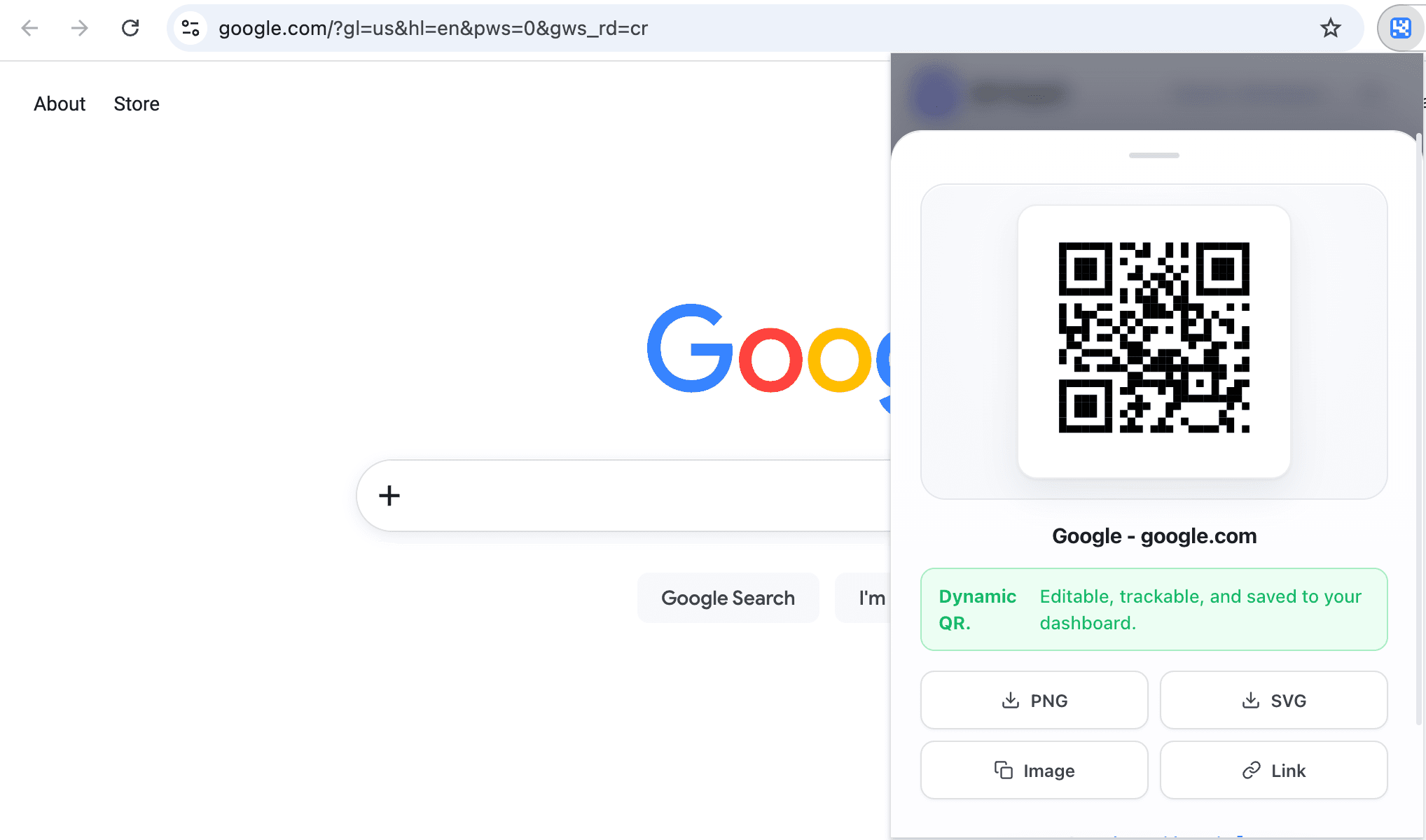

Create directly from what is already on your screen.
Highlight any text, right-click any link, or click the extension icon to generate a QR code instantly. No copying URLs back and forth between tabs.
- Right-click any link or highlighted text to generate instantly
- Generate Wi-Fi, vCard, WhatsApp, and text codes directly
- Generate static QR codes locally for instant results
Copy to clipboard or export print-ready vector SVGs.
Whether you need a quick image for a presentation slide or a crisp vector file for packaging, the extension outputs production-ready files in seconds.
- High-resolution PNG for digital use and presentations
- Crisp SVG vectors for print collateral, posters, and packaging
- One-click clipboard copy to paste straight into Figma, Slack, or Canva
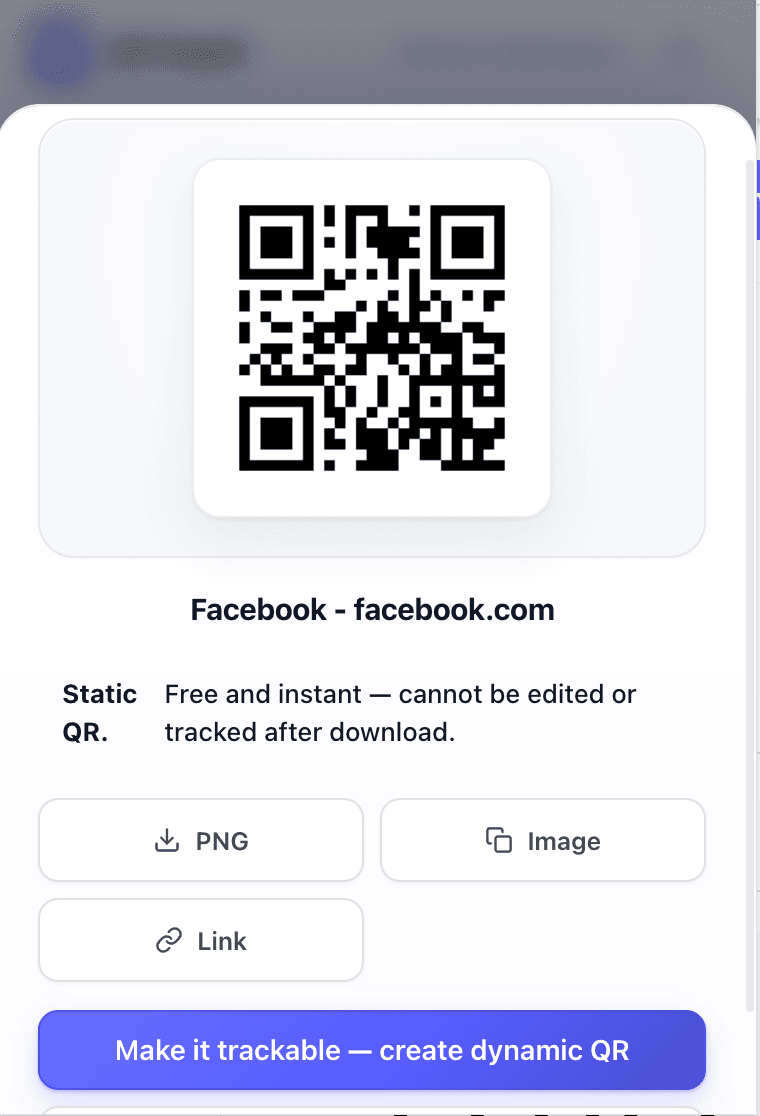 Static or dynamic
Free in your browser. Powerful in your workspace.
Use the extension offline for free static codes, or sign in to your QR Rapid workspace to unlock dynamic control and real-time analytics.
Local Static QR Codes
Perfect for fast personal use, quick sharing, and offline encoding.
- 1-click generation from any active tab
- Right-click context menu shortcuts
- High-res PNG & vector SVG downloads
- No account or sign-in required
Dynamic QR Codes & Analytics
Built for businesses, marketing campaigns, and print collateral.
- Editable destinations: Update URLs anytime after printing
- Scan analytics: Track visitor counts, locations, and devices
- Custom branding: Add colors, frames, and embedded logos
- Workspace sync: Organize codes by client or campaign
Your browser is the launchpad. QR Rapid is the engine.
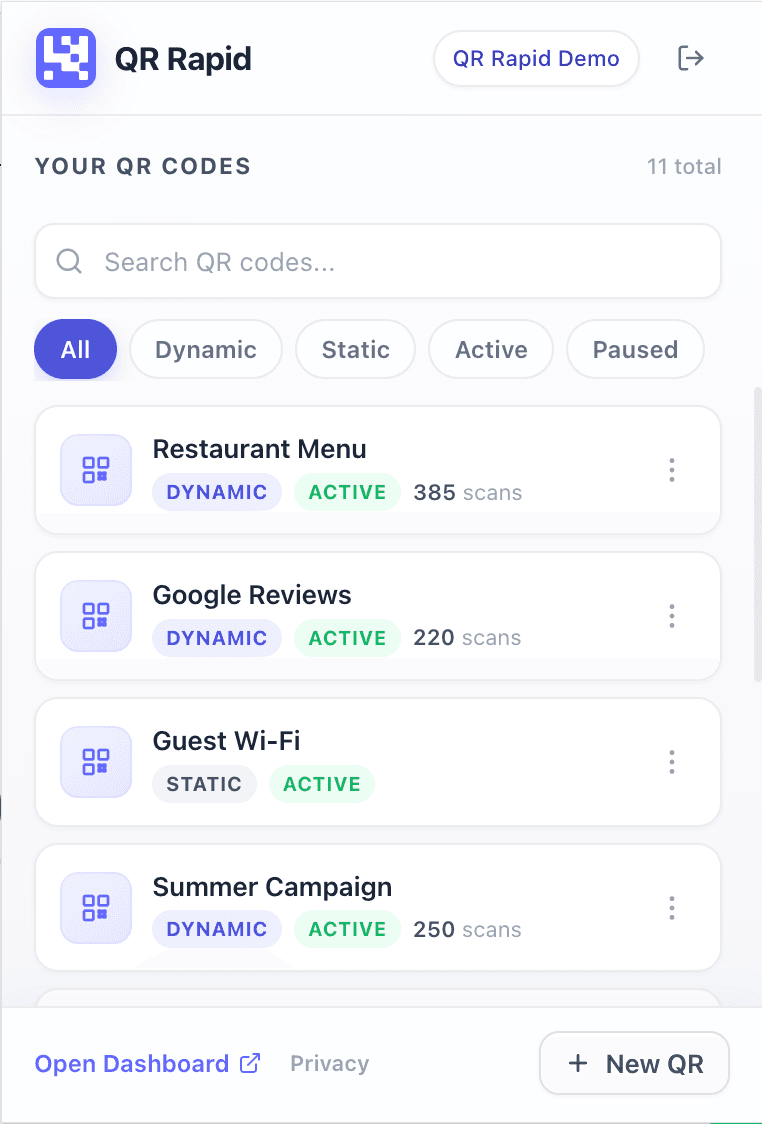
Dynamic QR codes created from the Chrome extension automatically appear in your QR Rapid dashboard. Monitor scan performance, switch workspaces, and customize designs without re-entering links.
Frequently Asked Questions
Everything you need to know about the QR Rapid Chrome extension and workspace features.
What is the QR Rapid Chrome extension?
It is a browser extension for Google Chrome that lets you instantly generate QR codes from your active webpage, highlighted text, or right-clicked links without opening another tab.
Do I need a QR Rapid account to use it?
No. You can create local static QR codes completely free without an account. A QR Rapid account is only needed if you want dynamic editable QR codes, real-time scan analytics, and workspace management.
What is the difference between static and dynamic QR codes in the extension?
Static QR codes encode the destination URL directly into the image and work forever offline. Dynamic QR codes are routed through your QR Rapid workspace, allowing you to update the destination URL anytime after printing and view detailed scan analytics.
What export formats are supported?
You can download high-resolution PNG images, download crisp SVG vector files for print, or copy the QR code image directly to your clipboard for instant pasting into documents, slides, and chat apps.
How do I install the extension?
Click the "Add to Chrome" button on this page to open the official Chrome Web Store listing and install the extension in one click.
Ready to speed up your QR workflow?
Install the free QR Rapid extension for Chrome today. Generate static codes in seconds or sign in for dynamic tracking.
Install free from the official Chrome Web Store.