QR Rapid
QR Codes for
  • Restaurants
  • Gym and Wellness
  • Event Management
  • Business Services
  • Work Environment
  • Social Media
  • Design
  • Life Hack
Explore all use cases→
QR Codes on
  • Product packaging
  • Flyers and posters
  • Storefronts and window signs
  • Brochures and catalogs
  • Event tickets and badges
Where to use QR codes→
QR Types
  • Website URL
  • Wi-Fi
  • Menu
  • WhatsApp
  • Image
  • PDF
  • MP3
  • Video
  • Email
  • Text
  • vCard
  • Crypto
  • List of links
  • Coupon
  • SMS
  • Event
  • APP
  • Social media
View all QR types→
AINew

Rapid, inside your dashboard

  • Create with Rapid
  • Rapid Insights

Connect your AI assistant

  • MCP server
  • Claude
  • ChatGPT
View all AI→
  • Blogs
  • FAQ
  • Chrome Extension
  • QR Size Calculator
QR Rapid

Create, customize, manage, and track QR codes for business, marketing, events, and everyday use.

QR Types

Website URL

Wi-Fi

Menu

WhatsApp

Image

PDF

MP3

Video

Email

QR Codes for

Restaurants

Gym and Wellness

Event Management

Business Services

Social Media

Work Environment

Design

Life Hack

Where to Use QR Codes

Company

Rapid AI

Chrome Extension

Plans & Pricing

Blogs

About Us

Legal

Terms and Conditions

Privacy Policy

Cookies Policy

Help

FAQ

QR Size Calculator

Contact Us

2026 © QR Rapid All rights reserved - QR Code is a trademark of DENSO WAVE INCORPORATED

QR codes for restaurants

Change the menu, not the QR code.

Put one Menu QR code on every table. When a dish sells out, a price changes or the season turns, edit the menu in your dashboard. The printed code opens the updated menu.

Create a Menu QR codeSee how editing works

Menu QR codes are dynamic QR codes. Start with a 7-day trial, no credit card required.
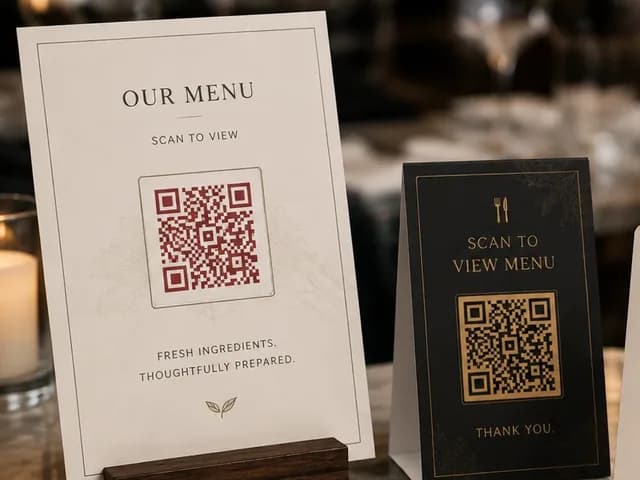
Printed menu card and table stand, each with a QR code1Printed once
3What guests see
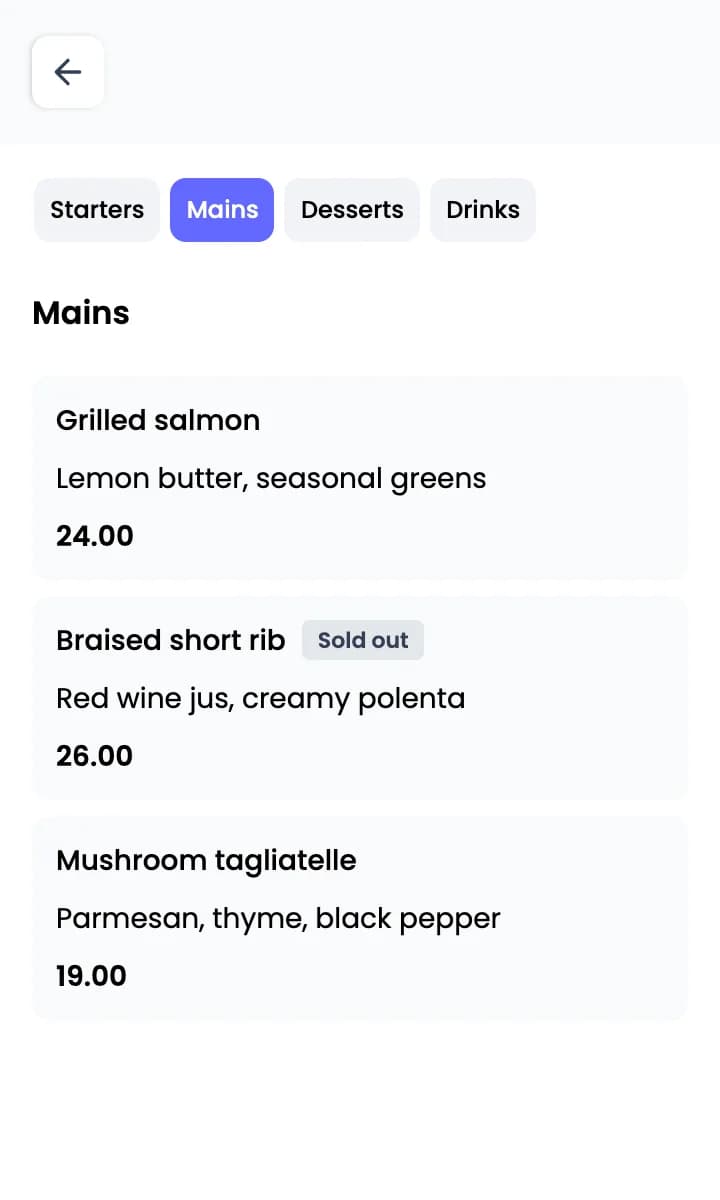
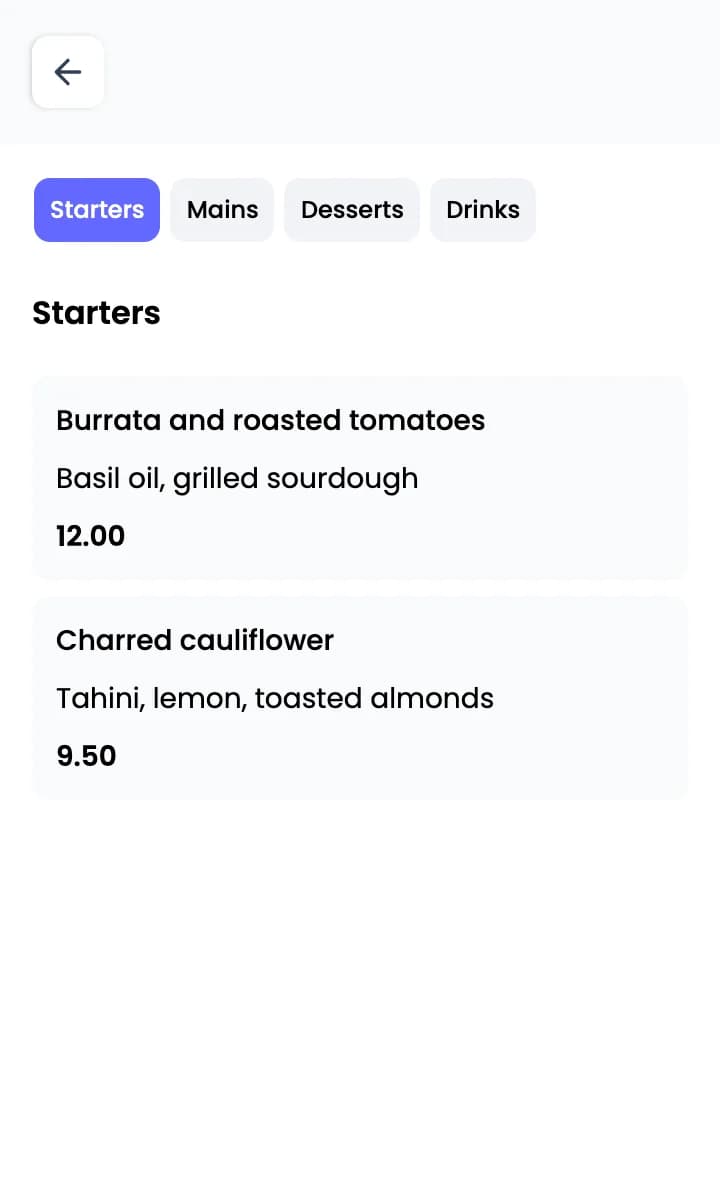
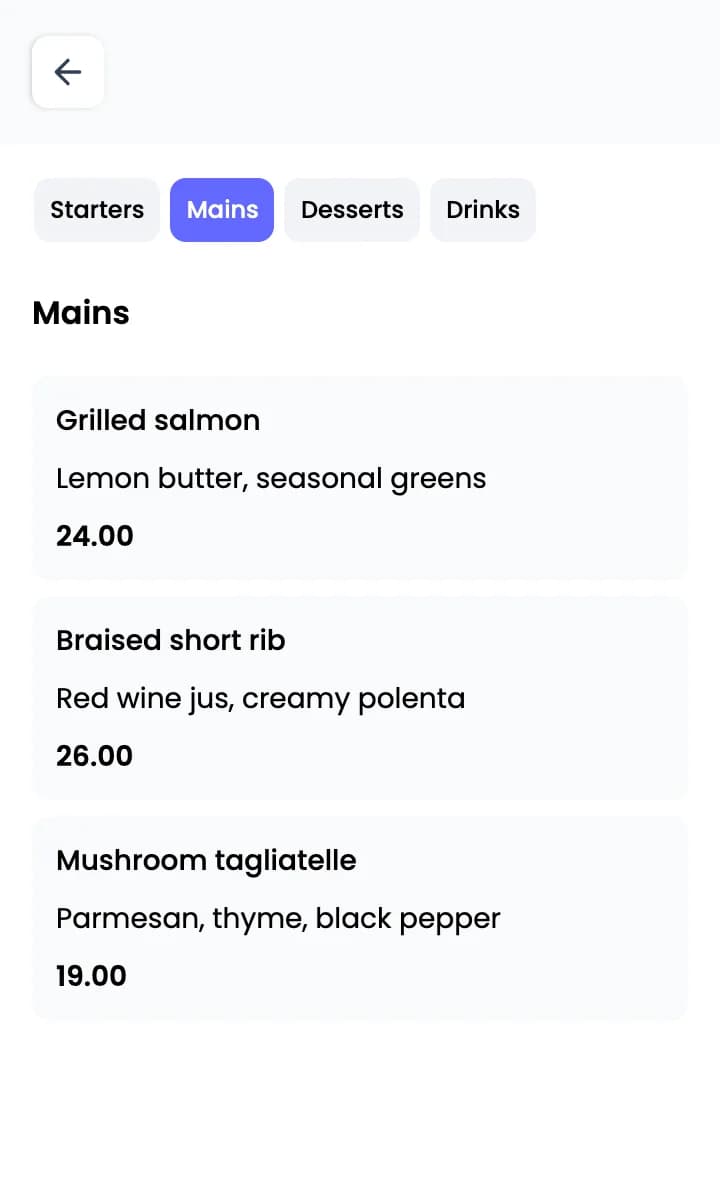
Guest menu, Mains section, with Braised short rib marked Sold out
2Edited in your dashboard
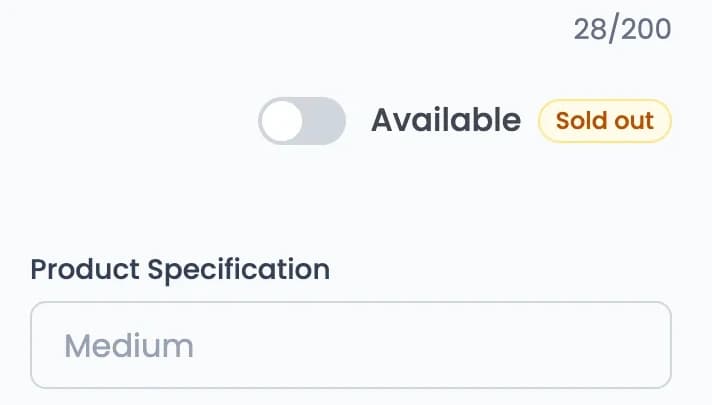
Menu editor item form with the Available switch turned off and a Sold out badge
What you can change

Four edits you can make without reprinting

A Menu QR code opens a menu page hosted by QR Rapid. Edit that page in your dashboard and the printed code keeps working.

Before
Guest menu, Mains section, with Braised short rib available

Mark a dish as sold out

Switch an item to unavailable and guests see a “Sold out” label next to it. Switch it back when the dish returns.

Your edit, in the dashboard
Menu editor item form with the Available switch turned off and a Sold out badge
What guests see now
Guest menu, Mains section, with Braised short rib availableGuest menu, Mains section, with Braised short rib marked Sold out
Before
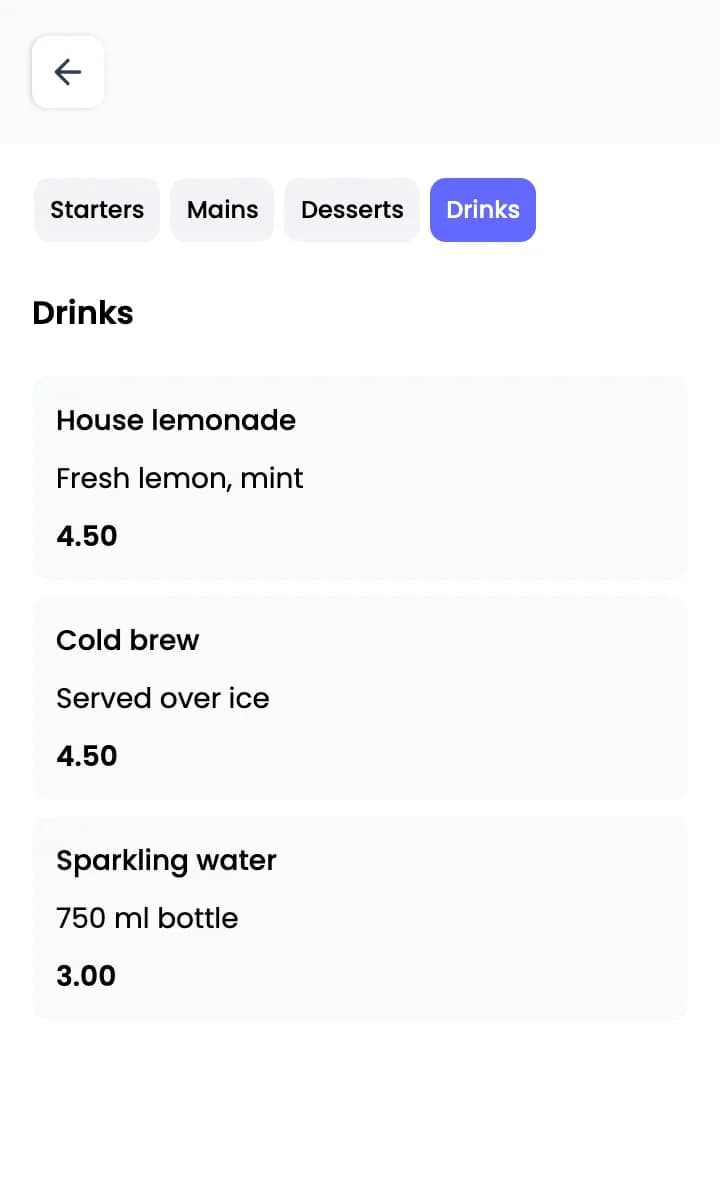
Guest menu, Drinks section, with House lemonade at one price

Change a price or offer sizes

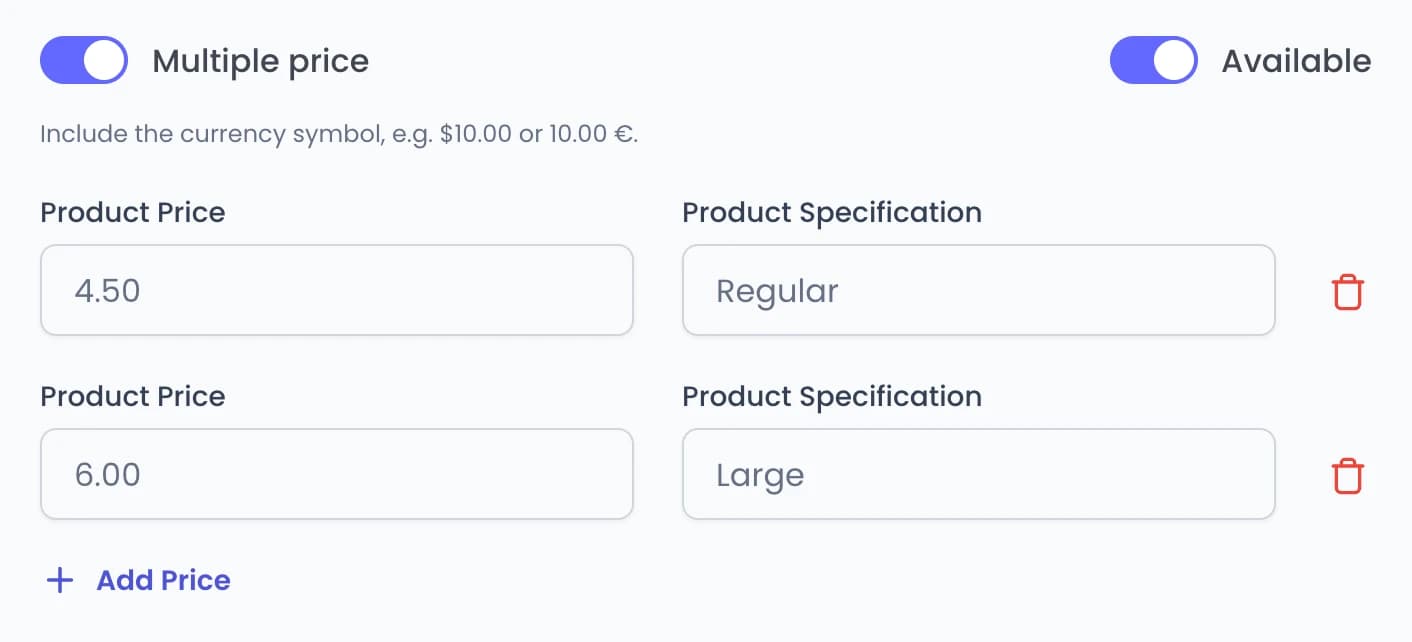
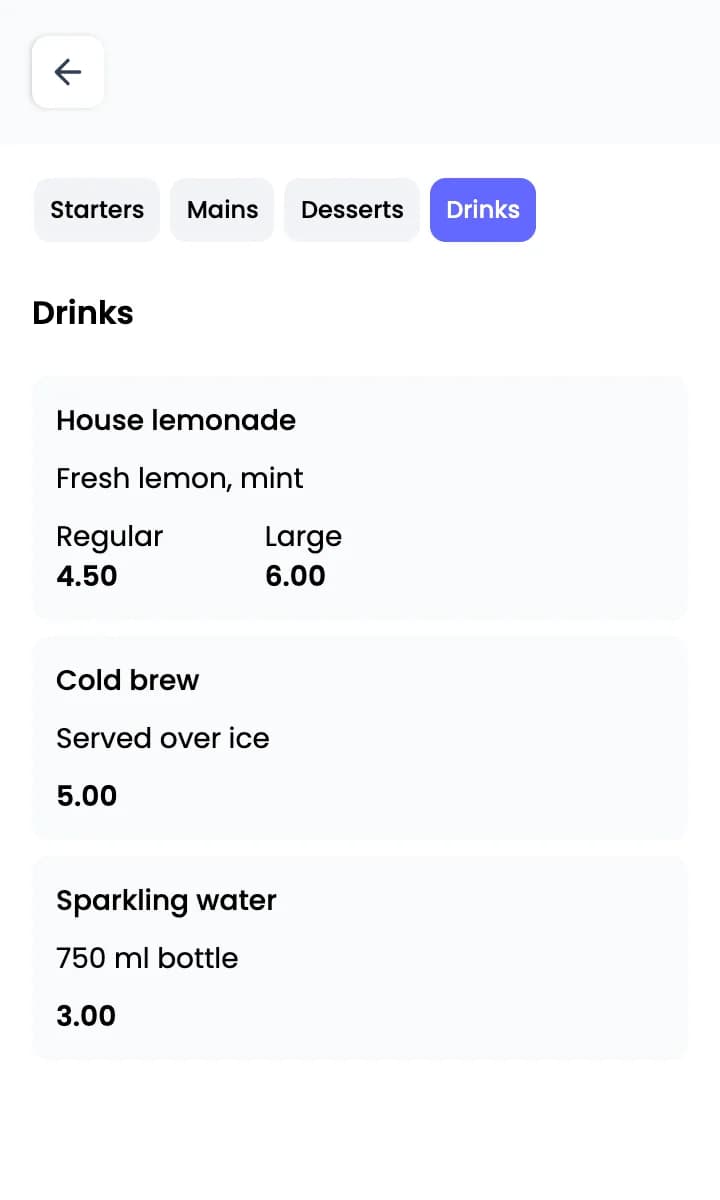
Edit an item’s price, or turn on multiple prices to offer options such as Regular and Large.
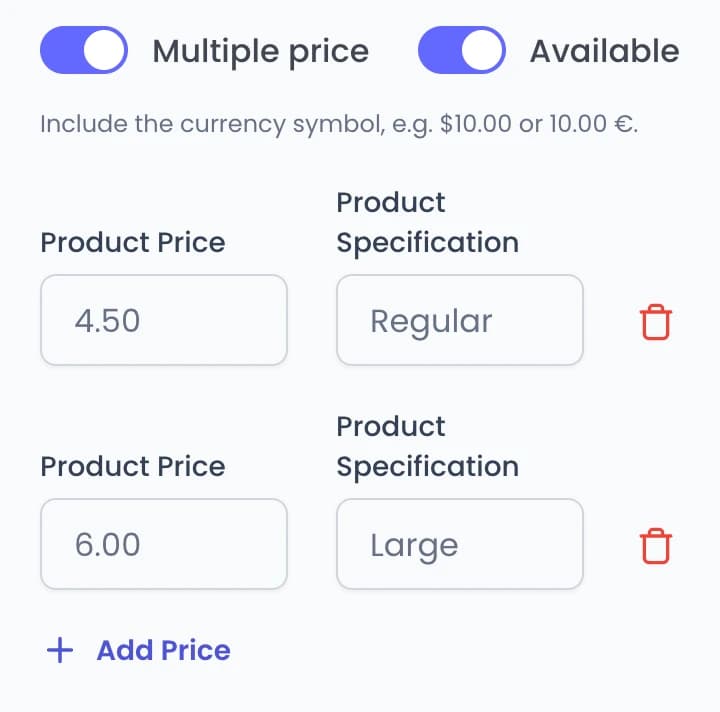
Your edit, in the dashboard
Menu editor item form for House lemonade with Multiple price on: Regular 4.50 and Large 6.00Menu editor item form for House lemonade with Multiple price on: Regular 4.50 and Large 6.00
What guests see now
Guest menu, Drinks section, with House lemonade at one priceGuest menu, Drinks section, with House lemonade offered as Regular and Large and Cold brew at a new price
Before
Guest menu with sections Starters, Mains, Desserts and Drinks

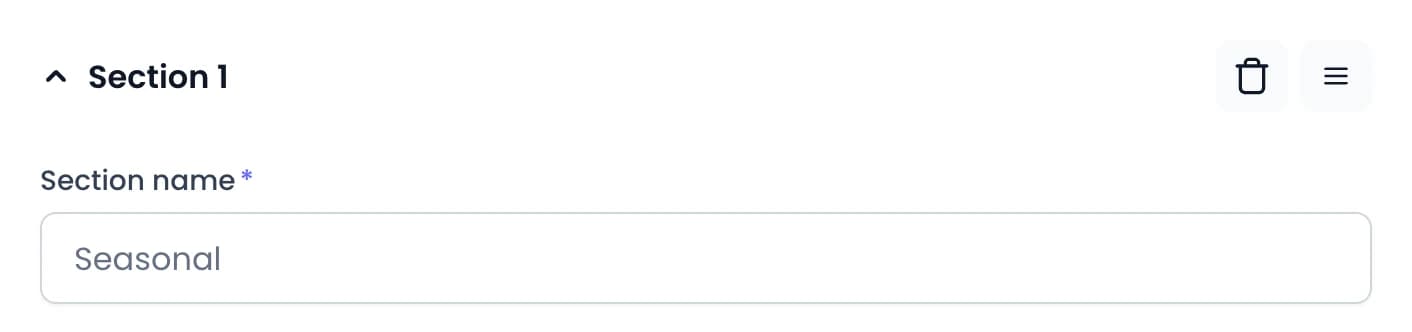
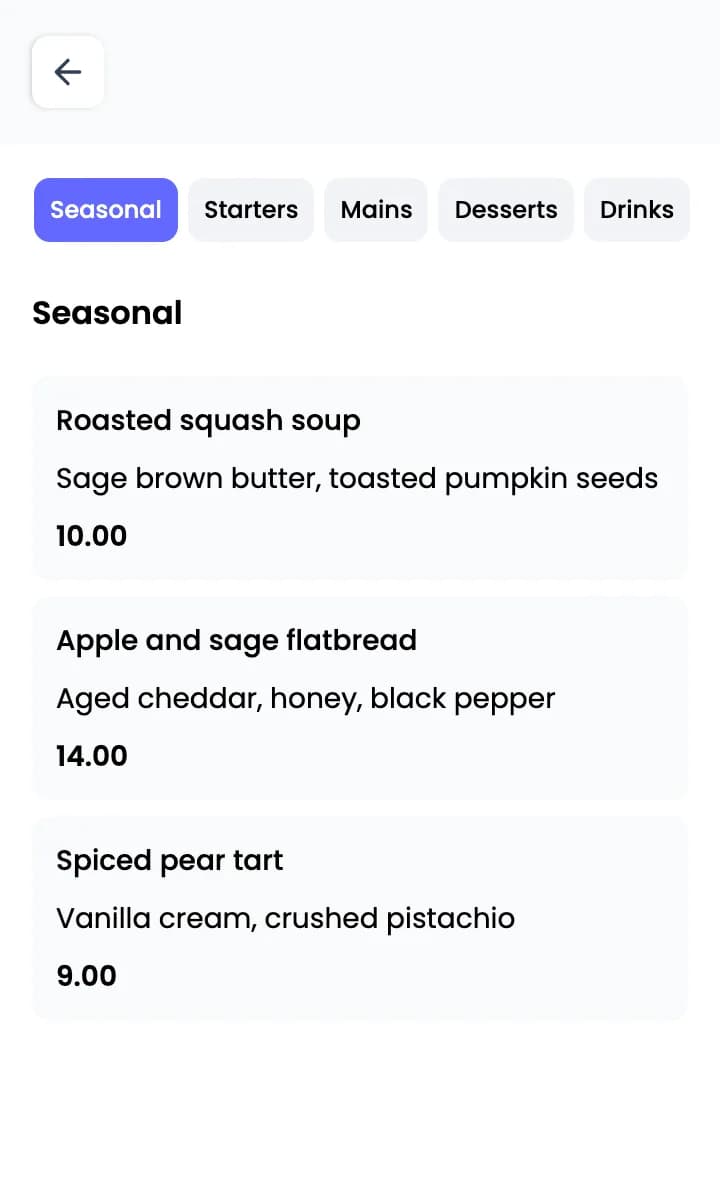
Add a section for the season

Add a new section with its own items. The same printed QR code opens the updated menu.
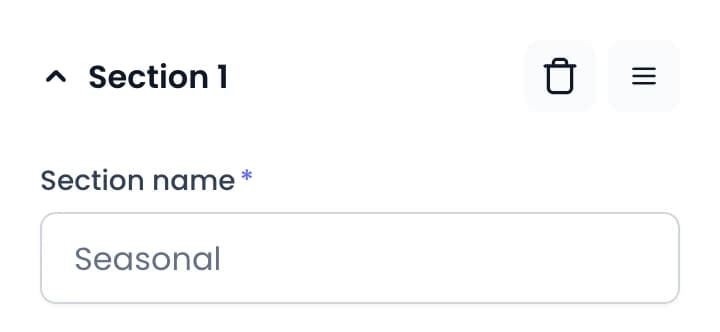
Your edit, in the dashboard
Menu editor section header with the Section name field set to SeasonalMenu editor section header with the Section name field set to Seasonal
What guests see now
Guest menu with sections Starters, Mains, Desserts and DrinksGuest menu with a new Seasonal section listing three dishes
Before
Guest menu in English, Starters section

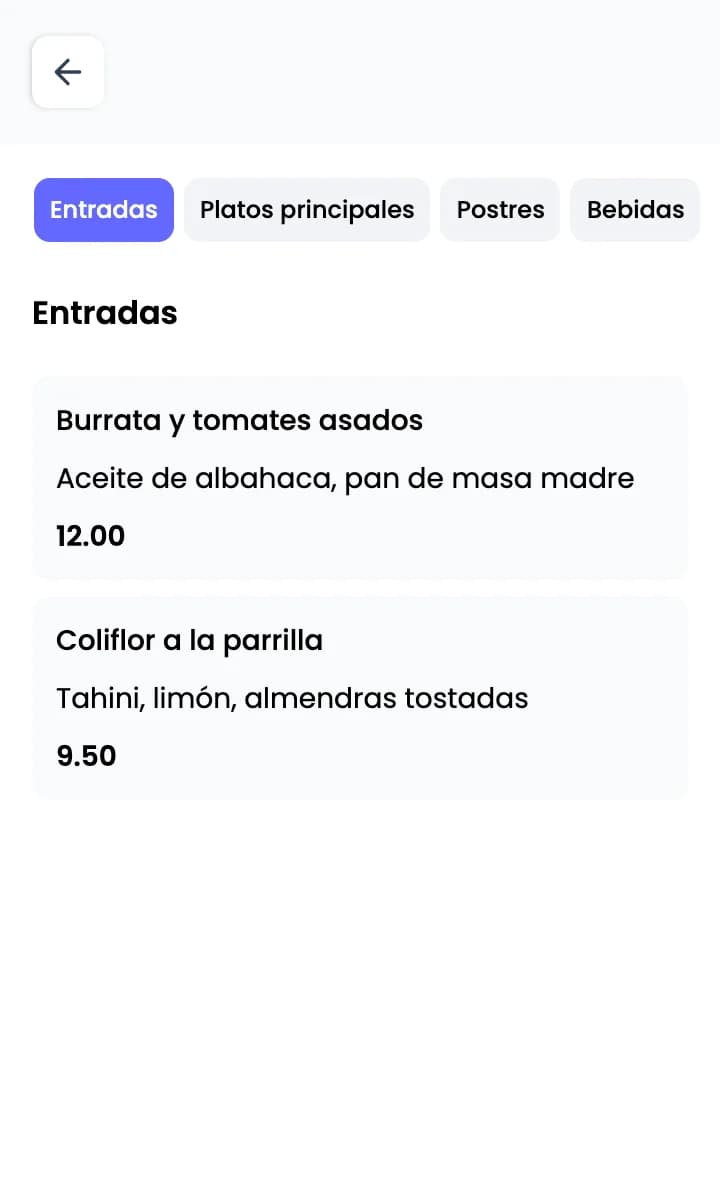
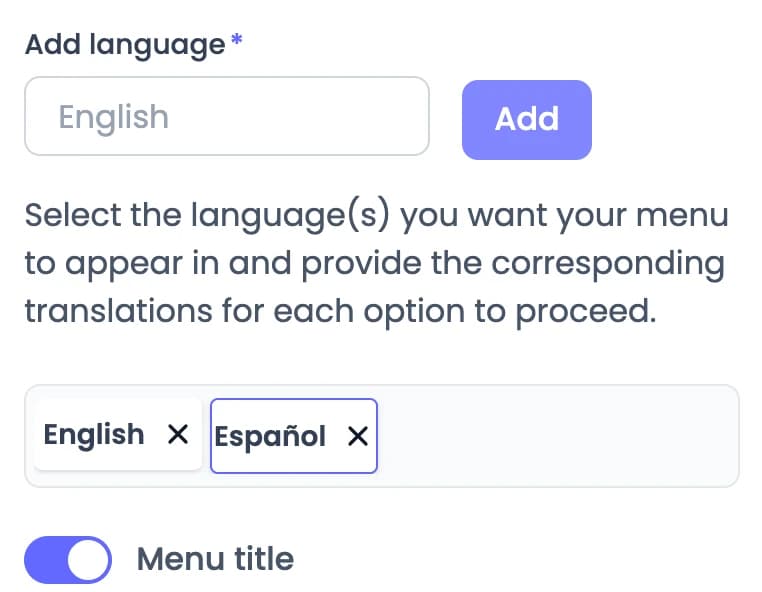
Add a language

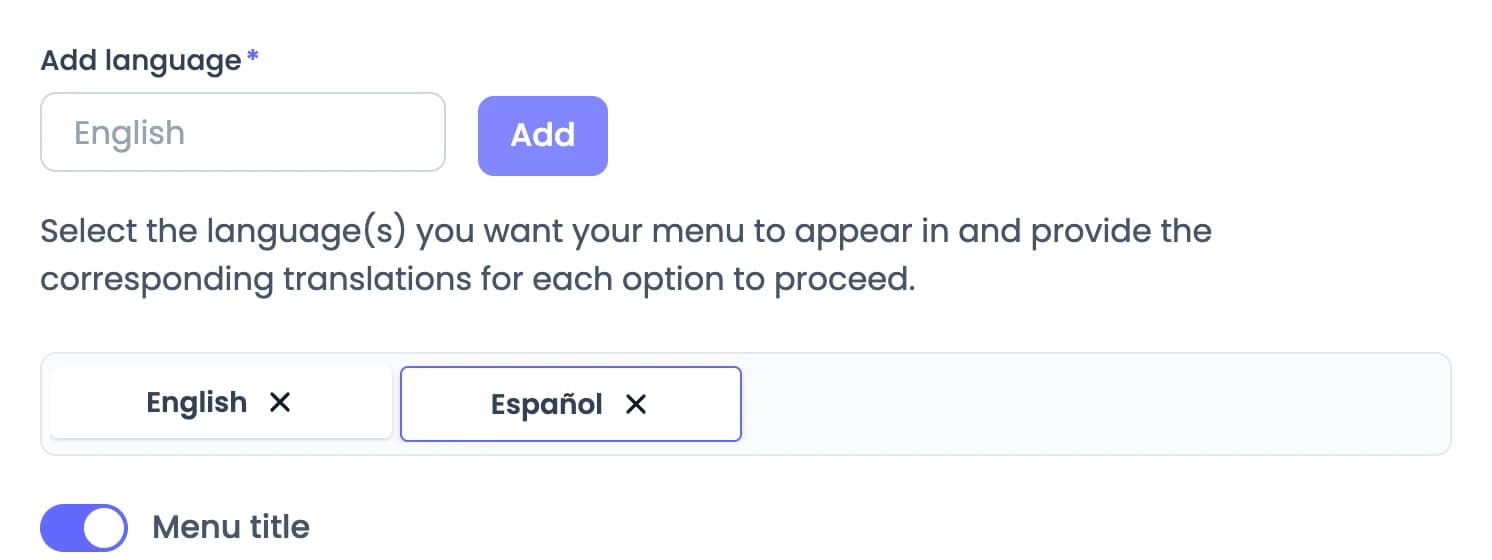
Add a language and provide translations for each section and item. Guests choose their language on the menu’s first screen.
Your edit, in the dashboard
Menu editor language settings with English and Español addedMenu editor language settings with English and Español added
What guests see now
Guest menu in English, Starters sectionGuest menu in Spanish, Entradas section

Already have a designed PDF menu? A PDF QR code opens it on guests’ phones, and you can replace the file later without reprinting. Create a PDF QR code

Sample restaurant and menu. Dishes, prices and scan data are illustrative.
A guest’s visit

Four moments where a QR code earns its place

From the table to the takeaway bag, here is the QR code that fits each moment of a visit.

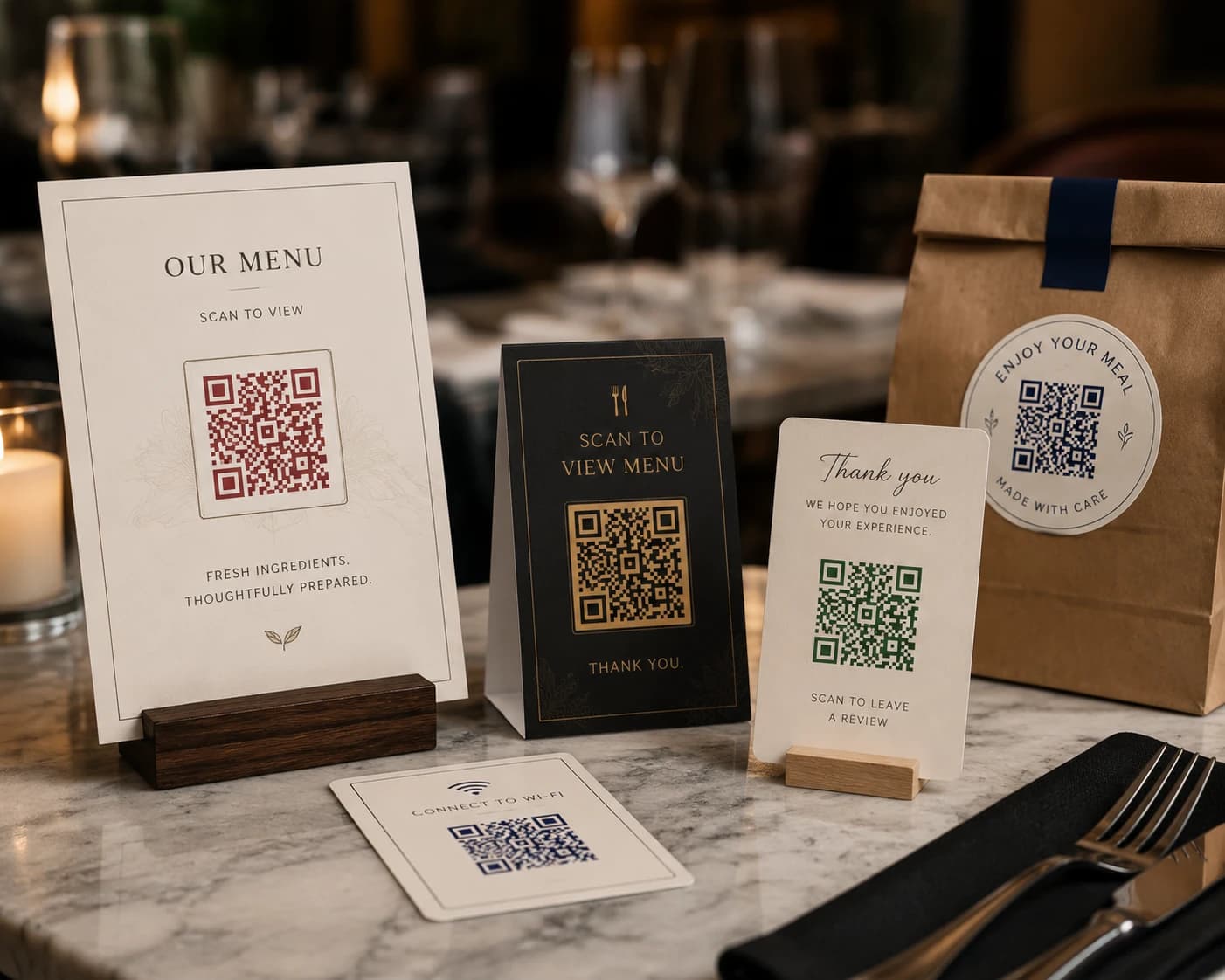
A menu card, a table stand, a thank-you card, a Wi-Fi card and a takeaway bag sticker, each printed with a QR code1234
  1. 1
    1 · At the table

    Menu QR code

    Put the menu on table stands, menu cards and window decals. Guests scan with their phone camera and the current menu opens in their browser.

    Menu QR codes are dynamic, so you can edit the menu without changing the printed code.

    Create a Menu QR code
  2. 2
    2 · While they wait

    Wi-Fi QR code

    Guests scan the code to join your network without typing the password.

    Wi-Fi codes are static: they hold the network details directly, so they can’t be edited or tracked. If your password changes, create a new code.

    Create a Wi-Fi QR code
  3. 3
    3 · After the meal

    Review and social QR codes

    Send guests to your Google review page with a Website QR code, or to all your profiles with a Social Media QR code.

    Website codes can be static or dynamic; choose dynamic for scan tracking. Social Media codes are dynamic.

    Create a Website QR code
    Create a Social Media QR code
  4. 4
    4 · Out the door

    Coupon QR code

    Add a coupon to takeaway bags or receipts. Guests see your offer and coupon code, with terms and a button to redeem.

    Coupon QR codes are dynamic.

    Create a Coupon QR code
Print it

Print it so guests can scan it

Learn more about Menu QR codes
  1. 01Place the code where guests already look for the menu: table stands, counters and other clearly visible spots.
  2. 02Print it large enough, with strong contrast. A small or low-contrast code can scan unreliably.
  3. 03Add a short prompt such as “Scan for menu” so guests know what the code does.
  4. 04Add a frame, your logo and a pattern shape so the code matches your print.
  5. 05Test the printed code at the size, distance and lighting guests will actually have before you use it.
  6. 06Keep it uncovered, and away from glare or spots where it can be damaged.
Learn more about Menu QR codes
Scan analytics

See how your menu QR performs

Track total scans, estimated unique visitors, your best-performing QR code, and scan activity over time.

Total scans

484

Across the selected period

Estimated unique visitors

336

Estimated · 69.4% of all scans

QR codes scanned

This period
5of 5
received at least one scan in this period

QR code performance

Table menu
312 scansMENU

Scan activity

Daily scans · Sep 2 – Oct 1

This period
DailyWeekly
Sep 2Sep 17Oct 1
01020Sep 2Sep 9Sep 17Sep 24Oct 1

Rapid Insights

All QR codes · Sep 2 – Oct 1

All QR codes · Sep 2 – Oct 1

AI
484scans

Across all 5 QR codes in this period

  • Strongest performer

    Table menu leads

    312 of 484 scans

  • Overview

    484 scans recorded

    336 estimated unique visitors

AI-generated interpretation of your scan metrics. Use the charts for exact figures.

Sample restaurant data. Scan metrics and AI insights are illustrative.

Total scans
Every scan in the date range you select.
Estimated unique visitors
An estimate based on distinct IP addresses across the date range. It is not an exact count of people.
QR code performance
How each QR code ranks by scans in the date range, such as your table menu.
Scan activity
Total scans over time, so you can see when guests scan.

Questions from restaurant owners

Still unsure? We’ll help you set it up.

Contact us
Do I need to reprint my table QR codes when the menu changes?

No. A Menu QR code opens a menu page hosted by QR Rapid. Edit your sections, items and prices in your dashboard and the printed code opens the updated menu. You only need a new printout if you want to replace the code itself.

Can I mark a dish as sold out?

Yes. Switch an item to unavailable in the menu editor and guests see a “Sold out” label next to it. Switch it back when the dish returns.

Can I offer the menu in more than one language?

Yes. Add a language in the menu editor and provide the translations for each section and item. Guests choose their language on the first screen of the menu.

Do guests need an app to view the menu?

No. Guests scan the code with their phone camera and the menu opens in their browser. Most modern phones can scan QR codes with the built-in camera.

Can I use the PDF menu I already have?

Yes. A PDF QR code opens your PDF on guests’ phones, and you can replace the file later without changing the printed code. The Menu QR code is built for small screens, with sections, items and prices you edit in the dashboard.

Can I see how many people scan my codes?

Yes, for dynamic QR codes. The Statistics page shows total scans, estimated unique visitors (an estimate based on distinct IP addresses), your best-performing QR code and scan activity over time. Static QR codes, such as Wi-Fi codes, are not tracked.

Is there a trial, and what happens after it?

Menu QR codes are dynamic QR codes. Start with a 7-day trial, no credit card required. After the trial, choose a plan to keep editing and tracking them. Static QR codes, such as Wi-Fi codes, have fixed content and no scan tracking.
Can my staff manage the QR codes?

Yes. You can invite team members to your workspace so they can manage QR codes with you. The number of users depends on your plan.

Contact us

Print the code once. Keep the menu current.

Build your menu, put the code on your tables, and edit the menu whenever it changes. Dynamic QR codes start with a 7-day trial, no credit card required.

Create a Menu QR codeSee plans & pricing

After the trial, choose a plan to keep editing and tracking them.