
Dynamic QR Platform
Create QR codes Instantly
Website URL
Send users to any webpage
Website URL
Website URL
Send users to any webpage
Wi-Fi
Let users connect instantly
Wi-Fi
Wi-Fi
Let users connect instantly
Menu
Create a digital menu
Menu
Menu
Create a digital menu
Start a chat with one tap
Start a chat with one tap
Image
Showcase visuals
Image
Image
Showcase visuals
Show a downloadable file
Show a downloadable file
12 Aug 2026 • 10 min read
QR Codes for Car Dealership Vehicle Displays: Share Specs, Financing Options, and Test-Drive Requests
A practical guide for independent auto dealers and dealership marketing teams using unique QR codes on vehicle window stickers, hang tags, showroom displays, mailers, and service-lane signage. Learn how to send each scan to a mobile vehicle page with photos, walkaround videos, specs, pricing disclosures, financing details, trade-in tools, and a test-drive request CTA while keeping inventory links current with dynamic QR codes and tracking scans by vehicle, lot location, campaign, and event.
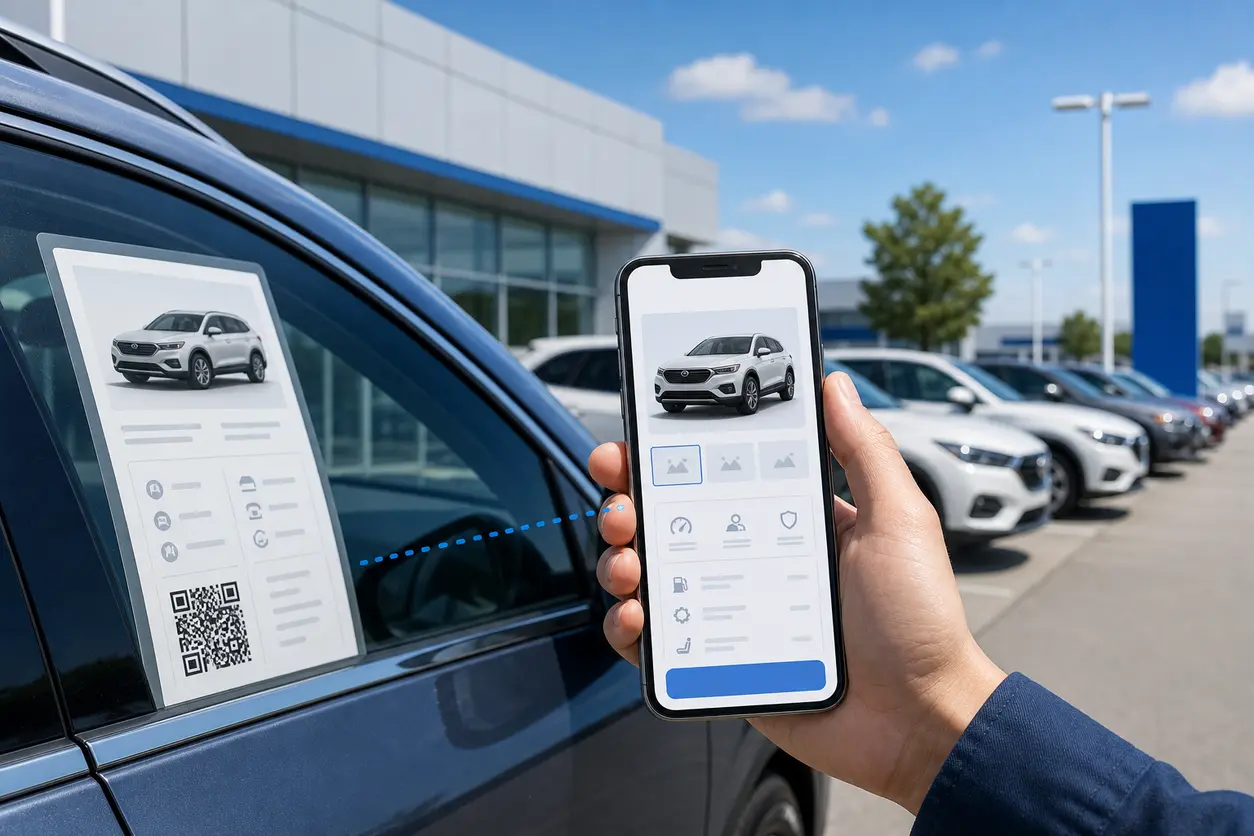
IntroductionWhy dealerships should use vehicle-specific QR codesWhere to place QR codes across the dealership1. Vehicle window stickers2. Hang tags on mirrors or keys3. Showroom displays4. Direct-mail offers5. Service-lane signageWhat each dealership QR code should openDynamic QR codes are the practical choice for inventoryWhat to do when a vehicle sellsHow to track scans in a dealership workflowA simple follow-up workflow for sales teamsLaunch checklist for dealership QR codesWhy QR Rapid fits this dealership workflowTurn every parked vehicle into a measurable mobile sales pageFAQ
Used well, a dealership QR code is not a generic link to your homepage. It is a vehicle-specific path from the windshield, window sticker, hang tag, showroom stand, mailer, or service-lane sign to a mobile page built for that exact shopper moment.
For dealers, that means every parked vehicle can function like an always-available mobile sales page. For shoppers, it means fast access to specs, pricing context, financing details, trade-in tools, and a clear next step.
This guide shows how to set up that workflow in a way that stays useful even when inventory changes.
Why dealerships should use vehicle-specific QR codes
A single generic QR code for your website is easy to make, but it misses the real opportunity. On a lot with dozens or hundreds of units, shoppers are interested in a specific VIN, model, trim, price point, and payment range.
A better setup is one QR code per vehicle or per placement type, depending on the use case.
That approach helps dealerships:
- turn every vehicle display into a mobile research experience
- capture interest after hours without requiring staff on the lot
- reduce friction for test-drive requests
- keep printed materials usable when prices or destinations change
- measure which vehicles, locations, and campaigns actually generate scans
For independent dealers and used-car lots, this is especially useful because inventory changes fast. A code printed today may need a different destination next week. That is why dynamic QR codes matter more in automotive than in many other industries.
Where to place QR codes across the dealership
The strongest dealership setups do not rely on one sign. They use different QR placements for different buyer moments.
1. Vehicle window stickers
This is the highest-intent placement because the shopper is standing at the exact vehicle.
A car window sticker QR code should lead to that unit's mobile page, not your homepage or a broad inventory category. Keep the call to action specific:
- Scan for full specs and photos
- See financing options
- Watch the walkaround video
- Request a test drive
Place the code where glare is minimal and the phone can frame it easily. If your window sticker already carries pricing or compliance text, leave enough white space so the QR code does not feel crowded.
2. Hang tags on mirrors or keys
Hang tags work well for featured inventory, certified used vehicles, EVs, or special financing promotions. Because hang tags are often closer to eye level than stickers, they can drive more casual scans during walkarounds.
Use them when you want to highlight one specific action, such as:
- compare trim features
n- check payment examples
- value your trade
- reserve a test drive slot
3. Showroom displays
Indoor buyers often want richer media. A showroom QR code can link to a landing page with:
- gallery photos
- 360-degree interior views
- video walkarounds
- trim comparison details
- model-specific incentives or disclaimers
This is a good place to use a slightly more branded design, since lighting and viewing distance are more controlled than on exterior glass.
4. Direct-mail offers
Mailers usually fail when they send traffic to a generic landing page with too many choices. Instead, use separate QR codes for separate offers.
Examples:
- pre-owned SUV inventory under a price threshold
- truck financing special
- trade-in event page
- model-specific test-drive page
For direct mail QR code, direct mail becomes far more measurable when each mailer version has its own code. That lets your team track which audience segment or offer drove scans.
5. Service-lane signage
The service lane is underrated as a sales touchpoint. Customers waiting on maintenance are often open to trade-up conversations, equity checks, or browsing newer inventory.
Useful service-lane QR destinations include:
- trade-in valuation tool
- upgrade offers for current owners
- featured certified inventory
- appointment form for appraisal or sales consultation
This keeps the workflow automotive-specific and relevant to the customer already on site.
What each dealership QR code should open
The destination matters more than the code itself. If the scan leads to a slow, cluttered, or generic page, the opportunity is lost.
For most vehicle displays, the best destination is a mobile vehicle page with these elements:
Photos first
Lead with high-quality exterior and interior photos. A lot shopper scanning on mobile wants quick visual confirmation before reading long details.
Video walkaround
A short walkaround helps replicate the salesperson's initial presentation when no one is available. Even a simple handheld overview is often more useful than an image-only page.
Vehicle specifications
Include the details buyers typically compare on the lot:
- year, make, model, trim
- mileage
- drivetrain
- transmission
- engine or EV range details
- fuel economy or charging notes where relevant
- seating, bed length, cargo, or towing details when applicable
Pricing and required disclosures
Show price information clearly, along with any needed disclaimers. Depending on your market and process, that may include:
- taxes, title, and license not included
- documentation or dealer fees
- incentive eligibility limits
- finance subject to approval
- payment examples based on term, down payment, and credit assumptions
This is not legal advice, but dealerships should review landing-page disclosures with their compliance lead or legal team before rollout.
Financing information
Instead of forcing shoppers into a full credit application immediately, start lighter:
- estimated payment ranges
- basic finance options
- down payment examples
- lender or approval disclaimers
- a CTA to continue to a finance inquiry page
Trade-in tool
A trade-in prompt is especially effective for used-car buyers and service-lane customers. Keep it simple: vehicle details, condition basics, and contact info.
Test-drive request CTA
Make the next action clear and easy. Good options include:
- request a test drive
- ask if this vehicle is still available
- text the sales team about this car
- save this vehicle and get a follow-up
If you use a form, keep it short. Name, phone, email, preferred time, and one note field is usually enough.
Dynamic QR codes are the practical choice for inventory
For inventory marketing, static codes create avoidable cleanup work. If a vehicle sells, the listing changes, or the price is updated, a static code can become useless or misleading.
Dynamic QR codes solve that because the printed code stays the same while the destination can be updated behind it.
That matters in several common dealership situations:
- a sold vehicle needs to redirect to a similar unit
- a price drop requires a new landing page, but not a reprint
- a mailer code needs to move from one featured inventory set to another
- a showroom model is swapped for a different trim
- an event campaign shifts from one weekend promotion to the next
With QR Rapid, dealers can manage those destination changes without replacing the physical code every time inventory moves.
What to do when a vehicle sells
This is where many automotive QR programs break down. A shopper scans a window sticker, finds a dead page, and leaves.
Build a fallback plan before launch.
Best option: redirect to a similar vehicle
If the exact unit is sold, send the scan to:
- the same model in a similar trim
- a matching price band
- a certified equivalent
- a curated "similar vehicles available now" page
That keeps the scan session valuable instead of ending it.
Second option: sold page with next steps
If you prefer not to redirect instantly, use a sold inventory page that says the unit is no longer available and offers:
- similar vehicles
- a test-drive request for comparable inventory
- a trade-in prompt
- a contact option for alerts when similar stock arrives
Avoid this mistake
Do not leave sold inventory QR codes pointing to a 404 page, a homepage, or an irrelevant category page. That breaks attribution and wastes high-intent traffic.
How to track scans in a dealership workflow
One of the biggest benefits of dealership inventory QR codes is measurable offline-to-online behavior.
The useful question is not just "Did people scan?" It is "What did they scan, where, and in what context?"
Track QR codes by:
Vehicle
Assign a unique code to each vehicle display when practical. That tells you which units get attention before a lead is submitted.
Lot location
If you operate multiple lots or place overflow inventory in different areas, separate codes help identify which location produces more scan activity.
Placement type
Use distinct codes for:
- window stickers
- hang tags
- showroom displays
- direct-mail pieces
- service-lane signs
This shows which touchpoint earns the strongest response.
Campaign or event
For tent sales, holiday promotions, tax-season offers, clearance weekends, or trade-in events, event-specific codes preserve attribution even when the destination updates later.
QR Rapid is a practical fit here because it supports dynamic destinations and scan tracking, so dealership teams can manage inventory links and compare performance across placements without rebuilding the whole system each time.
A simple follow-up workflow for sales teams
A QR code only creates value if the store follows up well. Keep the handoff clean and consistent.
- Capture the source.
Pass the vehicle, placement, and campaign details into your CRM or lead notes when possible.
- Respond quickly.
A shopper asking about a vehicle on the lot usually has short buying intent. Route test-drive requests and availability questions to the right salesperson fast.
- Reference the scanned vehicle in the first reply.
Mention the exact year, make, model, and trim so the response feels relevant, not templated.
- Offer a useful next step.
Examples include confirming availability, sending additional photos, sharing similar vehicles, or scheduling a drive.
- Use sold-inventory redirects to save the lead.
If the unit is gone, the response should immediately pivot to comparable vehicles instead of ending the conversation.
Launch checklist for dealership QR codes
Before printing a full batch, run through this checklist.
Scannability
- test from typical standing distance
- confirm the code works in daylight, shade, and showroom lighting
- avoid reflective placement on heavily tinted or curved glass when possible
- leave adequate contrast and quiet space around the code
- add a short CTA so shoppers know what they will get
Destination quality
- make sure pages load well on mobile
- confirm photos, video, and specs are current
- put the most important details above the fold
- keep forms short and easy to complete on a phone
Disclosure review
- verify pricing disclaimers are present where needed
- review payment examples for compliance wording
- confirm incentive eligibility language is accurate
- align finance and availability messaging with store policy
Inventory management
- assign an owner for code updates
- define what happens when a vehicle sells
- create a standard redirect rule for similar inventory
- archive or repurpose old campaign codes instead of abandoning them
Sales follow-up
- decide who receives test-drive requests
- set response-time expectations
- train staff to reference the scan source
- create a script for sold-vehicle follow-up and substitute inventory
Why QR Rapid fits this dealership workflow
Dealerships do not need a novelty QR program. They need a maintainable one.
QR Rapid is a strong fit when you want to:
- create unique QR codes for vehicle displays and campaign materials
- use dynamic QR code generator destinations so inventory changes do not force reprints
- send scans to mobile landing pages, files, or video content
- keep branding more consistent across printed materials
- track scan activity by code, placement, or campaign
That combination is especially useful for independent dealers and lean marketing teams that need to move quickly as inventory changes.
Turn every parked vehicle into a measurable mobile sales page
The best QR codes for car dealerships do one simple job well: they help an in-person shopper continue the buying process on their phone without friction.
If you give each vehicle a useful destination, plan for sold inventory, and track scans by placement, your lot keeps working even after hours.
If you are building that system now, start small: pick one row of inventory, one direct-mail campaign, and one service-lane offer. Create dynamic codes in QR Rapid, test the scan experience in person, and expand once the workflow is proven.
That way, each car on the lot becomes more than a display. It becomes a trackable digital entry point to specs, financing context, trade-in conversations, and test-drive requests.
FAQ
Should each vehicle on the lot have its own QR code?
Yes, if you want clean tracking and vehicle-specific landing pages. A unique code per vehicle makes it easier to measure interest, update destinations, and redirect sold units to similar inventory.
What should a car dealership QR code link to?
For vehicle displays, link to a mobile page for that exact unit with photos, video, specs, price context, financing details, trade-in options, and a clear test-drive request CTA.
Are dynamic QR codes better than static QR codes for dealerships?
Usually yes. Dynamic QR codes let you change the destination after printing, which is important when a vehicle sells, pricing changes, or inventory is replaced.
What happens to the QR code when a vehicle is sold?
The best practice is to redirect the code to a similar vehicle or a sold page with comparable inventory and a contact CTA. That preserves the shopper experience and keeps attribution intact.
Where should dealerships place QR codes besides window stickers?
Useful placements include hang tags, showroom displays, direct-mail offers, and service-lane signage. Each placement should have its own purpose and destination rather than reusing one generic code everywhere.
How can a dealership track QR code performance?
Track by vehicle, lot location, placement type, and campaign or sales event. Separate codes for each context make it easier to see which inventory and promotions generate real shopper engagement.
Similar Blogs
The latest industry news, interviews, technologies, and resources.
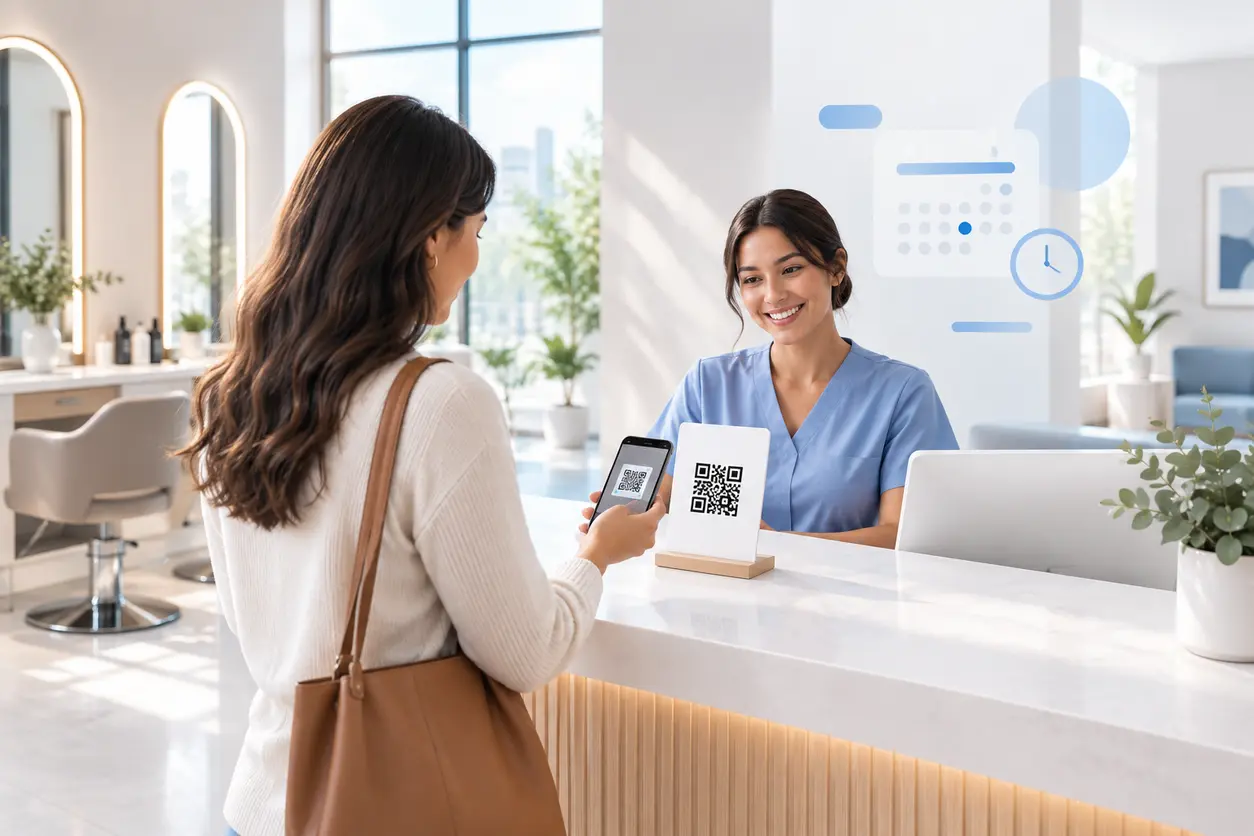 September 14, 2026
Appointment Booking QR Code Workflows for Service Businesses
Appointment Booking QR Code Workflows for Service Businesses
Read post
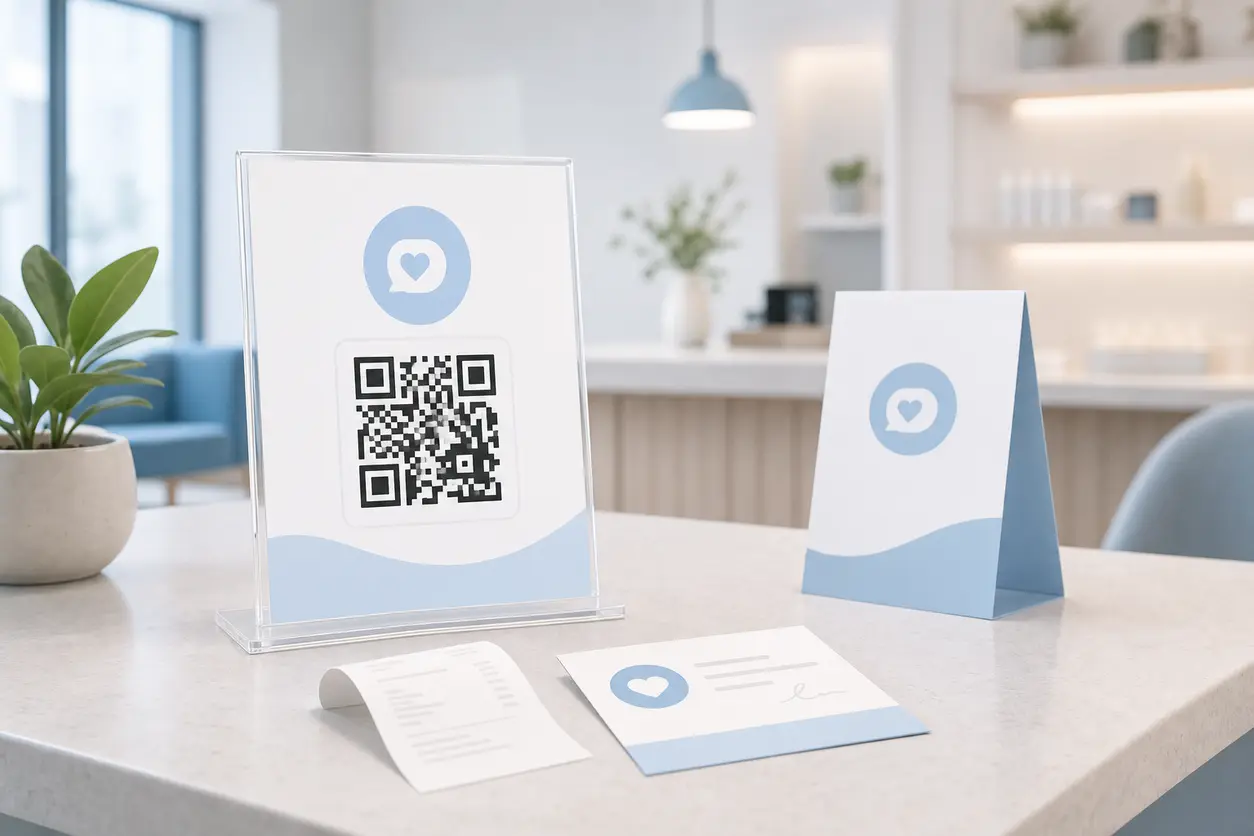 August 15, 2026
QR Codes for Google Reviews: How to Get More Customer Reviews from In-Store Signage
QR Codes for Google Reviews: How to Get More Customer Reviews from In-Store Signage
Read post

Join 2,000+ subscribers
Stay in the loop with everything you need to know.
We care about your data in our privacy policy