
Dynamic QR Platform
Create QR codes Instantly
Website URL
Send users to any webpage
Website URL
Website URL
Send users to any webpage
Wi-Fi
Let users connect instantly
Wi-Fi
Wi-Fi
Let users connect instantly
Menu
Create a digital menu
Menu
Menu
Create a digital menu
Start a chat with one tap
Start a chat with one tap
Image
Showcase visuals
Image
Image
Showcase visuals
Show a downloadable file
Show a downloadable file
14 Sep 2026 • 11 min read
QR Codes for Google Review Collection at the Point of Service
Build a practical QR code for Google reviews workflow at the point of service. Learn setup, placement, staff prompts, branded review bridges, and scan-to-review measurement.
IntroductionBuild the review request around one customer actionStart with the correct Google review destinationChoose direct-to-Google or a branded review bridgeWhy a dynamic QR code is the better operating choicePlace the code where the service experience is completeDesign the print asset for actual scanning conditionsGive staff a simple, permission-based scriptMatch timing to your business modelMeasure the path from scans to reviewsRun small placement tests instead of guessingA practical launch plan for the next seven daysTurn a printed code into a manageable review systemFAQ
The code itself is not the strategy. The strategy is a point-of-service system that puts the right request in front of the right customer at the right moment, sends them to a low-friction mobile destination, and shows you which placements are actually producing reviews.
This guide focuses on that complete workflow for local businesses, service providers, salons, clinics, restaurants, retailers, and other in-person teams.
Build the review request around one customer action
A good review flow has one goal: make it easy for a satisfied customer to open your Google review form while their experience is still fresh.
The simplest version is:
- A customer completes a visit, purchase, or service.
- They see a clear invitation to leave an honest review.
- They scan the QR code with their phone camera.
- The code opens your Google review destination or a short branded review bridge.
- They sign in to Google if needed, choose a rating, and submit their review.
Every additional decision reduces momentum. Avoid sending customers to a general homepage, a long contact form, a link hub packed with options, or a generic Google search results page. Your QR code should have a single, obvious purpose.
Use direct language next to the code:
- “Enjoyed your visit? Scan to leave us a Google review.”
- “Your feedback helps our local business. Scan to share your experience.”
- “Had a great service today? Tell us on Google.”
- “Scan in 30 seconds to leave an honest review.”
Do not promise a reward in exchange for a positive review. Keep the request neutral and invite honest feedback from all customers.
Start with the correct Google review destination
Before creating a QR code, identify the review link for the exact Google Business Profile location you want customers to review. This matters for businesses with multiple branches, departments, or practitioners.
Test the destination on a phone before printing anything. A customer should reach the correct business listing and review process without manually searching for your business name.
Use this pre-launch checklist:
- Confirm the business name, address, and location are correct.
- Open the link on iPhone and Android devices if possible.
- Check that the destination is not a generic map result or a similarly named business.
- Verify the review request applies to the intended location.
- Have someone outside your business try the flow without staff guidance.
A QR code cannot fix a broken destination. Validate the review link first, then build the print materials around it.
Choose direct-to-Google or a branded review bridge
There are two practical routing choices for a QR code for Google reviews.
Direct-to-Google review code
A direct code sends the scanner straight to the Google review flow.
This is the best choice when speed is the priority. It works especially well on a payment terminal sign, checkout counter card, invoice, or receipt where the customer is already being asked in person.
Use direct routing when:
- You want the fewest possible steps.
- The code has one purpose only.
- The printed placement is clear about what will happen after scanning.
- You do not need to explain your request before opening Google.
Branded review landing page
A branded landing page acts as a short bridge between the scan and Google. It might include your business name, a thank-you message, a brief prompt, and one large button that opens the Google review flow.
For example:
Thank you for choosing Riverside Dental. If your visit went well, we would appreciate an honest Google review. Your feedback helps neighbors find our practice.
>
[Leave a Google review]
A review bridge is useful when the customer needs context, when several staff members use the same code, or when you want to maintain a consistent branded experience across receipts, cards, and packaging.
Keep it focused. The landing page should not become a general marketing page with service menus, social icons, newsletter pop-ups, and multiple competing calls to action. One prominent review button is the conversion path.
Why a dynamic QR code is the better operating choice
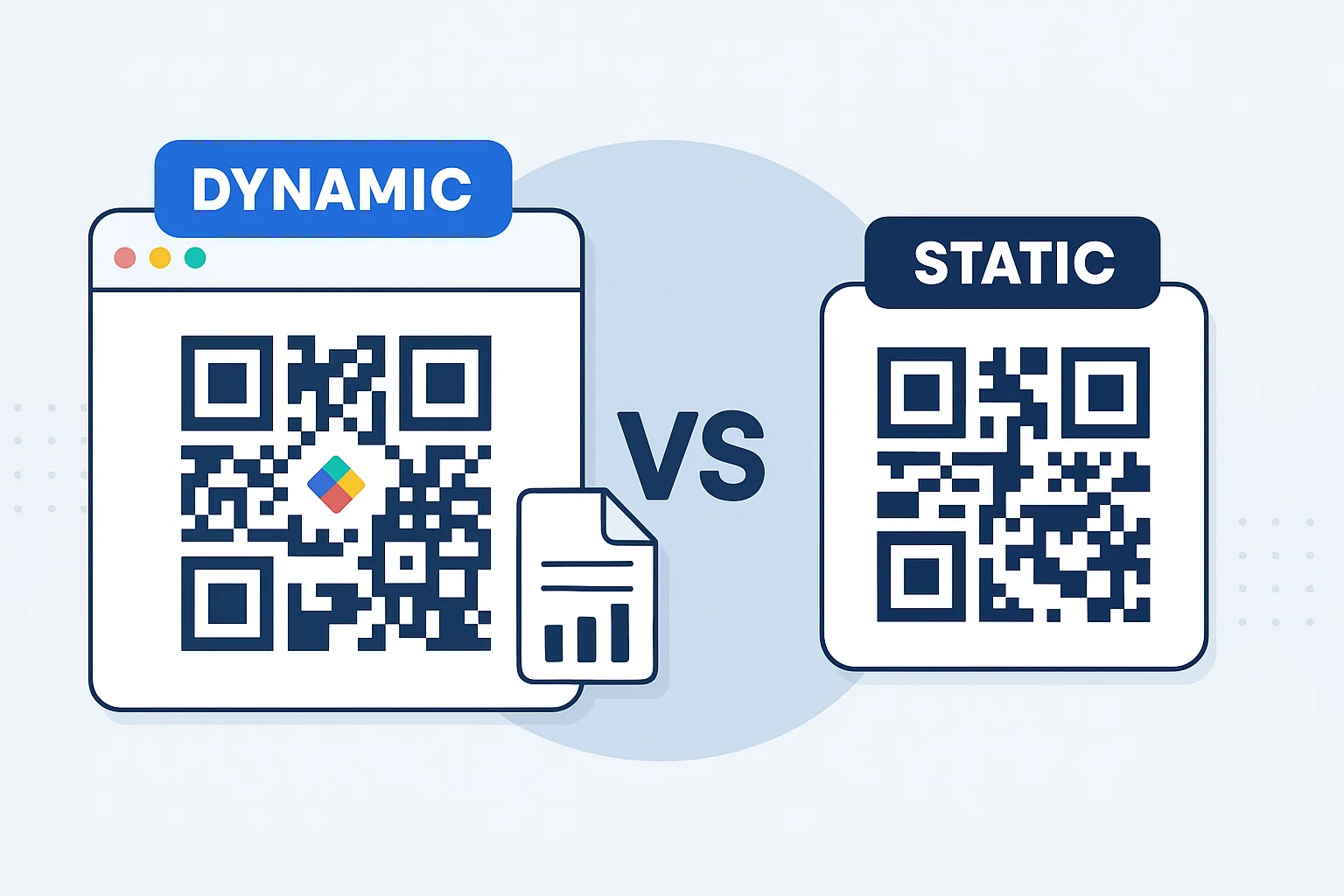
A static code permanently stores its destination. If your Google review link changes, your location changes, or you later decide to use a branded review page, you must replace the code everywhere it was printed.
A dynamic QR code is better suited to a continuing review collection program because it gives you operational flexibility. With QR Rapid, you can create a dynamic QR code, direct it to your chosen destination, and update that destination later without replacing every receipt insert, counter sign, table card, or package label.
Dynamic codes also make it possible to separate placements for measurement. Instead of one code everywhere, create distinct codes for each meaningful touchpoint:
- Counter display
- Printed receipt
- Service invoice
- Thank-you card
- Delivery or takeout packaging
- Appointment follow-up card
- Technician leave-behind
Each code can point to the same review destination while giving you separate scan data. This tells you where customer intent is strongest.
Place the code where the service experience is complete
Review requests work best at a moment of satisfaction, not at a random point in the customer journey. Select placements based on when the customer can realistically pause, scan, and write.
Counter signs and payment areas
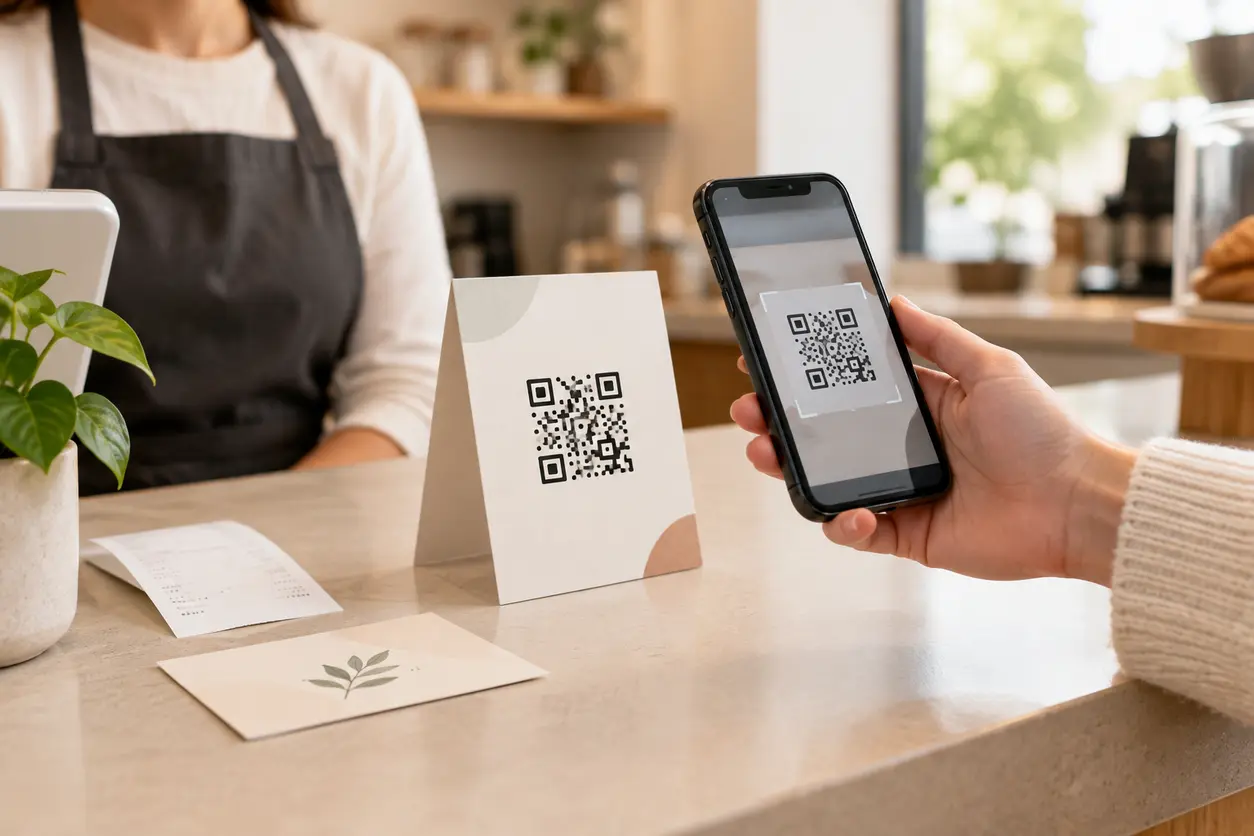
Countertop cards work well for cafes, retailers, salons, clinics, repair shops, and reception desks. Put the code within easy camera range and keep the message short.
A counter sign is most effective when it supports a staff conversation rather than replacing it. The customer has just paid, the interaction is complete, and the business is still top of mind.
Receipts
Receipts reach nearly every completed transaction. Add a code near the bottom with a visible call to action, rather than shrinking it into a footer.
Receipt space is limited, so use direct copy such as: “Loved your experience? Scan to review us on Google.”
For digital receipts, include a clickable review link as well as a QR image. Customers opening an email on the same phone cannot conveniently scan a code on that phone screen.
Invoices and payment confirmations
For contractors, home service providers, consultants, auto shops, and B2B service teams, the ideal time may be after successful project completion or after payment is received.
Place the review QR code in the invoice footer, paid-in-full confirmation, or project completion email. Avoid asking while the customer is still dealing with an unresolved issue, waiting for final work, or questioning a charge.
Follow-up and thank-you cards
A small card handed over after a successful appointment or placed in a completed order gives customers a physical reminder they can act on later.
This is particularly useful for salons, wellness providers, pet services, photographers, specialty retail, and tradespeople. Use one action on the front: scan to leave a Google review. Put contact or support details on the reverse, not around the code.
Packaging and delivery inserts
For takeout restaurants, ecommerce brands with local pickup, florists, bakeries, repair businesses, and product sellers, packaging creates a second review opportunity after the customer is home.
Place the code on an insert, sticker, or bag message where it remains clean and scannable. Do not put a review code across folds, curved bottle edges, glossy seams, or areas likely to be torn open.
Design the print asset for actual scanning conditions
A code can be technically valid and still perform poorly in the real world. For review collection, prioritize quick scanning over decorative complexity.
Use these production rules:
- Keep a strong contrast between the code and its background.
- Preserve clear empty space around the code.
- Avoid placing it over photographs, patterns, or reflective foil.
- Make it large enough for the expected scanning distance.
- Add a direct call to action immediately beside or above it.
- Include your business name so customers know where the scan leads.
- Test the final printed proof, not just the design file.
If you add brand colors or a logo, scan-test with multiple phone cameras in normal lighting. A branded code should still be easy to recognize and scan in seconds.
Give staff a simple, permission-based script
Staff influence whether a counter sign becomes a real conversion tool. The goal is not to pressure customers. It is to make a timely, human invitation after a positive interaction.
Use a script that fits the moment:
- “I’m glad we could help today. If you have a moment, the code on the counter opens our Google review page.”
- “Thanks for coming in. Honest reviews really help our small business; you can scan this whenever it is convenient.”
- “I’m happy you enjoyed it. If you would like to share that experience, the receipt has a direct review code.”
- “Once everything looks good with the job, the card I left has a QR code for an honest Google review.”
Train staff on when *not* to ask. Do not request a public review from someone who has just reported a problem, is visibly rushed, has an unresolved billing question, or has not yet experienced the completed service. Resolve the issue first. Review collection should follow satisfaction, not substitute for service recovery.
Match timing to your business model
The best moment is not identical for every business.
Restaurants and cafes
Ask after payment, at a takeaway handoff, or through a receipt and packaging insert. Do not interrupt a meal. Table tents can work in slower settings, but use a concise request and remove clutter from the table. For more placement ideas, see this guide to restaurant review QR codes.
Salons, spas, and personal services
Ask at checkout after the client sees the result. A mirror card, checkout sign, or rebooking receipt can reinforce the request. If the service outcome develops over time, a follow-up message can be a better second touchpoint.
Clinics and professional services
Focus on completed, positive interactions and protect customer comfort. A discreet checkout card or post-visit message is generally more appropriate than a prominent request in a waiting area.
Contractors and home services
Ask after the walkthrough, completion confirmation, or successful payment. The technician can leave a branded card, while the office can include the same request in the paid invoice email. See the Contractor QR Code Guide for Estimates, Job Updates, and Reviews for related contractor workflows.
Retail and local product businesses
Use the receipt first, then packaging or a thank-you insert for products that customers experience at home. A customer may be more ready to review after using the product than immediately after purchase.
Measure the path from scans to reviews
A review count alone does not explain what is working. Build a simple measurement routine around the QR codes you deploy.
Start by assigning each placement its own dynamic QR Rapid code. Name the codes consistently, for example:
- Downtown-counter-review
- Downtown-receipt-review
- Downtown-thank-you-card-review
- Northside-invoice-review
Review scan activity regularly and compare it with the number of new Google reviews during the same period. You usually cannot attribute every individual review to one scan because Google does not provide a direct closed-loop connection from a QR scan to a published review. However, you can use the data to make smarter placement decisions.
Track these operational signals:
- Scans by placement
- Scans by location or team
- Scan patterns after new signage is deployed
- New reviews during the campaign period
- Changes in review volume after staff training
- Customer comments that mention a receipt, card, or in-store sign
If a counter code receives scans but reviews do not appear to increase, inspect the destination and the review bridge. The page may be too busy, the Google link may be wrong, or customers may be abandoning the process after scanning. If a placement receives almost no scans, improve visibility, copy, size, or staff prompting before printing more materials.
Run small placement tests instead of guessing
Treat review collection as an operational experiment. Change one element at a time and let scan behavior guide the next decision.
Useful tests include:
- Counter sign versus receipt placement
- “Leave a review” versus “Share your experience” copy
- Direct Google routing versus a short branded review bridge
- A staff prompt versus signage alone
- A card handed to customers versus a card included in a bag
- Different locations, shifts, or service teams
Keep each test simple. Use separate QR Rapid dynamic codes, leave the destination consistent where possible, and review the scan data before declaring a winner. The goal is not to chase a universal best practice; it is to find the review request workflow that fits your customers and service environment.
A practical launch plan for the next seven days
Day 1: Confirm the exact Google review destination for each business location.
Day 2: Create a branded review bridge if your request needs context; otherwise prepare a direct review destination.
Day 3: Create separate dynamic QR Rapid codes for your counter, receipts, cards, invoices, and packaging.
Day 4: Design one clean asset per placement with a direct call to action.
Day 5: Print test copies and scan them in real conditions: counter lighting, outdoor light, from typical customer distance, and on different phone models.
Day 6: Give staff a short script and clear guidance on positive timing and service recovery.
Day 7: Launch, record the starting review count, and schedule a weekly scan-and-review check.
Turn a printed code into a manageable review system
The strongest QR code for Google reviews is not the prettiest code on a countertop. It is a system with a verified destination, a clear customer prompt, placement at the right service moment, staff who ask appropriately, and separate tracking for each touchpoint.
QR Rapid helps local teams run that system with dynamic QR codes that can be updated as your workflow evolves and tracked by placement. Start with two or three high-intent locations, such as the payment counter, receipt, and post-service card. Learn which one earns scans, improve the experience around it, and expand only after you have a repeatable process.
Create your review codes in QR Rapid, label each placement clearly, and make every completed customer experience easier to share.
FAQ
How do I make a QR code that opens my Google review form?
First, obtain and test the review link for the correct Google Business Profile location. Then create a QR code in QR Rapid that points to that link, test it on a phone, and print it with a clear review call to action.
Should my Google review QR code go directly to Google or to a landing page?
Use a direct Google destination when speed is most important. Use a short branded landing page when you need a thank-you message, consistent branding, or a brief explanation before the customer continues to Google. Keep the landing page focused on one review button.
Where should I place a QR code for Google reviews?
Use places tied to a completed positive experience: payment counters, receipts, paid invoices, thank-you cards, takeout bags, delivery inserts, and service completion materials. Choose placements where customers can safely pause and scan.
Can I track which review QR code placement works best?
Yes. Create a separate dynamic QR code for each placement in QR Rapid. Compare scans from the counter, receipt, invoice, or card with changes in new review volume over the same period. Google reviews cannot always be tied to an individual scan, but placement-level scan data helps identify stronger touchpoints.
What should staff say when asking for a Google review?
Keep the request brief and neutral: “If you have a moment, the code on the receipt opens our Google review page. Honest feedback helps our business.” Ask after a positive completed interaction, not during an unresolved issue or service complaint.
Can I offer a discount for a Google review?
Avoid tying discounts, gifts, or entry into a promotion to a positive review. Ask customers for honest feedback instead, and make the process easy with a direct review QR code.
Similar Blogs
The latest industry news, interviews, technologies, and resources.
 August 15, 2026
QR Codes for Google Reviews: How to Get More Customer Reviews from In-Store Signage
QR Codes for Google Reviews: How to Get More Customer Reviews from In-Store Signage
Read post
 June 21, 2026
QR Codes for Restaurant Table Tents That Drive Reviews and Repeat Visits
QR Codes for Restaurant Table Tents That Drive Reviews and Repeat Visits
Read post
Join 2,000+ subscribers
Stay in the loop with everything you need to know.
We care about your data in our privacy policy