
Dynamic QR Platform
Create QR codes Instantly
Website URL
Send users to any webpage
Website URL
Website URL
Send users to any webpage
Wi-Fi
Let users connect instantly
Wi-Fi
Wi-Fi
Let users connect instantly
Menu
Create a digital menu
Menu
Menu
Create a digital menu
Start a chat with one tap
Start a chat with one tap
Image
Showcase visuals
Image
Image
Showcase visuals
Show a downloadable file
Show a downloadable file
24 Oct 2026 • 11 min read
Electronic Instructions for Medical Devices: Where QR Codes Fit After the EU's eIFU Expansion
A practical guide to QR access for medical-device eIFU after the EU's 2025 expansion, covering persistent links, document versions, languages, paper requests, UDI mapping and the 2026 EUDAMED context.
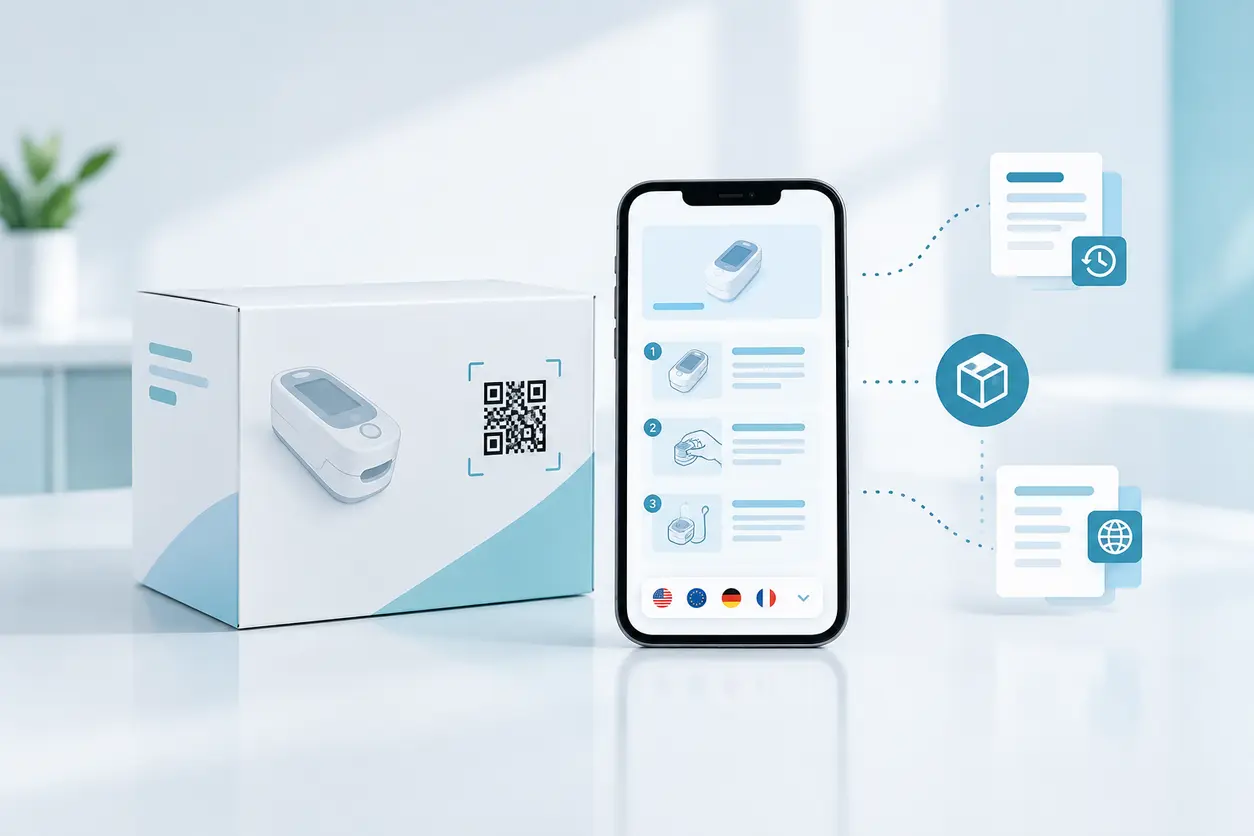
IntroductionWhat the EU's 2025 eIFU expansion changesSeparate the QR access layer from the eIFU systemChoose an access pattern that reduces selection errorsMake the printed URL persistentControl applicability, not just the latest revisionDesign language selection around the device and marketKeep paper-copy access visible and operationalConnect eIFU records with UDI without confusing their rolesPut QR destination changes through controlled releaseTest the hospital journey, not just the QR imageWhere QR Rapid fitsFAQ
The European Commission's 2025 expansion of electronic instructions for use widened the framework to all medical devices used by healthcare professionals. Separately, the Commission announced mandatory use of the first four EUDAMED modules from 28 May 2026. Together, these developments give manufacturers a reason to coordinate digital instructions, packaging and device identifiers more carefully.
For teams planning a medical device electronic instructions QR code, the central distinction is straightforward: the QR code is an optional access mechanism, not the compliance system. QR Rapid can help create the code that opens an approved destination. The manufacturer must separately establish whether its eIFU approach, hosting, content and operating processes meet the applicable requirements.
What the EU's 2025 eIFU expansion changes
The Commission's June 2025 announcement describes extending the option to provide electronic instructions to all medical devices used by healthcare professionals. That is an expansion of eligibility, not a universal instruction to remove paper from every device package.
Start with the device and intended users. A professional-use product, a product also used by lay people and an accessory with separate instructions can present different documentation questions. Regulatory teams should establish the applicable scope before packaging teams redesign the instruction-access panel.
The wider EU framework also distinguishes medical devices and in vitro diagnostic medical devices under their respective regulations, as explained in the Commission's medical-device regulatory overview. Do not assume that an announcement about one framework automatically settles the position for every healthcare product.
Before approving an eIFU project, document:
- Which devices, configurations and intended users are included.
- Whether electronic provision is appropriate under the applicable rules.
- Which instructions or information still need physical provision.
- How users obtain paper instructions.
- Who approves the content, hosting arrangement and packaging changes.
Treat this as a regulatory applicability assessment, not a QR-generator setting.
Separate the QR access layer from the eIFU system
A useful implementation has three distinct layers.
The packaging access layer
This includes the QR symbol, nearby explanatory wording and a readable web address. Its job is to help someone reach instructions without confusing the link with a reorder page, promotional resource or device-identification barcode.
The packaging team should test the final printed artwork, not just the original image file. Curved surfaces, reflective finishes, seams and small labels all deserve practical inspection.
The routing and identification layer
The scanned URL must resolve to the appropriate product context. That may mean a device-specific landing page, a controlled language selector or a lookup that identifies the applicable document set.
A successful scan to the wrong product page is a failed access journey. Routing accuracy deserves the same attention as symbol readability.
The controlled documentation layer
This is where approved instructions, revision history, language versions, availability arrangements and paper-copy processes belong. A generic QR generator does not establish these controls.
The supplied Commission announcements explain the policy changes, but they are not a complete implementation specification. Have the responsible regulatory team verify detailed legal conditions against the applicable rules before release. The workflow recommendations below support that review; they are not a declaration of compliance.
Choose an access pattern that reduces selection errors
There is no single best destination for every device. Choose the pattern that leaves the user with the fewest ambiguous decisions.
Device-specific landing page
For many projects, a stable page for a particular device or tightly defined configuration is a useful starting point. It can display the device name, model reference, available languages, revision information and paper-request route before the user opens the document.
This pattern is especially useful when a bare PDF filename would not help a clinician confirm that the instructions match the package.
Direct document access
A direct PDF link offers fewer steps, but it needs careful maintenance. A filename tied to a single revision can become obsolete; replacing the file silently can obscure which revision the user downloaded.
Use direct document access only when the surrounding controls make applicability, revision identity and language clear. Confirm that future hosting changes will not break the printed link.
Product lookup or shared portal
A shared portal can work when packaging space or product architecture makes a common entry point useful. However, asking users to distinguish similar model names introduces another failure point.
Prefer a link that preselects the known device context. If manual selection remains necessary, show meaningful identifiers and product distinctions rather than a long list of nearly identical document titles.
Make the printed URL persistent
The code printed on a package may remain in circulation through website redesigns, document-system changes and product updates. Plan for that continuity before printing.
A persistent entry URL should represent the device's instruction-access point, not a temporary file-storage location. The destination behind it can then be maintained through a controlled process.
Consider two approaches:
- Static QR code to a stable manufacturer-managed URL: The encoded address does not change. The manufacturer maintains the page and its document links.
- Redirect-based QR access: An intermediate link forwards users to the destination. This offers routing flexibility but adds another service dependency and another change-control surface.
Neither approach is automatically more compliant. Evaluate domain ownership, service continuity, access permissions, supplier exit arrangements and migration planning. If a redirect service is involved, include it in the access-risk review rather than treating it as invisible infrastructure.
Keep a readable URL beside the code where appropriate. Users should have an alternative when their camera cannot scan the symbol or workplace policy restricts phone use.
Control applicability, not just the latest revision
A page labelled “latest instructions” can be misleading if different devices in circulation need different documents. The most recent revision is not necessarily the correct one for every previously supplied configuration.
Maintain a documented mapping between the physical product and the instructions that apply to it. Useful internal fields include:
- Product reference and model or configuration.
- Relevant device identifier, including UDI-DI where applicable.
- Software or hardware version when it affects instructions.
- Lot, serial range or other applicability condition when relevant.
- IFU document identifier, revision and release date.
- Approved language versions and intended markets.
- Persistent entry URL and destination owner.
These are suggested implementation fields, not a prescribed regulatory data schema.
Example: a software-dependent device revision
Suppose a professional-use device has two software generations with different operating instructions. A single model-level QR code should not automatically send both generations to the newest PDF without checking applicability.
A safer design might present a clearly explained software-version choice, or use a more specific product reference to route users directly. The manufacturer should decide which method reliably identifies the instructions for the supplied device.
For superseded documents, establish a deliberate archive and retrieval policy. Avoid both extremes: silently erasing history and presenting an undifferentiated archive that makes obsolete instructions look current. Regulatory reviewers should determine the applicable retention and availability obligations.
Design language selection around the device and market
Language selection is part of finding the right instructions, not merely a website preference.
As a practical design approach, show the selected device before asking the user to choose a language. Preserve that device context when the language changes. Do not send someone back to the portal homepage or substitute a different product's document because a translation is missing.
Useful controls include:
- Language names written in their own language rather than flags alone.
- An explicit selector even if a language is suggested automatically.
- Visible revision information for each approved language version.
- A clear support route when an expected language is unavailable.
- Checks that browser translation is not being mistaken for an approved IFU translation.
Do not rely solely on location detection. A hospital may use a network routed through another country, and a procurement specialist may review documentation for several markets. Regulatory teams should define language availability for each market and device; the portal should implement that decision faithfully.
Keep paper-copy access visible and operational
The Commission's eIFU expansion announcement states that users can still request instructions in paper form free of charge. Moving to electronic access therefore does not mean eliminating the paper-request process.
Make that process easy to discover from the instruction-access page. A useful request journey captures the product reference, required language and delivery details without asking the requester to interpret internal document codes.
Before launch, test the operational handoff:
- Submit a request as an external user.
- Check that support identifies the applicable IFU and language.
- Confirm who produces and dispatches the copy.
- Record how fulfillment and exceptions are monitored.
- Verify applicable fulfillment timing and conditions with regulatory reviewers.
Plan for users who cannot access the website at all. Consider how packaging information and existing support channels help them request instructions. Do not make the digital route the only way to discover the alternative.
Connect eIFU records with UDI without confusing their roles
The Commission announced mandatory use from 28 May 2026 for four EUDAMED modules: actor registration, UDI/device registration, notified bodies and certificates, and market surveillance. The EUDAMED announcement provides the relevant milestone.
This creates a practical coordination opportunity, not a reason to merge every packaging symbol into one generic QR code.
Keep three functions distinct:
- Device identification: Which device or configuration does the identifier describe?
- Registration data: Which controlled product records support the applicable EUDAMED processes?
- Instruction access: Which approved instructions should this user receive?
Do not assume that an eIFU web-link QR code replaces the applicable UDI carrier. Equally, do not assume that EUDAMED registration itself provides a complete clinician-facing instruction-access service. Have regulatory and identifier specialists approve the relationship between these systems.
Maintain a cross-reference so that product-reference changes, identifier changes and IFU revisions trigger a review of their connected records. Where the eIFU page shows an identifier, reconcile it with the approved product master rather than entering it independently without verification.
Put QR destination changes through controlled release
A destination edit can alter what every previously printed package opens. Treat it as a controlled publication change, even when no new artwork is involved.
A practical change process is:
- Define the change: Identify affected devices, documents, languages and printed entry points.
- Assess applicability: Decide whether existing products should receive the revised instructions or retain another route.
- Approve content and routing: Separate document approval from destination approval so neither is overlooked.
- Test before release: Scan retained artwork and verify product, language and revision outcomes.
- Publish and verify: Check the live journey from outside the corporate network.
- Retain evidence: Record approvals, mapping changes, test results and the release outcome.
Assign owners across regulatory affairs, document control, product data, packaging, IT and customer support. Define who can change a destination, who reviews that change and who responds to a broken link.
Also plan for domain renewal, certificate issues, hosting migration and supplier termination. An approved PDF is not useful if the printed route no longer reaches it.
Test the hospital journey, not just the QR image
Use representative packaging and realistic access conditions. A phone successfully scanning an artwork proof is only the beginning.
Include these checks in a pre-release test:
- Can a user distinguish the eIFU QR code from other package codes?
- Does the page visibly match the model and configuration?
- Can the user find the appropriate language without guessing?
- Does the document open and remain readable on common mobile screens?
- Can users download or print the instructions where appropriate?
- Is the paper-request route visible and functional?
- What happens if the document server or redirect is unavailable?
- Does an older package still reach the applicable instructions after an update?
Avoid marketing pop-ups, lead forms and promotional detours in the instruction journey. If analytics are used, do not treat scan counts as proof that instructions were read or understood. Review data collection separately, and avoid placing patient information in URLs or tracking parameters.
Hospital procurement teams can use these same checks during supplier evaluation. Ask for a demonstration using an actual product reference rather than a generic portal tour.
Where QR Rapid fits
Use QR Rapid to create a QR code for the instruction-access URL your team has approved. Keep the document system and regulatory decisions outside the QR-generation step.
A sensible pilot starts with one device or clearly defined product family. Establish its approved destination, generate the code, place it in draft packaging artwork and run the full access test before expanding the rollout.
Choose customization conservatively. Clear contrast and scan reliability matter more here than decorative styling. Export the artwork for packaging review, then test the final production representation rather than assuming the original preview guarantees print performance.
Before selecting any QR service for production eIFU access, confirm its relevant capabilities, continuity arrangements and suitability for your workflow. Do not infer regulated hosting, validated document control, UDI registration or compliance certification from the ability to generate a code. QR Rapid is a QR code generator, not a medical regulatory platform.
Start with the controlled instruction destination, then create the QR code in QR Rapid. That order keeps the project focused on the real objective: dependable access to the correct medical-device instructions, with a traceable process behind every change.
FAQ
Does the EU's 2025 eIFU expansion require a QR code?
The expansion concerns the option to provide electronic instructions for devices used by healthcare professionals, not a blanket QR-code requirement. Treat QR as an access-design choice and have regulatory reviewers confirm the applicable conditions for your device.
Should a medical-device eIFU QR code link directly to a PDF?
It can, but a device-specific landing page often makes product applicability, language, revision information and paper-copy requests easier to verify. A direct PDF route still needs controlled maintenance and clear document identity.
Can the same QR code serve different IFU revisions?
A persistent entry point can serve a controlled revision-selection process. It should not automatically route every previously supplied device to the newest instructions unless those instructions apply to all affected devices.
Does an eIFU QR code replace the UDI barcode?
Do not assume it does. Instruction access and device identification have different purposes. Regulatory and identifier specialists should approve any proposed combined design and verify applicable UDI carrier requirements.
What should hospital procurement teams check in an eIFU portal?
Check that actual product references resolve to matching instructions, language choices are clear, revisions are identifiable, paper copies can be requested and older supplied devices remain supported. Test the journey on the hospital's expected network and devices.
Can QR Rapid make an eIFU workflow compliant?
QR Rapid can generate a QR code pointing to an approved instruction destination. It does not replace regulatory assessment, controlled document hosting, translation approval, paper-copy fulfillment or manufacturer change management.
Similar Blogs
The latest industry news, interviews, technologies, and resources.
 September 14, 2026
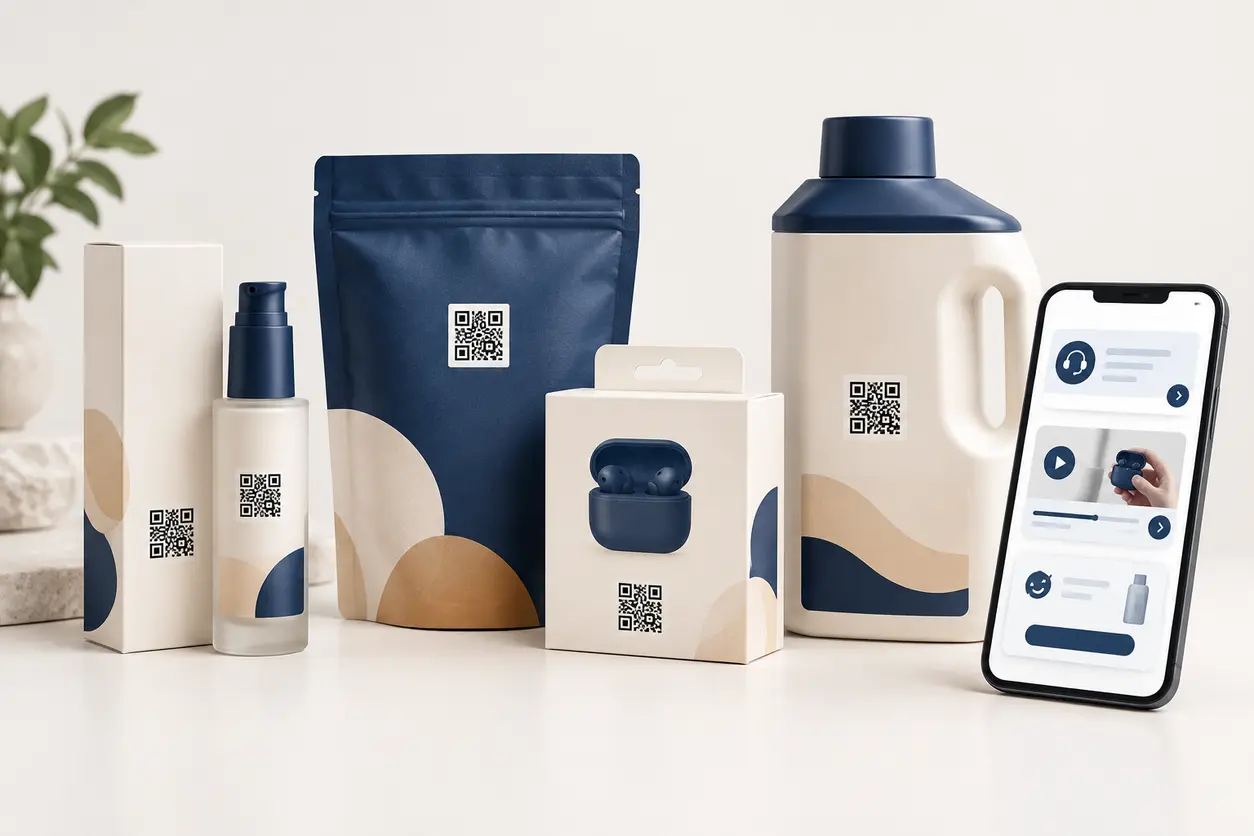
How to Use QR Codes on Product Packaging for Customer Support and Reorders
How to Use QR Codes on Product Packaging for Customer Support and Reorders
Read post
 September 13, 2026
QR Codes for Safety Data Sheets (SDS): Faster Access to Current Chemical Information
QR Codes for Safety Data Sheets (SDS): Faster Access to Current Chemical Information
Read post

Join 2,000+ subscribers
Stay in the loop with everything you need to know.
We care about your data in our privacy policy