
Dynamic QR Platform
Create QR codes Instantly
Website URL
Send users to any webpage
Website URL
Website URL
Send users to any webpage
Wi-Fi
Let users connect instantly
Wi-Fi
Wi-Fi
Let users connect instantly
Menu
Create a digital menu
Menu
Menu
Create a digital menu
Start a chat with one tap
Start a chat with one tap
Image
Showcase visuals
Image
Image
Showcase visuals
Show a downloadable file
Show a downloadable file
12 Sep 2026 • 10 min read
QR Codes for Manufacturing Work Instructions: A Controlled Access Playbook
A practical implementation guide for manufacturers using dynamic QR codes to connect each workstation to approved SOPs, videos, setup sheets, quality checks, and controlled forms.

IntroductionThe use case: connect the physical station to one approved destinationWhat a workstation QR code can openStatic versus dynamic QR codes for controlled instructionsBuild governance before printing labelsDesign for real operators, not a conference-room demoPermissions, offline access, and fallback plansA low-complexity rollout planWhat to evaluate in a QR code platformMake every scan lead to confidenceFAQ
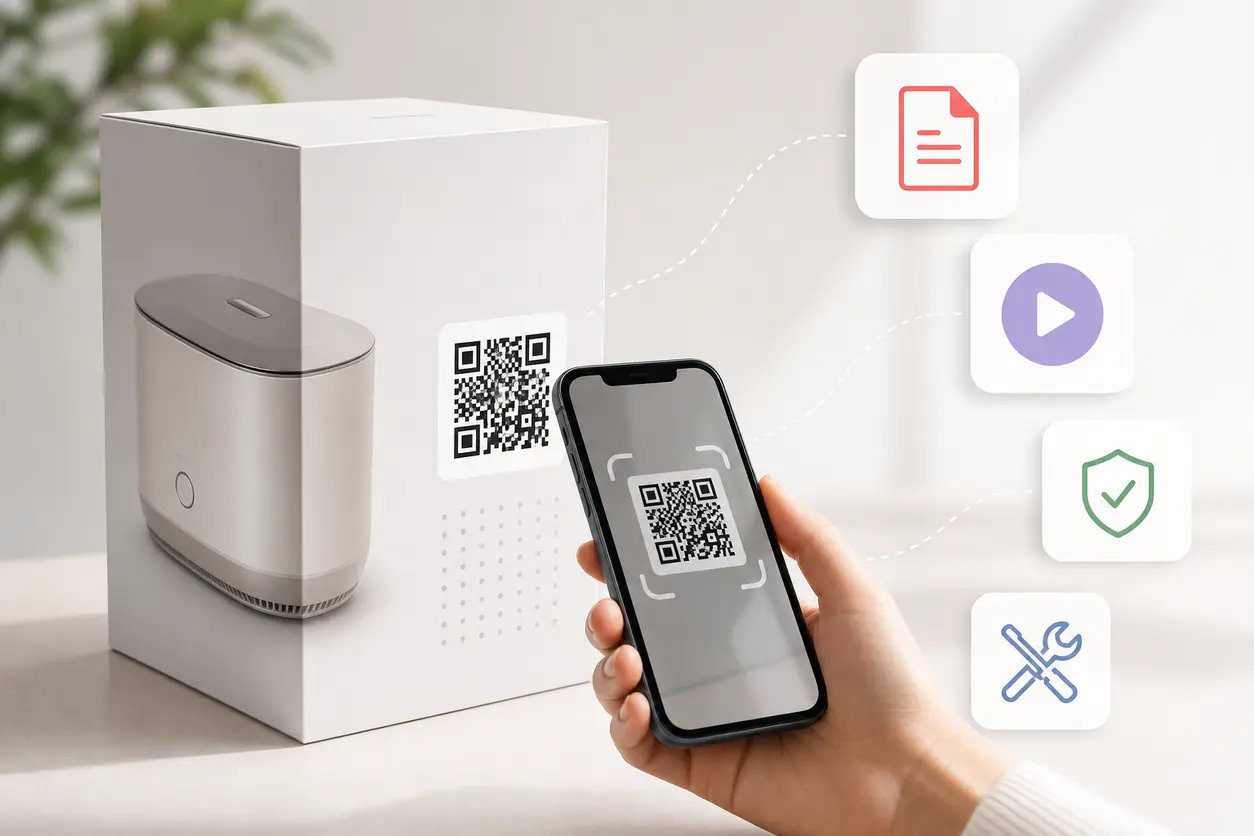
QR codes for manufacturing work instructions provide a practical bridge between the physical point of work and the latest approved digital guidance. Place a code at the workstation, on a machine-facing instruction board, at a kitting bin, or beside a process checkpoint. When scanned, it can open the current SOP, a visual job aid, a short training video, a first-piece checklist, or a controlled form.
This is not a replacement for an MES, PLM, digital twin, or machine-control system. It is a lightweight access layer that helps people find the right approved instruction without searching shared drives, guessing which binder is current, or relying on memory.
The use case: connect the physical station to one approved destination
The best manufacturing QR workflow is deliberately simple:
- A physical location, product family, or process step has a clearly labeled QR code.
- The code opens a destination that is owned, approved, and version-controlled by the manufacturer.
- The operator sees the instruction needed for that exact task.
- When the underlying content changes, the QR destination is updated without replacing the printed label.
That last point is why dynamic QR codes are particularly useful for production environments. The code printed at Cell 4 can remain in place while its destination changes from SOP Rev. 7 to SOP Rev. 8. The visible label stays stable; the content behind it is maintained through your document-control process.
For small and mid-sized manufacturers, this can be a manageable entry point into more connected operations. NIST's Manufacturing Extension Partnership describes digital manufacturing in terms that include connected systems, data, automation, and workforce capability, while its digital manufacturing overview highlights the broader shift toward digital tools in manufacturing. A QR-based instruction layer does not need a large transformation program to solve the immediate problem of getting current guidance to the line.
What a workstation QR code can open
Do not create one vague code that leads to a crowded document library. Build each code around an operator decision or a defined process step.
Current SOPs and standard work
A workstation QR code can lead to the approved SOP for a specific assembly, packaging operation, or inspection activity. The opening screen should make the context obvious: process name, part or family, revision, effective date, and owner.
If the SOP is long, use a mobile-friendly landing page that points to the relevant section before linking to the full controlled PDF. Operators should not have to pinch, scroll, and hunt for step 14 while standing at a machine.
Visual work instructions
Photos, annotated diagrams, torque sequences, orientation images, and examples of acceptable versus unacceptable output often answer questions faster than text alone. A code at the point of use can open a visual instruction page designed for a phone or tablet.
For example, an assembly fixture could have a label reading: “Scan for clamp sequence and final orientation.” The code should open only that job aid, not every document associated with the product.
Setup sheets and changeover guidance
Place a code near the relevant machine or tooling cart to give setup personnel access to current parameters, tooling lists, first-piece requirements, and approved changeover steps. Keep the destination clearly separated from machine controls: it is operational guidance, not a means of commanding equipment.
Short training videos
A focused video is useful for tasks that are hard to explain in a paragraph: loading a fixture, applying an adhesive bead, handling a fragile component, or completing a visual inspection sequence.
Keep videos short, task-specific, captioned where practical, and housed in an access-controlled location when they contain proprietary processes. A QR Rapid dynamic URL QR code can point to the hosted video page and can be redirected later if the video is replaced.
Quality checks and controlled forms
At defined checkpoints, QR codes can route operators to a first-article checklist, an in-process verification form, a nonconformance reporting form, or a disposition request workflow. The form itself should be managed in the system your quality team has approved. The QR code is the direct doorway to that form.
A clear call to action prevents ambiguity. Use labels such as:
- “Scan before first-piece approval”
- “Scan for final inspection criteria”
- “Scan to report a quality concern”
- “Scan for current packaging verification”
Static versus dynamic QR codes for controlled instructions
A static QR code stores the final destination directly in the code. It can be appropriate for a stable, public resource, but it creates a maintenance problem when the destination changes. If the link breaks or the document moves, the label must be replaced.
For controlled manufacturing instructions, dynamic QR codes are usually the better operating choice.
Why dynamic codes fit the shop floor
- Update the destination without reprinting the code. Keep durable labels in place while directing scans to the latest approved resource.
- Avoid sending operators to retired files. Redirect the code as part of the document-release workflow.
- Keep the physical label simple. A short, clear label and a consistent code can outlast multiple content revisions.
- Review scan activity. QR Rapid tracking can help teams see whether codes are being scanned and which stations or placements may need attention.
Analytics should be treated as an adoption and usability signal, not proof that every work step was completed. A scan does not verify training, quality acceptance, or procedural compliance. Your quality system, training records, forms, and supervisory controls remain responsible for those outcomes.
Build governance before printing labels
A QR code makes access easier. It does not create document control by itself. Before deployment, define how the destination will remain trustworthy.
Establish one source of truth
Every code should resolve to content from the approved system of record: for example, your controlled document repository, quality management system, intranet, learning platform, or authenticated form platform. Do not upload separate “QR copies” that can drift from the official file.
The QR destination may be a landing page, but that page should pull operators toward the approved document or approved workflow. Avoid uncontrolled local file links and personal cloud-storage folders.
Assign ownership by station and content type
For each QR code, document:
- The code ID and physical location
- The process, product family, or operation it serves
- The intended destination
- The document or workflow owner
- The person authorized to change the QR destination
- The approver for new or revised content
- The last test date
A practical approach is to make process engineering responsible for work-instruction content, quality responsible for inspection criteria and controlled quality forms, and operations responsible for confirming that station labels are present and legible.
Make the revision workflow explicit
When a revision is released, use a short sequence:
- Approve and publish the new instruction in the system of record.
- Confirm permissions and mobile viewing work for the intended users.
- Change the QR Rapid dynamic destination if the document URL or landing page has changed.
- Scan the code at the actual station using a normal phone or tablet.
- Archive or retire the prior destination according to your document-control rules.
- Record the completion of the verification.
Do not redirect a code to a draft, a file awaiting approval, or an ambiguous folder. If the current instruction is unavailable, a clear escalation destination is safer than serving an unapproved substitute.
Design for real operators, not a conference-room demo
A QR workflow succeeds when scanning is quicker than asking where the current instruction lives.
Place codes where the decision occurs
Put the label at the point where someone needs guidance: beside the fixture, at the material presentation point, next to the inspection gauge, or on the work instruction holder. Avoid locations hidden by guards, stacked containers, glare, or frequent movement.
Keep codes away from heat, coolant, abrasion, and cleaning chemicals unless the label material and placement are suitable for those conditions. If a label is likely to be damaged, include it in a routine visual-management or 5S check.
Give every code a human-readable purpose
A QR code without a label is a mystery. Include a concise instruction and context, such as:
- “Assembly Cell B — Current Work Instruction”
- “Part 4172 — Scan for Setup Sheet”
- “Final Pack — Scan for Quality Checklist”
Include a document title or station ID so employees can report a problem accurately. Do not rely on the visual appearance of the code to identify its purpose.
Size, contrast, and scan testing matter
Use high contrast, preserve a clear margin around the code, and avoid distorting it with aggressive branding. Print a size that can be scanned comfortably from the intended distance. Then test the actual production label, not just the design file.
Test with the phones or tablets people will actually use, under normal lighting and from the normal standing position. Check it after laminating, mounting, cleaning, and placing it near reflective stainless steel or protective covers.
Make the destination usable on a small screen
The QR code may scan perfectly and still fail operationally if the destination requires multiple logins, a desktop-sized PDF, or a slow external network connection. Use a mobile-first landing page when needed, with a prominent link to the current approved instruction and a simple path to related resources.
Permissions, offline access, and fallback plans
Access control is especially important when work instructions contain customer data, proprietary specifications, or restricted process details. Decide whether the destination should require company identity, managed-device access, plant Wi-Fi, VPN, or a shared station tablet.
Test those access conditions during every rollout. A code that works on an engineer's laptop may not work on a line operator's device.
Also plan for the times when scanning or connectivity is not available. A sensible fallback plan might include:
- An approved controlled copy at the station, marked with its revision status
- A designated supervisor or quality contact who can provide the current instruction
- An offline copy on a managed device where permitted by your controls
- A defined stop-and-escalate rule when the current instruction cannot be confirmed
The fallback should support your existing quality and production procedures. QR codes should reduce friction, not become a single point of failure.
A low-complexity rollout plan
Start with one workflow where stale or hard-to-find instructions cause regular questions, delays, or revision confusion. Good pilots include a high-mix assembly cell, a frequent changeover, a first-piece approval station, or a packaging verification step.
Week-one pilot scope
Keep the pilot narrow:
- Choose one station or process family.
- Select one primary destination, such as the current visual SOP.
- Create a mobile-friendly approved landing page or direct controlled link.
- Generate a dynamic QR code in QR Rapid.
- Print a durable label with a plain-language call to action.
- Test it with operators on the floor.
- Record what they could not find or understand, then improve the destination.
After the pilot, add supporting codes only when they answer a distinct need. One code for the current work instruction and a separate code for a quality form is often clearer than a single code that opens a crowded menu.
What to evaluate in a QR code platform
When comparing options for manufacturing work instructions, prioritize operational maintainability over decorative features.
Look for:
- Dynamic destination editing so labels do not need replacement after routine URL or file-location changes
- Reliable QR code generation suitable for print
- Organization and naming conventions for many stations and processes
- Scan analytics that help identify adoption or placement issues
- A workflow that lets authorized owners update destinations without creating uncontrolled duplicates
- Exportable, high-resolution code files for durable labels and instruction boards
QR Rapid is a practical fit when you need to create dynamic QR codes for SOP links, controlled PDFs, video pages, and forms, then manage their destinations as documents evolve. Use a naming format such as PLANT1-CELLB-ASSY-4172-WI so the QR record and the physical label can be reconciled quickly during audits or troubleshooting.
Make every scan lead to confidence
The value of QR codes for manufacturing work instructions is not the square label itself. It is the confidence that a person at a specific station can reach the current, approved guidance with minimal searching.
Start with one high-value station, connect it to a source-of-truth destination, assign revision ownership, test the full experience on the floor, and retain an offline fallback. Then use dynamic QR codes to scale the same disciplined pattern across SOPs, visual work instructions, setup sheets, training videos, and quality checkpoints.
Create a small pilot in QR Rapid before printing a plant-wide label set. A well-governed pilot will show whether your labels, destinations, permissions, and ownership model work in the real production environment.
FAQ
Can a QR code guarantee that an operator followed an SOP?
No. A scan only provides access to the instruction and may indicate that the code was used. Training records, quality checks, supervisor verification, and your established procedures are still needed to demonstrate completion or compliance.
Should each workstation have one QR code or several?
Use one code when one current instruction is the clear need. Use separate, clearly labeled codes when operators need distinct resources, such as a work instruction, setup sheet, and quality form. Avoid a single unlabeled code that opens a large document library.
Can we update a manufacturing SOP without reprinting the QR label?
Yes, when the label uses a dynamic QR code. Publish the approved revision in your system of record, update the dynamic destination if necessary, and test the physical code at the station before releasing the change.
What should happen if the QR code destination is unavailable?
Use a documented fallback: an approved controlled copy, a managed offline resource where allowed, or a supervisor and quality escalation path. Define when work must pause until the current instruction is confirmed.
Are QR codes for manufacturing work instructions a replacement for MES or PLM software?
No. QR codes are a lightweight access method that connects a physical station to approved documents, videos, and forms. They can complement MES, PLM, QMS, or document-control systems without replacing their core functions.
Similar Blogs
The latest industry news, interviews, technologies, and resources.
 September 13, 2026
QR Codes for Safety Data Sheets (SDS): Faster Access to Current Chemical Information
QR Codes for Safety Data Sheets (SDS): Faster Access to Current Chemical Information
Read post
 August 7, 2026
QR Codes for Equipment Maintenance Logs: Scan-to-Report Inspections, Repairs, and Service History
QR Codes for Equipment Maintenance Logs: Scan-to-Report Inspections, Repairs, and Service History
Read post

Join 2,000+ subscribers
Stay in the loop with everything you need to know.
We care about your data in our privacy policy