
Dynamic QR Platform
Create QR codes Instantly
Website URL
Send users to any webpage
Website URL
Website URL
Send users to any webpage
Wi-Fi
Let users connect instantly
Wi-Fi
Wi-Fi
Let users connect instantly
Menu
Create a digital menu
Menu
Menu
Create a digital menu
Start a chat with one tap
Start a chat with one tap
Image
Showcase visuals
Image
Image
Showcase visuals
Show a downloadable file
Show a downloadable file
13 Sep 2026 • 11 min read
QR Codes for Safety Data Sheets (SDS): Faster Access to Current Chemical Information
A practical workflow for using dynamic QR codes to help workers reach current Safety Data Sheets, chemical handling guidance, and emergency contacts while preserving required hazard communication practices.

IntroductionWhat should an SDS QR code open?The compliance boundary: QR codes supplement hazard communicationWhy dynamic QR codes fit SDS document controlWhere to place QR codes for safety data sheetsBuild a practical QR Rapid SDS workflowSDS QR code maintenance checklistCommon mistakes to avoidChoose QR codes as part of a managed safety workflowFAQ
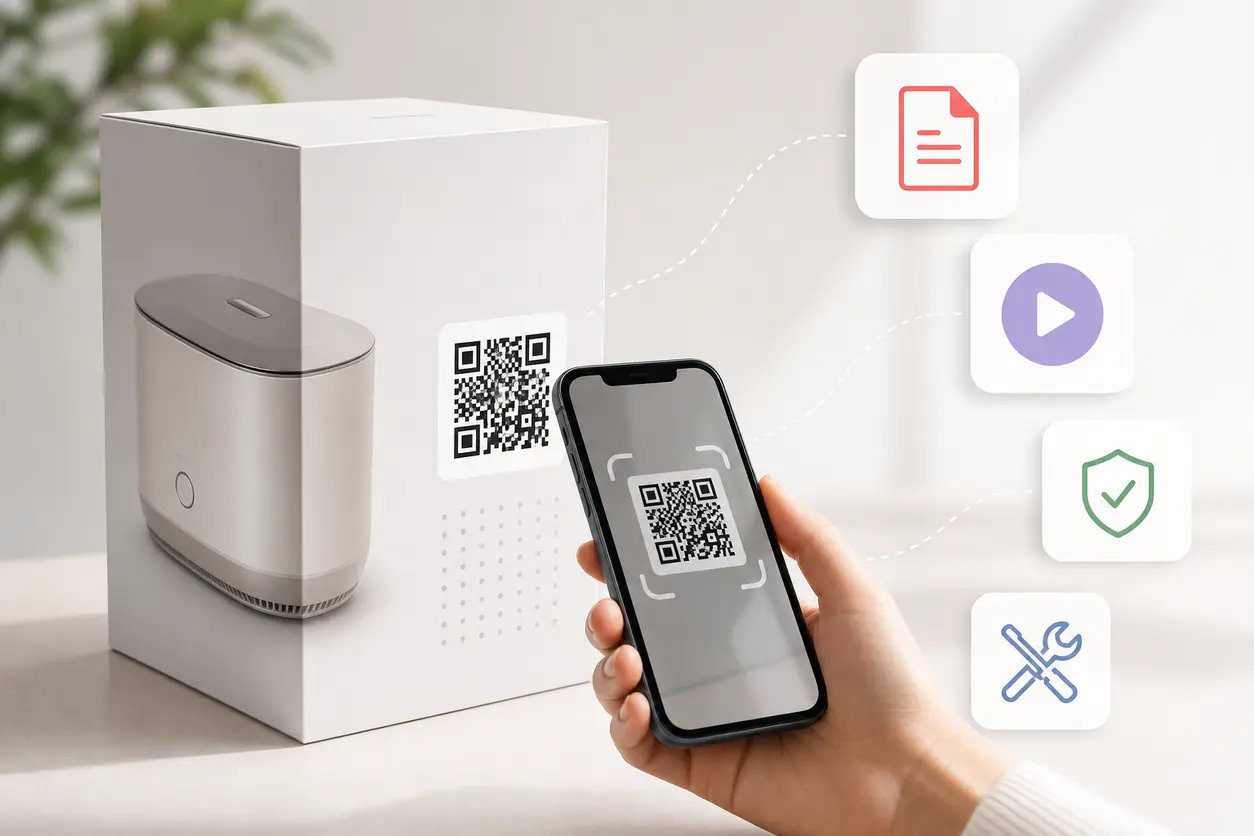
A worker should not have to hunt through a binder, shared drive, or outdated shortcut to find chemical information when a task, spill, exposure, or storage question arises. A QR code for safety data sheets gives teams a fast route from the physical location of a chemical to a controlled digital destination.
The important distinction is what the QR code does—and does not—do. It is a convenience layer for reaching current information. It does not replace container labels, accessible SDSs, written hazard communication programs, employee training, or any other applicable requirements. OSHA's Hazard Communication Standard sets the underlying employer obligations; a QR code can support a well-run program but cannot stand in for it.
For manufacturers, warehouses, laboratories, construction firms, chemical distributors, and facilities teams, the strongest approach is a document-control workflow: place a durable, scannable code near the chemical or work area, then use a dynamic destination that can be updated when the SDS or related instructions change.
What should an SDS QR code open?
Avoid sending every code directly to a file with no context. A better destination is a controlled chemical information page for the specific product, material family, storage cabinet, or workstation. That page can give the worker an obvious path to the information they need.
A useful destination may include:
- The current approved SDS, with a clear revision or issue date.
- Product identity, supplier, internal material number, and container or storage location.
- Site-approved handling, PPE, transfer, dilution, or cleanup instructions where applicable.
- Emergency contacts and the location of emergency equipment relevant to that area.
- A link or direction to the facility's primary SDS access method, such as the designated electronic system or physical SDS location.
- Training references, task-specific procedures, or supervisor escalation instructions.
For example, a QR label on a flammable-liquid cabinet could open a cabinet-level page listing the approved chemicals stored there, their current SDS links, storage rules, and the nearest spill-response resources. A code on a dispensing workstation might open the current SDS plus the approved dispensing procedure. These are different destinations because the worker's immediate decision is different.
Keep the mobile experience short. The first screen should answer: What material is this, where is the current SDS, and what should I do next? Do not bury the SDS behind multiple menus, a login wall that fails on the floor, or a broad intranet search.
The compliance boundary: QR codes supplement hazard communication
A QR code should never be presented as a substitute for required hazard communication. OSHA requires employers to maintain workplace labels, safety data sheets, and training under the Hazard Communication Standard. The standard also addresses how SDSs must be readily accessible to employees during each work shift. Review OSHA's SDS and hazard communication requirements with your EHS lead or qualified compliance advisor before changing any process.
In practical terms, that means:
- Keep required shipped-container and workplace labeling in place.
- Maintain SDS access through your established compliant method, not QR codes alone.
- Train workers on hazards, labels, protective measures, emergency procedures, and how to access SDS information.
- Provide a non-scan fallback for anyone without a phone, with a dead battery, limited signal, gloves that prevent scanning, or an urgent need for assistance.
- Make sure the QR destination does not conflict with the current SDS, manufacturer instructions, or approved site procedures.
This boundary is especially important in 2026. OSHA states that its Hazard Communication Standard update remains in transition, with substance compliance extended to May 19, 2026, and employer updates for affected-substance workplace labeling, programs, and training due by November 20, 2026. See OSHA's compliance date extension notice and its HazCom rulemaking page for the current agency materials. A flexible QR destination can make document updates easier to publish, but it does not remove the need to review which workplace documents, labels, and training require updates.
Why dynamic QR codes fit SDS document control
A static QR code contains a fixed destination. If the linked PDF URL changes, a static code may need to be replaced everywhere it appears. That creates a real operational problem when codes are on cabinet placards, drum tags, workstation signs, secondary-container stations, or equipment labels.
A dynamic QR code created in QR Rapid points first to an editable destination. The printed code can remain in place while the safety team changes where it sends the worker.
Use a dynamic route when the underlying file may change
SDS documents may be revised by a supplier, moved to a new document repository, or replaced after a product formulation or sourcing change. With a dynamic QR code, the team can update the destination from the QR Rapid dashboard rather than reprint every physical sign.
For example, a code can initially route to a supplier-hosted SDS. If procurement changes suppliers or EHS moves to a controlled internal document page, the same printed code can be redirected after the new destination is verified.
Route to a controlled landing page, not a loose file link
Direct PDF links can break when folders are reorganized. A controlled landing page gives the safety owner one stable location to maintain. It can also show a document revision, last-reviewed date, fallback instructions, and links to the current SDS and related materials.
The QR code itself should remain simple: one code, one clearly defined context, one managed destination.
Preserve traceability for the physical code
Give every QR code a meaningful internal name, such as:
- LAB-ACETONE-CABINET-A
- WHSE-CORROSIVE-STATION-02
- MFG-LINE3-ADHESIVE-118
- FAC-BOILERROOM-WATER-TREATMENT
This makes it easier to identify which physical label needs inspection, which destination was changed, and which team owns the content. Use QR Rapid's code management workflow to keep names and destinations organized by site, department, chemical area, or asset.
Where to place QR codes for safety data sheets
Placement should match the moment a worker needs information. A code hidden in an office binder cover is less useful than one placed near the point of handling—provided placement does not obscure required label information or create a false impression that scanning is the only access method.
Chemical storage areas
Place a larger, durable QR sign on the outside of a storage cabinet, chemical room entrance, rack bay, or inventory board. This works well for a landing page that covers the chemicals commonly held in that area, storage compatibility reminders, SDS access links, and emergency contacts.
Do not rely on one room-level code when chemicals have very different hazards. Use area-level codes for area information and material-specific codes where workers need a direct route to a particular product's SDS.
Containers and secondary-container stations
A material-specific QR code can be helpful on container-adjacent signage, tote racks, drum stations, or secondary-container fill areas. It must not cover required container label elements. If a small label cannot support a reliably scannable code, use a nearby sign or holder rather than shrinking the code until it fails.
For secondary containers, follow your organization's labeling procedure and applicable requirements first. The QR code is an added reference path, not the label.
Workstations and process equipment
At a paint booth, cleaning bench, resin-mixing station, plating line, or water-treatment system, a QR code can lead to the chemicals used in that process, approved handling instructions, required PPE references, and the relevant SDS list.
Keep the destination task-specific. A mixing-station code should not open a giant company-wide chemical library where a worker has to search under pressure.
Emergency response points
At spill kits, eyewash areas, or emergency information boards, a QR code can link to site emergency contacts and the related controlled resources. It should complement visible emergency signage and established response procedures—not delay urgent action while someone tries to scan.
Build a practical QR Rapid SDS workflow
The following setup keeps QR code management separate from document approval while connecting both systems cleanly.
1. Define the access unit
Decide what one QR code represents. Common options include one product, one storage cabinet, one process station, one chemical room, or one equipment system. Choose the narrowest scope that lets a worker find the right information quickly.
Start with high-use or higher-risk access points rather than attempting to label every location at once.
2. Establish the approved destination and content owner
Identify who owns the destination: EHS, document control, a laboratory manager, facilities, or a site safety committee. That owner should verify that the destination shows the current approved SDS and has a clear review path when supplier documents change.
Do not give every person who can print a sign permission to alter chemical safety content. The QR code manager can update routing, but safety-document approval should remain governed by your internal process.
3. Create a dynamic QR code in QR Rapid
Create a dynamic QR code for each defined access unit. Use a consistent naming convention, add the destination URL, and record the site, physical placement, owner, and purpose in your internal register.
A concise call to action improves use: “Scan for current SDS and handling information” is more useful than “Scan me.” Where appropriate, include a short printed fallback such as “SDS binder: shipping office” or “SDS portal: ask supervisor.”
4. Design for real conditions
Safety labels need functional design more than decorative design. Use high contrast, adequate quiet space around the code, and a printed size that scans at the actual viewing distance. Choose materials that withstand the area: laminated placards, chemical-resistant labels, protected holders, or engraved tags where appropriate.
Test with more than one phone, in the real lighting conditions, while standing where the user will stand. Test again after installation. A code that scans perfectly from a desktop printout may fail behind a clear cover, on a curved drum, or in a poorly lit aisle.
5. Test the destination as a worker would
Before deployment, scan the code without administrator privileges. Confirm that the link opens on a typical mobile browser, the SDS is readable, the product identity matches the physical material, and key emergency information is visible without unnecessary navigation.
Also test the fallback path. If Wi-Fi is unavailable or the QR landing page is temporarily inaccessible, workers should still know where to obtain the SDS immediately through the established site process.
6. Maintain, review, and retire
Set a review trigger for supplier SDS updates, product substitutions, document-system moves, annual program checks, facility changes, and label replacement. When a document changes, update the dynamic destination, verify it by scanning the installed code, and record the review.
When a material is no longer used, retire or redirect the code promptly. An old QR placard that opens an irrelevant SDS can cause confusion at exactly the wrong moment.
SDS QR code maintenance checklist
Use this checklist during rollout and recurring inspections:
- [ ] The code's scope is defined: product, cabinet, workstation, room, or equipment.
- [ ] The destination contains the current approved SDS or a direct route to it.
- [ ] Product identity at the destination matches the physical material or area.
- [ ] The destination owner and document approver are assigned.
- [ ] The QR code is dynamic so the route can be changed without reprinting.
- [ ] Required container labels and workplace labels remain visible and intact.
- [ ] A non-QR SDS access method is clearly available to workers.
- [ ] The sign includes a useful call to action and, where needed, fallback directions.
- [ ] The printed code has sufficient contrast, size, and durable material for the environment.
- [ ] The code and destination have been tested on multiple phones at the installed location.
- [ ] The code is recorded in a location register with its physical placement and owner.
- [ ] A review trigger and retirement process are documented.
Common mistakes to avoid
Treating the QR code as the SDS program
A QR code cannot replace the broader hazard communication program. Keep labels, access arrangements, training, and program documentation aligned with applicable requirements.
Linking to an uncontrolled or obsolete PDF
A copied file in a forgotten folder may look current but be outdated. Point to a controlled page or verified document location, assign an owner, and add a review process.
Using one generic code for an entire site
A company-wide SDS library can be a helpful fallback, but it is rarely the fastest answer at a specific work area. Use contextual destinations that reduce searching.
Printing before field testing
Do not order hundreds of labels before checking scan performance in the actual environment. Print a sample, install it, scan it under real conditions, then approve the production run.
Forgetting the no-phone scenario
Phones may be unavailable, prohibited, uncharged, or impractical during an emergency. Keep alternate SDS access visible, functional, and familiar to workers.
Choose QR codes as part of a managed safety workflow
The value of a QR code for safety data sheets is not simply putting a PDF behind a square graphic. It is creating a reliable bridge between a physical chemical location and current, controlled information—without disrupting the required hazard communication practices already in place.
QR Rapid is a practical fit when your team needs dynamic QR destinations that can be managed without reprinting every cabinet sign or workstation label after a document move or update. Begin with one high-priority chemical area, establish the content owner and fallback method, test the full scan-to-information path, and then expand using a repeatable naming and review process.
Create your dynamic SDS access codes in QR Rapid, then make every deployment part of your EHS document-control and inspection routine.
FAQ
Can a QR code replace an SDS binder or other required SDS access method?
No. A QR code is a supplemental access tool. Employers should maintain SDS availability, labeling, training, and hazard communication practices required for their workplace.
Should an SDS QR code link directly to a PDF?
It can, but a controlled landing page is often more resilient. It can link to the current SDS while also showing product identity, revision details, emergency contacts, and fallback access instructions.
Why use a dynamic QR code for safety data sheets?
A dynamic QR code lets the owner change the destination if an SDS is revised, a supplier changes, or files move. The existing physical code can stay in place after the new destination is verified.
Where should QR codes for SDS access be placed?
Use locations where chemical questions arise: storage cabinets, chemical-room entrances, dispensing stations, process workstations, equipment areas, and chemical inventory boards. Do not cover required container labels.
What should be printed next to an SDS QR code?
Use a clear instruction such as “Scan for current SDS and handling information.” Also provide a visible fallback route, such as the location of the SDS binder, portal instructions, or a supervisor contact.
How often should SDS QR destinations be reviewed?
Review them whenever a supplier SDS, product, process, document system, or storage arrangement changes. Include periodic scan and placement checks in your routine EHS or facility inspections.
Similar Blogs
The latest industry news, interviews, technologies, and resources.
 September 12, 2026
QR Codes for Manufacturing Work Instructions: A Controlled Access Playbook
QR Codes for Manufacturing Work Instructions: A Controlled Access Playbook
Read post
 August 7, 2026
QR Codes for Equipment Maintenance Logs: Scan-to-Report Inspections, Repairs, and Service History
QR Codes for Equipment Maintenance Logs: Scan-to-Report Inspections, Repairs, and Service History
Read post

Join 2,000+ subscribers
Stay in the loop with everything you need to know.
We care about your data in our privacy policy