
Dynamic QR Platform
Create QR codes Instantly
Website URL
Send users to any webpage
Website URL
Website URL
Send users to any webpage
Wi-Fi
Let users connect instantly
Wi-Fi
Wi-Fi
Let users connect instantly
Menu
Create a digital menu
Menu
Menu
Create a digital menu
Start a chat with one tap
Start a chat with one tap
Image
Showcase visuals
Image
Image
Showcase visuals
Show a downloadable file
Show a downloadable file
14 Sep 2026 • 11 min read
Sales Demo QR Code for B2B Events: Build a Self-Serve Demo Kit
Learn how B2B sales teams use a sales demo QR code on booths, one-pagers, and business cards to deliver tailored demo assets and measure buyer interest.
IntroductionWhat a sales demo QR code should doBuild a demo kit, not a single destinationSegment prospects by what they scanTrack which sales assets work at the eventDynamic versus static QR codes for sales eventsA practical setup workflow in QR RapidCommon mistakes that make sales QR codes underperformMake the next event conversation easier to continueFAQ
At a B2B event, a good conversation often ends before the buyer has time to see the right proof. A prospect may be interested in one workflow, while your standard booth screen is showing another. They may ask for pricing, need a case study for their industry, or want to compare implementation options later with colleagues.
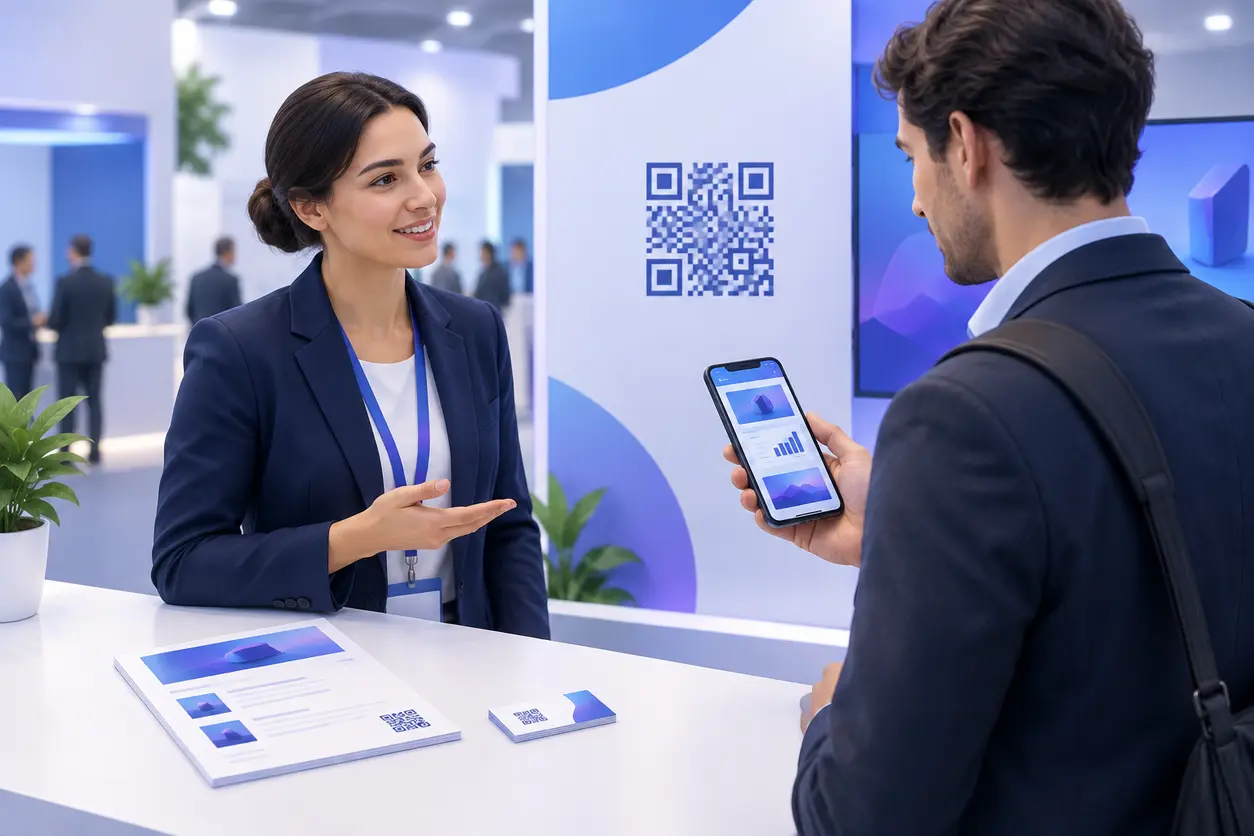
A sales demo QR code closes that gap. Rather than asking a prospect to type a URL, wait for an email, or carry a generic brochure, place a scannable next step directly where the conversation happens. The scan can open a short demo video, a solution-specific landing page, a pricing overview, a relevant case study, or a meeting-booking page.
The key is not putting one QR code on every surface. It is building a small, intentional self-serve demo kit: each code has a clear promise, a specific audience, and a destination that moves the buyer to the next useful action.
What a sales demo QR code should do
A sales demo QR code is a QR code used in a B2B sales setting to connect a prospect with product evaluation content. It is especially useful at trade shows, field events, executive briefings, partner days, and agency pitches, where buyers encounter your message offline but continue their research on a phone.
A productive sales demo QR code should answer one immediate question:
- “Show me how this works for my team.”
- “Can I see the workflow for my industry?”
- “What does the package include?”
- “Can I send this proof point to my stakeholder?”
- “Can I book a deeper technical conversation?”
Avoid using one code that opens a crowded resource library. A buyer who scans a booth graphic needs a fast, relevant first screen. Give the code a benefit-led call to action such as “Watch the 90-second finance workflow demo,” “See the security case study,” or “Choose a solution track.”
Build a demo kit, not a single destination
Your team can use several QR codes across an event without making the experience confusing. The rule is simple: match one code to one moment of intent.
Booth graphics: route by solution interest
Large booth graphics are best for high-level discovery. Instead of placing a single code beside a broad “Learn more” message, create separate codes for your main solution areas.
For example, a SaaS platform with three audiences could display:
- Operations teams: “See the workflow automation demo” leading to a short product video and operational use case.
- Revenue leaders: “Explore pipeline visibility” leading to a dashboard demo and sales leadership case study.
- IT or security teams: “Review integration and security details” leading to technical documentation, architecture content, and a technical meeting option.
Each code can use a matching visual label or short headline. A prospect should understand the destination before scanning and should not need a rep to explain it.
Keep booth destinations focused. A useful mobile landing page may include:
- A headline that repeats the promise on the booth.
- A 60- to 120-second demo video or interactive product overview.
- One relevant proof asset, such as a case study or implementation summary.
- A primary CTA, such as “Book a tailored demo.”
- A secondary CTA, such as “Email this resource to myself.”
Leave-behind one-pagers: provide the proof buyers need later
One-pagers remain useful because prospects can hand them to a colleague or revisit them after travel. But the printed page should not have to carry every product detail.
Use a QR code on each leave-behind to extend the specific message on that sheet. If the handout is for an industry vertical, link to the vertical demo and matching evidence. If it is a solution brief, link to implementation details and a meeting page.
Good pairings include:
- A product overview one-pager with a demo video QR code.
- A pricing conversation handout with a pricing sheet QR code that opens the current pricing overview or package comparison page.
- A vertical campaign handout with a case study QR code featuring a similar customer scenario.
- A technical leave-behind with a code leading to integration details, an architecture diagram, or a technical discovery booking page.
This approach also keeps printed collateral usable when your content changes. With a dynamic code, you can update the destination after the event without replacing every handout.
Business cards: give the next action a purpose
A business card QR code should do more than save contact details. A vCard QR code is useful, but a field seller or solution consultant can turn the back of the card into a personalized next-step channel.
Create a code associated with the rep or pod and point it to a compact page with:
- The rep’s contact details.
- The relevant product demo.
- A booking link for a follow-up conversation.
- A short list of commonly requested resources.
For high-value meetings, use a code tied to a particular account plan or event campaign. The landing page does not need to mention the account by name. It can be built around the solution discussed, such as “Modernize field service dispatch” or “Evaluate enterprise reporting.”
This makes the card useful after the initial exchange and gives the prospect a low-friction way to continue independently.
Segment prospects by what they scan
Badge scans and business cards tell you who you met. Asset-level QR scans can help show what the prospect wanted to evaluate.
Create a simple naming system before the event. Each code should identify the event, placement, solution interest, and asset type. For example:
- SaaStr-2025-booth-ops-demo
- SaaStr-2025-onepager-healthcare-case-study
- SaaStr-2025-card-enterprise-booking
- SaaStr-2025-counter-security-overview
The naming convention makes performance data interpretable when your team reviews it later. It also lets sales and marketing distinguish a scan of a broad booth demo from a scan of a pricing resource or technical asset.
Use solution tracks instead of one generic resource page
For companies with several products or personas, start with a mobile-friendly choice page. Ask a short question such as “What are you looking to improve?” Then show three or four clear options.
For example:
- Automate manual approvals
- Improve customer onboarding
- Connect data across systems
- Evaluate enterprise controls
Each selection should go to a focused follow-up page with the correct demo and CTA. The choice itself becomes a useful signal for routing and follow-up.
Do not ask for a long form before showing value. At an event, a prospect may scan between meetings or while standing at the booth. Let them view the asset first, then offer an optional way to request a tailored walkthrough or receive the material by email.
Map scan signals to follow-up actions
Define what the team should do with each high-intent asset before the event begins.
- Demo video scan: Follow up with the specific workflow the buyer viewed and ask whether they want a live version tailored to their environment.
- Pricing sheet scan: Treat the contact as closer to evaluation. Offer a scope or packaging discussion rather than sending a general nurture email.
- Case study scan: Reference the matching customer challenge and provide another proof point for their role or industry.
- Technical resource scan: Route to a solution consultant or include integration and security stakeholders in the recommended next meeting.
- Booking page scan without a booking: Use a light follow-up that repeats the offer and gives a direct calendar option, without assuming the buyer is ready to buy.
A scan is an interest indicator, not consent to aggressive outreach. Combine it with the conversation notes, badge capture data, and the buyer’s stated preferences.
Track which sales assets work at the event
QR codes are most useful when they help your team decide what to keep, improve, or retire. QR Rapid makes it practical to create distinct dynamic QR codes for individual placements and content paths, so the scan activity is not blended into one generic event link.
Review performance at three levels.
1. Placement performance
Compare scans from booth walls, counter cards, demo stations, one-pagers, business cards, and post-event mailers. If a case study gets scans on handouts but not on the booth, the asset may work best after a conversation. If a booking code draws scans at a demo station but not from a large backdrop, the call to action may need to appear closer to a high-intent interaction.
2. Content performance
Look for the assets prospects choose most often. A strong scan volume for a particular industry case study may reveal a high-interest market segment. Repeated scans of a pricing resource may indicate that packaging questions are occurring earlier than expected. Low scanning does not automatically mean the content is poor; it may mean the label, placement, or audience match needs work.
3. Funnel performance
Track the next action after scanning where your destination pages allow it: video views, resource downloads, demo requests, calendar bookings, or form completions. Keep the event source visible in your CRM or analytics setup using consistent campaign naming and destination parameters.
The goal is not to attribute every closed deal to a code. The goal is to see which physical touchpoints and sales assets create meaningful buyer progression.
Dynamic versus static QR codes for sales events
A static QR code permanently contains its destination. It can work for an unchanging public URL, but it is a poor fit for most B2B event campaigns.
Choose a dynamic QR code for event demo assets when you need to:
- Change a destination after collateral has been printed.
- Replace an outdated pricing PDF or case study.
- Redirect a post-event audience from an event-specific page to an evergreen demo page.
- Keep separate performance data for each booth, handout, rep card, or solution track.
- Test a new call to action or landing page without reprinting materials.
For example, a printed one-pager may initially link to an event landing page. Once the event is over, you can update that same QR Rapid code to send remaining handouts to a current resource hub or booking page. The paper stays useful, while the underlying sales path stays current.
A practical setup workflow in QR Rapid
1. Select three to five high-value buyer paths
Start smaller than you think. Most teams can launch with a core product demo, one or two solution-specific paths, a proof path, and a meeting path. Create more only when a distinct persona, placement, or follow-up action justifies it.
2. Prepare mobile-first destinations
Test every destination on a phone. Use short videos, readable text, clear buttons, and forms that require only essential fields. Do not send a scanner to a desktop-only PDF landing page or a generic homepage.
3. Create a dynamic QR code per placement and intent
In QR Rapid, generate separate dynamic codes even when two codes lead to similar content. This lets you distinguish the booth backdrop from a one-pager, or a rep’s card from a partner handout. Name the code according to your event taxonomy from the start.
4. Add a visible promise next to every code
A QR code without context looks like extra work. Add a clear call to action, such as:
- “Scan for the 2-minute product tour”
- “Scan for enterprise pricing guidance”
- “Scan to see a customer rollout plan”
- “Scan to book a technical demo”
Make sure the code is large enough to scan at its intended distance, preserve a clear border around it, and test it under the event venue’s lighting conditions.
5. Test the complete buyer journey
Scan every printed proof from multiple phones. Confirm that the page loads quickly, video playback works, forms submit, booking calendars open, and the confirmation message tells the buyer what happens next. Test with venue Wi-Fi and cellular data when possible.
6. Give the booth team a simple playbook
Reps should know which code maps to which conversation. A one-page internal guide can list the code label, destination, intended buyer, qualifying question, and recommended follow-up owner. That prevents a generic pitch from undermining a segmented experience.
7. Review results while the event is still active
Do not wait until weeks after the conference. Check QR Rapid scan activity during the event to see whether a code is being overlooked, a destination needs clarification, or an especially popular asset deserves more promotion. Dynamic links let you improve the path while the event is still generating attention.
Common mistakes that make sales QR codes underperform
Linking every code to the homepage
A homepage forces prospects to search for the topic that prompted their scan. Send them directly to the promised demo, proof point, or booking flow.
Putting multiple unlabeled codes side by side
Buyers will not guess the difference between four identical-looking codes. Give each code a distinct label, visual grouping, and destination promise.
Using a long form as the first screen
A scan should deliver value immediately. Put the requested demo or resource first, then make a conversation or download available as the next action.
Reusing one code across all placements
This removes the data needed to learn whether the booth, handout, card, or demo station drove the interest. Separate codes make the campaign measurable.
Printing before testing
A visually branded code can still fail if contrast is too low, the quiet zone is missing, or the code is too small. Test the final exported asset, not only the preview.
Make the next event conversation easier to continue
A sales demo QR code works best when it feels like a useful extension of the conversation, not a substitute for it. The prospect gets a fast way to explore on their own terms; the rep gets a clearer view of the asset and solution area that earned attention.
Create your event demo kit in QR Rapid with dynamic codes for each solution track, each piece of collateral, and each high-intent follow-up path. You can update destinations as campaigns change and use scan activity to focus the sales team on the content buyers actually choose.
Start with one upcoming event, map the three most common buyer questions, and create one QR-enabled answer for each. That is enough to turn a static booth presence into a more measurable sales experience.
FAQ
What should a sales demo QR code link to at a B2B event?
Link it to the specific next step promised beside the code: a short product demo, solution landing page, pricing overview, case study, technical resource, or meeting-booking page. Avoid sending every scanner to a homepage.
Should each booth graphic have a different QR code?
Use different codes when the graphics represent different solution areas, personas, or calls to action. Separate dynamic codes make it easier to see which topic attracted scans and to tailor follow-up.
Can I update a sales demo QR code after printing event materials?
Yes, if you create it as a dynamic QR code. You can change the destination from an event-specific page to a current demo, new case study, or booking page without reprinting the code.
How can sales teams segment event prospects with QR codes?
Create separate codes for solution interests such as operations, revenue, integrations, or security. Use consistent event and asset naming, then connect the scanned asset with conversation notes and your CRM follow-up process.
What is the best call to action beside a demo QR code?
Use a specific outcome, not a vague phrase like “Learn more.” Examples include “Watch the 90-second workflow demo,” “See the customer rollout plan,” or “Book a technical walkthrough.”
Should a QR code require a form before showing a demo?
Usually no. Deliver the demo or resource immediately, then offer an optional form, email-send option, or calendar booking action. This reduces friction for buyers scanning during a busy event.
Similar Blogs
The latest industry news, interviews, technologies, and resources.
 July 16, 2026
QR Codes for Lead Capture at Trade Shows and Conferences
QR Codes for Lead Capture at Trade Shows and Conferences
Read post
 June 16, 2026
QR Codes for Event Sponsorship Booths and Sponsor Lead Capture
QR Codes for Event Sponsorship Booths and Sponsor Lead Capture
Read post
Join 2,000+ subscribers
Stay in the loop with everything you need to know.
We care about your data in our privacy policy