
Dynamic QR Platform
Create QR codes Instantly
Website URL
Send users to any webpage
Website URL
Website URL
Send users to any webpage
Wi-Fi
Let users connect instantly
Wi-Fi
Wi-Fi
Let users connect instantly
Menu
Create a digital menu
Menu
Menu
Create a digital menu
Start a chat with one tap
Start a chat with one tap
Image
Showcase visuals
Image
Image
Showcase visuals
Show a downloadable file
Show a downloadable file
16 Jun 2026 • 10 min read
QR Codes for Event Sponsorship Booths and Sponsor Lead Capture
Learn how sponsors and event teams can use QR codes on booth backdrops, tabletop displays, handouts, and badge inserts to capture leads, share sales assets, track scan performance by location, and improve sponsor ROI.
IntroductionWhy an event sponsor QR code works so well at boothsBest places to use QR codes in sponsorship displaysWhat should the QR code send people to?How to segment scans by sponsor, placement, or booth locationDynamic vs. static QR codes for sponsorship campaignsPost-event remarketing ideas that actually fit sponsor workflowsA practical setup for sponsors using QR RapidCommon mistakes sponsors should avoidWhat event organizers should include in sponsor packagesTurn booth traffic into trackable pipelineFAQ
A logo on a lanyard, booth wall, or agenda slide may help with awareness, but it does not tell sponsors how many people engaged, what content they wanted, or which conversations turned into pipeline. That is where an event sponsor QR code becomes valuable. It turns passive branding surfaces into measurable lead-generation assets.
For event organizers, this is also a better sponsorship story. Instead of selling only impressions, you can help sponsors collect scans, downloads, form fills, and follow-up actions that tie back to specific placements.
For sponsors and exhibitors, the goal is simple: make every physical asset at the event do a job. A booth backdrop should not only look good. It should drive scans. A tabletop sign should not only list services. It should route high-intent visitors to the right landing page. A handout should not only summarize an offer. It should connect that interest to a tracked digital experience.
Why an event sponsor QR code works so well at booths
Booth traffic is often high-intent but short on time. Many visitors are moving quickly between sessions, vendors, and networking meetings. They may not want a long conversation or another printed brochure, but they will scan a code if the value is obvious.
That makes QR codes useful for sponsor lead capture because they reduce friction between booth interest and next action.
A well-planned event sponsor QR code can help sponsors:
- capture leads without manual badge scanning alone
- share brochures, spec sheets, decks, or one-pagers instantly
- show product videos on mobile without asking prospects to search later
- route visitors to a demo booking page or tailored follow-up landing page
- track scans by booth area, sponsor asset, or event day
- build remarketing audiences after the event
The key is not just adding one code everywhere. The key is matching each code to a clear conversion goal.
Best places to use QR codes in sponsorship displays
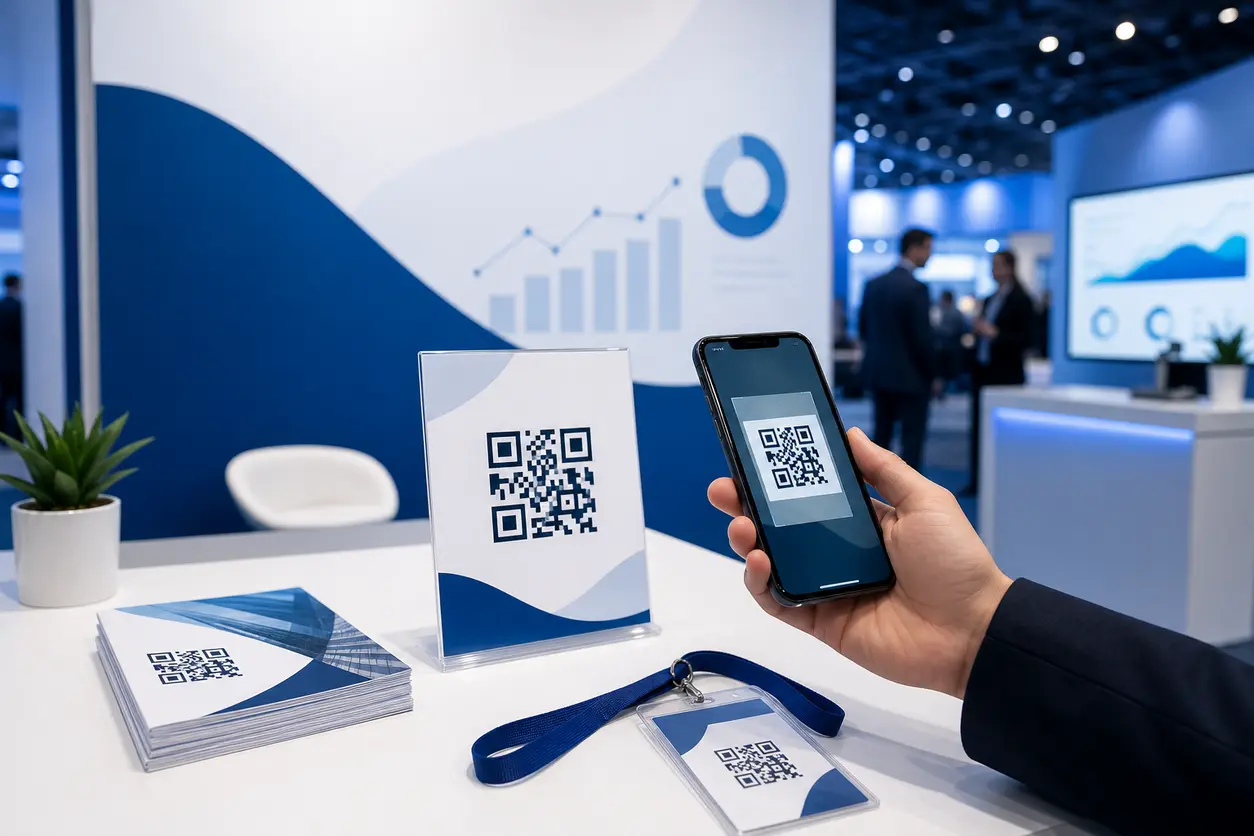
Booth backdrops
Backdrop QR codes work best when they support a high-level offer that applies to a broad audience.
Good uses include:
- a landing page with a short lead form and value proposition
- a product overview video
- a downloadable industry report or event-only guide
- a page to book a post-event demo
Backdrop codes should be large enough to scan from a few feet away and paired with a direct CTA such as:
- Scan for the full demo
- Get the buyer guide
- Book a follow-up call
- Download the case study pack
Avoid sending backdrop scans to a generic homepage. Booth traffic is too valuable for that.
Tabletop displays
Tabletop QR codes are ideal for more specific actions because the visitor is already close and engaged.
Use them for:
- product-specific PDFs
- pricing overview pages
- comparison sheets
- short qualification forms
- rep contact cards
A sponsor with multiple solutions can place different tabletop signs around the booth, each with its own dynamic QR code. One sign might target technical buyers with implementation docs, while another targets executives with ROI summaries through a multi-link QR code.
Handouts and one-pagers
Printed handouts still matter at events, but they perform better when they connect to digital follow-up.
Add a QR code to:
- download the latest PDF version
- access a deeper resource library
- watch a 90-second explainer video
- claim an event-only offer
- continue the conversation on a tailored landing page
This is especially useful when printed materials become outdated quickly. With a dynamic QR code in QR Rapid, the destination can be updated without reprinting the asset.
Badge inserts and sponsored collateral
Badge inserts, welcome kits, and sponsored print placements are excellent for early-funnel lead capture. Attendees often scan these before they even reach the booth.
These codes work well for:
- pre-qualifying prospects before a booth visit
- sending attendees to a sponsor intro page
- promoting a live demo time slot
- driving signups for a giveaway tied to a real business need
If the sponsor is included in several event materials, each placement should use a separate dynamic code. That separation makes it possible to see whether badge inserts, agenda ads, or booth signage delivered the best scan-to-lead rate.
What should the QR code send people to?
The highest-performing destination depends on what the sponsor is trying to collect.
For lead capture
Send scans to a mobile-friendly landing page with:
- one short headline
- one clear offer
- a concise form
- optional hidden fields for sponsor, event, and placement tags
- a thank-you page with the next step
Keep the form short. Name, work email, company, and one qualifying question is usually enough for event traffic.
For PDF distribution
If the sponsor wants to share brochures, solution briefs, or event-specific resources, a PDF QR code can work well. But do not stop at the file itself. Pair the PDF with a light lead gate or a follow-up page.
A better flow is:
- scan the code
- submit a short form or tap to access
- view or download the PDF
- land on a thank-you page with demo or meeting CTA
This helps sponsors connect content interest with contact capture.
For video engagement
Videos are useful when the booth message needs fast explanation. A short product overview, use case demo, or customer story can qualify interest in under two minutes.
Use video destinations when:
- the product is visual
- the booth is crowded and reps cannot speak to everyone
- the sponsor wants a consistent pitch
- the follow-up page can capture interested viewers
For post-scan routing
A smart sponsor workflow does not end with the scan. The destination should move visitors to a relevant next step based on their interest.
Examples:
- healthcare buyers go to compliance content
- technical evaluators go to documentation or integration pages
- executives go to ROI case studies and booking pages
- channel prospects go to partnership inquiry forms
QR Rapid is useful here because sponsors can create different dynamic codes and landing page paths for each audience without changing printed materials mid-event.
How to segment scans by sponsor, placement, or booth location
This is where sponsor ROI becomes measurable.
If one event has multiple sponsors, or one sponsor uses several booth assets, do not reuse one code everywhere. Create separate dynamic QR codes for each placement and campaign purpose.
Useful segmentation models include:
By sponsor
Event organizers managing sponsored assets can generate a unique code per sponsor so scan performance is easy to report in post-event recaps.
By booth location
Large booths often have zones such as demo station, meeting table, theater area, and literature rack. A different QR code for each zone shows where engaged traffic actually came from.
By asset type
Track backdrops, handouts, tabletop signs, and badge inserts separately. This helps sponsors identify which asset generated the highest-quality scans.
By offer type
A code for product video, another for pricing guide, and another for consultation booking will show which intent level dominated event engagement.
A simple naming system helps keep reporting clean:
- Event name
- Sponsor name
- Placement
- Offer
- Date or day number
For example: ExpoWest-SponsorA-Backdrop-Demo or SaaSConf-SponsorB-BadgeInsert-Guide.
In QR Rapid, dynamic QR code tracking and campaign-level tracking make this easier to manage than static one-off codes that cannot be edited or organized well after launch.
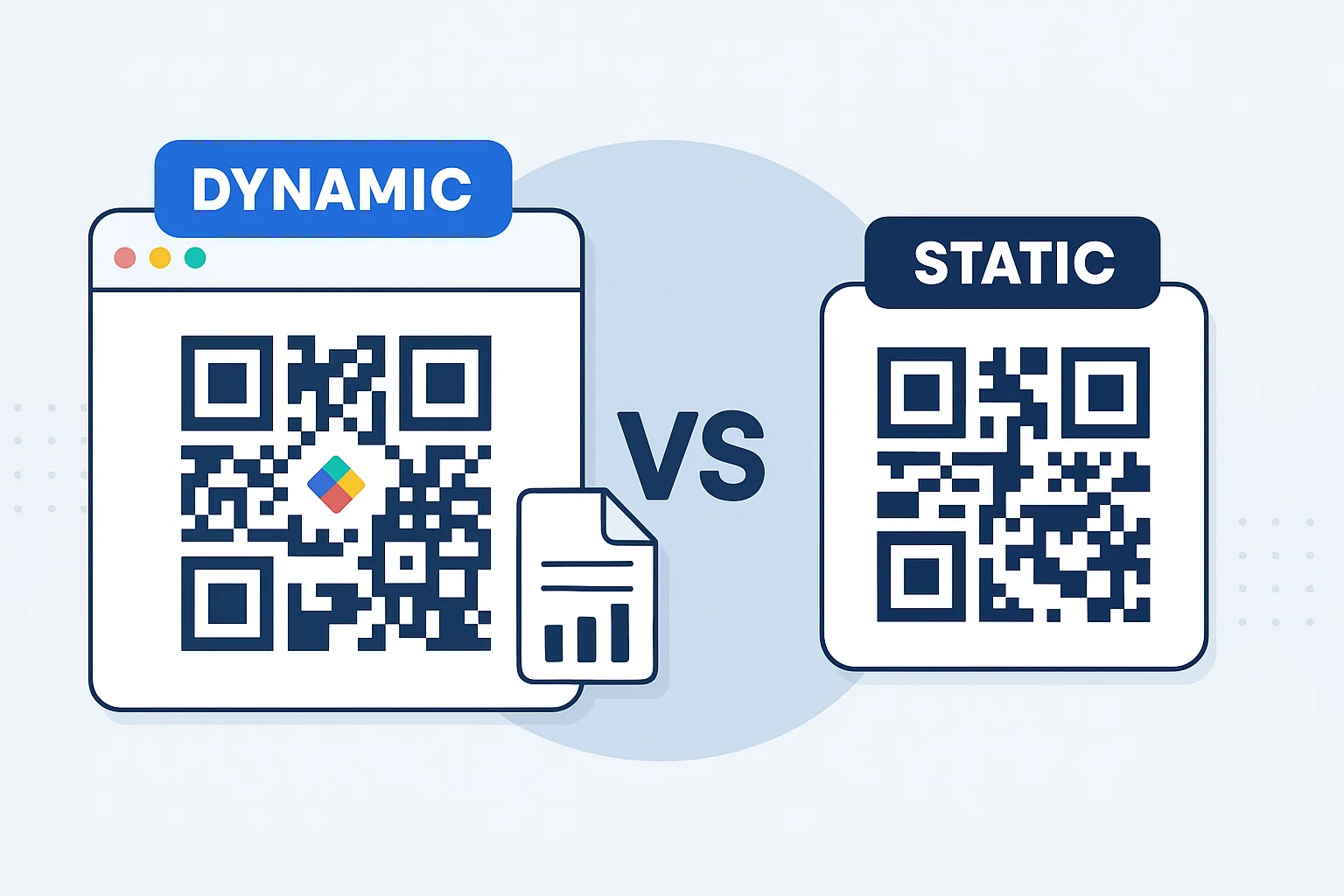
Dynamic vs. static QR codes for sponsorship campaigns
For event sponsorship, dynamic QR codes are usually the better choice.
Static QR codes
Best only when:
- the destination will never change
- tracking is not important
- the asset is very simple and permanent
Dynamic QR codes
Better when you need to:
- update landing pages after printing booth materials
- change an offer during the event
- fix a broken link fast
- track scans by asset or location
- compare sponsor performance across placements
- redirect post-event traffic to a different follow-up page
That last point matters. A badge insert may promote a live booth visit during the event, but after the show, the same code can point to a recorded demo, downloadable deck, or meeting request page. With QR Rapid, sponsors do not have to waste printed collateral just because the event has ended.
Post-event remarketing ideas that actually fit sponsor workflows
The best sponsor QR campaigns continue working after the booth closes.
Once the event is over, scan data and landing page actions can support follow-up campaigns such as:
Audience-based email follow-up
Send different sequences to:
- people who downloaded a PDF
- people who watched a video
- people who started but did not finish a form
- people who booked a meeting
Retargeted ads
If the landing pages are part of the sponsor website or ad stack, visitors can be added to remarketing audiences for LinkedIn or other paid channels. That lets sponsors stay visible to booth visitors who were interested but not ready to talk.
Sales routing by interest
If scans connect to CRM or form workflows, leads can be tagged by content choice. Someone who scanned a pricing sheet is likely farther down the funnel than someone who scanned a general awareness video.
Sponsor recap reporting
Event organizers can provide sponsors with more than traffic estimates. They can share a performance summary showing scan volume, top-performing placements, content engagement, and lead outcomes. That makes renewal conversations much stronger.
A practical setup for sponsors using QR Rapid
Here is a simple workflow sponsors and event teams can use.
1. Define one goal per code
Do not mix brochure download, demo request, and giveaway entry into one confusing destination. Each QR code should support one main action.
2. Create separate dynamic codes for each placement
Use different codes for backdrop, tabletop, handout, and badge insert.
3. Match each code to a dedicated landing experience
Build pages for the actual intent behind the scan, such as brochure access, product video, or meeting request.
4. Add clear CTAs on printed assets
People scan when the outcome is obvious. Tell them what they get.
5. Test at real viewing distances
A code that works on a laptop screen may fail on a printed backdrop under event lighting.
6. Monitor scans during the event
If a code underperforms, update the destination, CTA, or placement while the event is still live.
7. Repurpose the same codes after the event
Redirect to follow-up pages, on-demand resources, or meeting booking flows instead of letting event traffic go cold.
Common mistakes sponsors should avoid
- using one QR code for every asset
- sending scans to a homepage
- asking for too much information on mobile forms
- failing to identify which sponsor or placement drove the scan
- not updating the destination after the event
- treating QR codes as decoration instead of conversion tools
A good event sponsor QR code strategy is not about adding more codes. It is about assigning each code a measurable job.
What event organizers should include in sponsor packages
If you manage sponsorships, QR codes can make your packages more compelling.
Consider offering:
- QR-ready artwork specs for booth and print assets
- optional sponsor landing page templates
- unique code creation per sponsor placement
- post-event scan reporting by asset
- recommendations for PDF, video, and lead form workflows
This helps sponsors see the event as a demand-generation channel, not just a branding expense.
Turn booth traffic into trackable pipeline
An event sponsor QR code is most effective when it connects physical visibility to a digital action you can measure. That could be a PDF download, product video, meeting request, or segmented follow-up page. What matters is that each scan leads somewhere intentional and reportable.
QR Rapid helps sponsors do that with dynamic QR codes, editable destinations, branded QR codes, and tracking that makes booth performance easier to understand. Instead of printing one generic code and hoping for results, sponsors can launch a structured scan strategy that shows what each asset contributed.
If you want sponsorship materials to generate leads instead of just impressions, build your next event workflow around tracked QR destinations from the start.
FAQ
What is the best destination for an event sponsor QR code?
The best destination is usually a mobile landing page with one clear action, such as a short lead form, PDF access page, demo booking page, or product video with follow-up CTA.
Should sponsors use one QR code for the whole booth?
Usually no. Separate QR codes for backdrops, tabletop signs, handouts, and badge inserts make it possible to track which placement drove the most scans and leads.
Are dynamic QR codes better than static QR codes for sponsor events?
Yes for most event use cases. Dynamic QR codes let sponsors edit destinations, track scans, and repurpose printed assets after the event without reprinting materials.
How can event organizers report sponsor ROI with QR codes?
They can assign unique QR codes by sponsor and placement, then report scan volume, landing page engagement, downloads, and form completions in a post-event summary.
Can sponsors use QR codes for remarketing after an event?
Yes. QR-driven landing pages can feed follow-up email lists, CRM tags, and remarketing audiences based on what attendees scanned or downloaded.
Similar Blogs
The latest industry news, interviews, technologies, and resources.
 June 15, 2026
QR Codes for Contractors: Estimate Requests, Job Site Updates, and Review Collection
QR Codes for Contractors: Estimate Requests, Job Site Updates, and Review Collection
Read post
 August 5, 2025
Video QR Codes: Captivate Viewers & Deliver Dynamic Content Fast
Video QR Codes: Captivate Viewers & Deliver Dynamic Content Fast
Read post
Join 2,000+ subscribers
Stay in the loop with everything you need to know.
We care about your data in our privacy policy