
Dynamic QR Platform
Create QR codes Instantly
Website URL
Send users to any webpage
Website URL
Website URL
Send users to any webpage
Wi-Fi
Let users connect instantly
Wi-Fi
Wi-Fi
Let users connect instantly
Menu
Create a digital menu
Menu
Menu
Create a digital menu
Start a chat with one tap
Start a chat with one tap
Image
Showcase visuals
Image
Image
Showcase visuals
Show a downloadable file
Show a downloadable file
16 Sep 2026 • 14 min read
Retail Private-Label 2D Barcodes: How to Prepare for GS1's 2027 Point-of-Sale Transition
A practical migration playbook for retailers, packaging teams and suppliers preparing private-label and in-store-labelled products for GS1 2D barcode POS readiness.
IntroductionWhy private-label and in-store-labelled products need a dedicated migration planWhat Ambition 2027 means—and what it does not meanThe single multipurpose 2D barcode decisionPOS readiness: verify the full scan-to-sale pathBuild a dual-marking plan instead of forcing a big-bang conversionPackaging artwork governance: make the 2D barcode a controlled data assetA phased implementation playbookCommon private-label migration mistakesWhere QR Rapid adds value in the programThe next action: run a 30-day readiness sprintFAQ
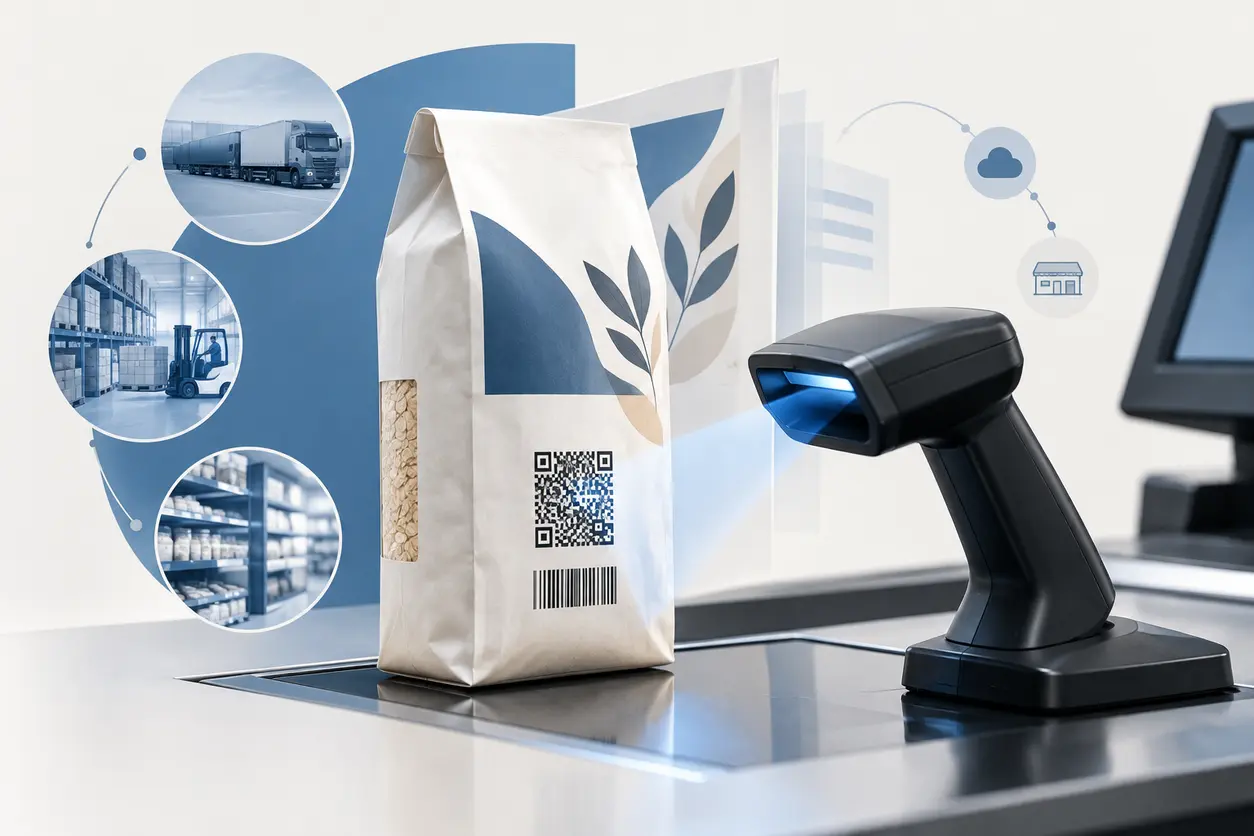
For a retailer, moving private-label and in-store-labelled products to 2D barcodes is not simply a packaging refresh. It changes how a product is identified, how it scans at checkout, which teams approve artwork, how printers and suppliers receive specifications, and how exceptions are handled on the shop floor.
The global retail goal known as Ambition 2027 is for point-of-sale systems to be able to read defined GS1 2D barcodes by the end of 2027. That is a readiness target—not an automatic switch-off date for linear barcodes. GS1’s Ambition 2027 overview makes clear that implementation and transition timing will differ by market and trading environment.
That distinction matters for private-label teams. A retailer can begin upgrading scanners, validating POS software and governing new artwork now while continuing to use 1D barcodes where a market, store estate or trading partner still requires them.
This guide focuses on the practical question behind the private label 2D barcode retail transition: how do retailers move toward one multipurpose, GS1-conformant 2D symbol without disrupting checkout or creating uncontrolled packaging variants?
Why private-label and in-store-labelled products need a dedicated migration plan
National brands often coordinate a barcode change across a central brand owner, packaging agency and manufacturing network. Private-label retail is different. The retailer may own the product specification and GTIN assignment, approve packaging, select manufacturers, label products in-store or in regional facilities, and operate the checkout systems that must process the symbol.
That gives the retailer more control—but also makes it responsible for connecting several workflows:
- Product data and item setup: Confirm the correct GTIN and the product master record that POS uses to resolve price, tax, promotions and restrictions.
- Packaging artwork: Set a repeatable barcode specification that works across formats, substrates, print methods and pack sizes.
- Supplier execution: Give co-manufacturers clear production files, quality requirements and proof-approval rules.
- In-store labelling: Update scale labels, weigh-price labels and label templates where variable-weight or freshly packed goods are involved.
- Store technology: Ensure scanners, scanner firmware, lane software and POS applications can capture and interpret the approved data format.
- Exception handling: Prepare cashiers and support teams for unreadable symbols, unexpected data and mixed 1D/2D packaging during transition.
A private-label program can have hundreds or thousands of SKUs, multiple artwork agencies and different suppliers. If every team chooses a slightly different 2D content structure or visual treatment, the program quickly becomes difficult to test and maintain.
What Ambition 2027 means—and what it does not mean
Ambition 2027 is a global GS1 retail initiative to enable POS systems to read specified GS1 2D barcodes by the end of 2027. The purpose is to make richer product identification available at checkout, including data that can support operational use cases beyond a basic item lookup.
For private-label leaders, the useful interpretation is:
- Treat 2027 as a POS capability deadline to plan toward. Build scanner and software readiness into normal technology refreshes and store pilots.
- Expect market-specific adoption. Your local GS1 Member Organisation, POS vendor, retail partners and regulator requirements may affect your rollout sequence.
- Do not remove linear symbols just because the calendar reaches 2027. Keep or retire 1D symbols based on proven scan capability, local guidance, channel requirements and each product’s packaging change cycle.
- Prioritize GS1-conformant symbols. A consumer-facing QR Code that only contains a marketing URL is not automatically suitable for retail checkout.
The GS1 2D in retail guidance explains the broader standards-based approach: the goal is a 2D symbol that can carry product identification and, where needed, additional data while working across supply-chain and consumer contexts.
The single multipurpose 2D barcode decision
A key opportunity for private-label and in-store-labelled products is to work toward a single multipurpose 2D barcode rather than accumulating separate codes for checkout, traceability, internal operations and consumer content.
GS1’s private-label single 2D barcode position paper addresses this implementation direction specifically for private-label products. The practical principle is simple: choose the symbol and encoded data based on the needs of the product, retail operation and consumer experience—not on a desire to add a QR Code to every package.
Start with the product decision, not the symbol design
For each product family, ask these questions in order:
- What must checkout identify? At minimum, the item needs the correct GTIN or other approved identification appropriate to the product and process.
- Does the product need item-level attributes at scan time? Examples may include a batch/lot, expiry date, serial number or variable-measure data, depending on the category and local process.
- Who will scan it? A fixed checkout scanner, handheld store device, warehouse scanner, self-checkout unit and smartphone may all have different operational needs.
- Does a shopper-facing web destination add useful value? This could be care guidance, sourcing information, allergen detail, recycling guidance, recipes or product support.
- Can the retailer support the data and destination over the product lifecycle? If data changes or a web page is retired, ownership must be clear.
- Will the package carry a linear barcode during transition? If yes, the artwork must prevent scan ambiguity and leave enough room for both symbols.
This sequence prevents a common failure: selecting a visually attractive QR Code first, then discovering it does not meet POS, data governance or supply-chain needs.
When a QR Code with GS1 Digital Link fits
A QR Code with GS1 Digital Link can connect a GS1 identifier to online information while retaining a standardized way to express the product identity. It is especially relevant when a private-label team wants one scannable package symbol that can serve different contexts:
- At a capable POS, the symbol can support product identification and approved retail data processing.
- In operations, it can support workflows that use the encoded GS1 data.
- On a shopper’s phone, it can lead to a retailer-controlled product experience.
That does not mean every private-label SKU needs this approach. A basic, stable grocery item with no meaningful shopper destination may not justify the operational work of maintaining a web experience. Conversely, categories such as apparel, household appliances, cosmetics, premium food, seasonal goods and products with instructions may have clear consumer and operational reasons to use it.
For shopper-facing destinations that are part of your rollout, QR Rapid can help packaging and digital teams create and manage QR Code destinations separately from the approved GS1 data design. Establish one named owner for the destination, a review date and a retirement rule for discontinued products. Do not let an ungoverned marketing QR Code replace a GS1-conformant POS barcode strategy.
POS readiness: verify the full scan-to-sale path
A scanner that can physically read a 2D symbol is only the first checkpoint. The complete transaction path must be tested.
1. Audit scanning hardware by store format
Create an inventory by location type: staffed lane, self-checkout, customer service desk, mobile device, store back room and in-store production area. For each device model, record:
- Whether the scanner is capable of reading 2D symbologies.
- Installed firmware and current configuration.
- Whether 2D reading is enabled in the configuration.
- Which data is transmitted to the POS application after a scan.
- Whether the scanner behavior differs by scan angle, distance, surface or pack curvature.
Do not assume a newer scanner is fully configured for your intended use. A device can decode a symbol but transmit data in a format that downstream software does not expect.
2. Confirm POS and middleware parsing rules
Your POS application, scanner middleware and item master interfaces need agreed rules for incoming GS1 data. Work with vendors to document:
- Which GS1 2D data formats are supported in your deployment.
- How the GTIN is extracted and used for item lookup.
- Whether additional application identifiers or a GS1 Digital Link URI are accepted and parsed as intended.
- What happens when data is present that the POS does not use.
- How self-checkout, assisted lanes and mobile POS handle the same symbol.
- What the fallback behavior is if a symbol cannot be read or is not recognized.
The objective is predictable checkout behavior. A symbol that scans successfully but retrieves the wrong item, fails to apply the expected pricing logic or creates an unexplained cashier prompt is not ready for production.
3. Include operational edge cases
A meaningful test set is more than one pristine package. Include:
- Glossy, matte, metallic and recycled substrates.
- Curved bottles, flexible pouches and small label areas.
- Low-contrast print drift and realistic production tolerances.
- Wrinkled, scuffed or partially obstructed packages.
- Products scanned in different orientations.
- Promotional sleeves, multipacks and temporary labels.
- In-store labels applied over manufacturer packaging.
- Returns and price-override workflows where relevant.
Record scan success, the exact data captured, item lookup result, transaction completion and operator observations. Keep the samples and test results attached to the SKU or artwork approval record.
Build a dual-marking plan instead of forcing a big-bang conversion
For many retailers, the low-risk path is to place both the current linear barcode and the approved GS1 2D barcode on packaging for a defined transition period. This gives stores and external channels time to upgrade while new symbols enter the supply chain through ordinary packaging replenishment.
Dual marking requires governance. It is not enough to place two symbols wherever there is space.
Define the purpose of each symbol
Your artwork standard should state clearly:
- Which symbol remains the fallback for legacy checkout environments.
- Which symbol is the future-facing GS1 2D barcode.
- What data each symbol must represent.
- Which symbol scanners should prioritize where configuration allows.
- Whether both must resolve to the same GTIN and product record.
- When a SKU is eligible to move to single-symbol packaging.
Protect the artwork from scan conflicts
Work with barcode specialists, printer partners and equipment vendors on symbol placement, quiet zones, contrast, minimum size, curvature limits and any category-specific print constraints. Keep the 1D and 2D symbols visually distinct and positioned to reduce accidental scanning of the unintended code during tests.
Avoid relying on a design mockup alone. Artwork approval should include a testable production proof or representative printed sample whenever feasible.
Set retirement gates for 1D symbols
Do not use a universal date without evidence. A more reliable gate might require all of the following:
- Relevant store formats have passed a documented 2D POS test.
- Self-checkout and mobile workflows are included.
- External retail or marketplace channel requirements are confirmed.
- Packaging inventory has turned over or a planned change cycle is due.
- Help-desk, cashier and supplier escalation procedures are ready.
- The merchandising, ecommerce and data teams agree that consumer access still works as intended.
This replaces a calendar-driven decision with an operationally safe one.
Packaging artwork governance: make the 2D barcode a controlled data asset
Private-label programs need a repeatable artwork governance model because new products, reformulations, supplier changes and seasonal packs constantly create exceptions.
Assign a barcode owner for every SKU family
The owner may sit in product data management, packaging operations or private-label quality. Their job is not to manually design every code. Their job is to ensure that the correct identifier, data structure, symbol specification, proof and approval record are used.
A useful approval packet contains:
- SKU name, pack size, market and GTIN.
- Required 1D and 2D symbol specification.
- Encoded-data record, maintained as data rather than copied from an email.
- Artwork placement rules and print-quality requirements.
- Approved digital destination, if a shopper-facing QR Code with GS1 Digital Link is used.
- Proof-verification and POS test results.
- Effective date, supplier, packaging version and change owner.
Separate content approval from symbol approval
A product page can be approved by ecommerce while the barcode content is approved by product data and POS teams. Treat these as linked but separate controls.
For example, a QR Rapid-managed destination may be updated to reflect an approved recipe revision or product-support page. That flexibility is useful for consumer communication, but it should not silently change the GTIN, GS1 data structure or scanning expectations approved for checkout.
Control supplier handoffs
Provide manufacturers and printers with a single released specification, not an informal screenshot of a QR Code. Require confirmation that the correct asset, dimensions and print conditions are being used. For in-store-labelled goods, apply the same discipline to label-management templates and scale systems.
A phased implementation playbook
A staged rollout lets a retailer learn before scaling.
Phase 1: Establish the program baseline
Create a cross-functional working group with private-label, packaging, master data, POS, store operations, ecommerce, quality and supplier-management representatives. Map:
- Current barcode types by category and packaging format.
- Store device models and POS versions.
- In-store labelling workflows.
- High-risk categories such as variable-weight, regulated, short-life, high-volume or heavily promoted products.
- Planned artwork refreshes over the next 12 to 24 months.
Choose a small number of measurable pilot objectives, such as validated checkout scans across selected store formats, a repeatable artwork approval process and a documented supplier proof workflow.
Phase 2: Select pilot products deliberately
Good pilot candidates are products with a planned packaging revision, stable item data, sufficient label area and a manageable supplier relationship. Avoid making the first pilot the most technically complex variable-weight or highly regulated product unless that workflow is the explicit priority.
Include more than one packaging form if your portfolio requires it. A carton, pouch and curved bottle reveal different print and scanning risks.
Phase 3: Specify, print and test
Create the GS1-conformant symbol specification, then produce representative packaging or labels. Test in a controlled environment first, followed by selected live stores where appropriate.
Run each test through the entire transaction path. Capture not only whether the scanner beeps, but whether the POS identifies the expected item, completes the sale correctly and behaves properly at self-checkout.
Phase 4: Train the exception path
Cashiers and store support teams do not need a standards lecture. They need practical instructions:
- What to do when the 2D symbol will not scan.
- Which alternate symbol to try during dual marking.
- When to enter an item manually.
- How to flag a recurring SKU, store or device issue.
- Which team owns remediation.
Use a short internal QR Rapid code on training materials or production-area signage to route staff to the current approved troubleshooting guide. Keep this operational QR Code separate from the package’s regulated or GS1 barcode artwork.
Phase 5: Scale by category and packaging change cycle
After pilots pass, expand through planned artwork changes instead of creating unnecessary packaging waste. Track rollout status at SKU level: not assessed, data ready, artwork ready, supplier proof approved, POS tested, dual marked, and eligible for single 2D evaluation.
Common private-label migration mistakes
Assuming all QR Codes work at checkout
A generic URL QR Code may be helpful for consumers but is not automatically designed for GS1 POS processing. Start from the retail use case and GS1 conformance requirements.
Treating scanner replacement as the whole project
Hardware capability is necessary, but POS software, data parsing, store configuration and exception handling determine whether a sale completes correctly.
Encoding ungoverned product information
Do not place changing or unverified product data into a production symbol without an owner, data source and change process. The symbol should reflect approved information that downstream systems can handle.
Removing 1D codes too early
A single 2D barcode can be a target state, but transition evidence matters. Keep dual marking where needed until relevant stores and channels are ready.
Letting packaging teams manage digital destinations alone
If a QR Code opens shopper content, ecommerce and product teams must own the destination. If it is expected to work at POS, data and technology teams must also approve the structure and behavior.
Where QR Rapid adds value in the program
QR Rapid is not a replacement for GS1 identifier management, barcode verification or POS certification. It is useful for the controlled consumer and internal communication layers that surround a private-label 2D barcode rollout.
Use QR Rapid to create QR Codes for approved product information pages, rollout training, supplier specification portals, packaging-artwork request forms or store issue-reporting workflows. Keep a naming convention tied to SKU families, markets and owners. Before publishing, test each code on the actual intended package size and material—not only on a desktop screen.
For a shopper-facing QR Code program, define whether the code is static or whether the destination needs ongoing management. If packaging will remain in market while content changes, a managed destination can reduce the need to reprint solely because a web link changed. That flexibility should be governed through your normal product-content approval process.
The next action: run a 30-day readiness sprint
A practical first month does not require converting the entire private-label portfolio.
- Form the cross-functional owner group.
- Inventory POS devices and in-store labelling systems.
- Select two to five pilot SKUs across realistic packaging types.
- Decide the required 2D data and whether a shopper-facing GS1 Digital Link experience is justified.
- Create an artwork specification and dual-marking rule.
- Test printed samples through staffed lanes, self-checkout and relevant store workflows.
- Document results, fixes and the approval gate for the next category.
The retailers that make progress toward 2027 will not be those that add the most QR Codes fastest. They will be the ones that make private-label product data, package artwork, POS behavior and store processes work together. Start with a tightly governed pilot, learn from real scans and scale only after the full path from package to completed sale is proven.
FAQ
Will traditional 1D barcodes disappear automatically in 2027?
No. Ambition 2027 is a goal for POS systems to support defined GS1 2D barcodes by the end of 2027. Retailers should decide when to retain or retire 1D symbols based on tested capability, market guidance and channel requirements.
Can a retailer use one 2D barcode for checkout and consumer information?
Potentially. A GS1-conformant 2D symbol, including a QR Code with GS1 Digital Link where appropriate, can support multiple contexts. The exact data structure, POS support and digital-content governance must be tested and approved.
What should private-label teams test before approving a 2D barcode?
Test printed production-representative samples on all relevant scanner and POS paths, including staffed lanes, self-checkout, mobile devices and in-store labelling workflows. Confirm correct item lookup, transaction completion and fallback behavior.
Why is dual marking useful during the 2D barcode transition?
Carrying both a legacy 1D barcode and an approved GS1 2D barcode can preserve compatibility while stores, channels and suppliers transition. It requires deliberate placement, matching product identification and documented retirement gates.
Are generic marketing QR Codes suitable for retail POS?
Not necessarily. A QR Code containing only a web URL may serve a shopper experience but does not automatically meet the GS1 conformance and POS-processing requirements of a retail barcode program.
How can QR Rapid support a private-label 2D barcode rollout?
QR Rapid can support managed shopper-information codes and internal QR Code workflows for training, supplier documentation, artwork requests and issue reporting. It should complement, not replace, GS1 data governance, print verification and POS testing.
Similar Blogs
The latest industry news, interviews, technologies, and resources.
 September 15, 2026
Expiry Dates, Lot Numbers and Recalls in 2D Barcodes: What GS1's 2027 Shift Enables
Expiry Dates, Lot Numbers and Recalls in 2D Barcodes: What GS1's 2027 Shift Enables
Read post
 September 14, 2026
How to Use QR Codes on Product Packaging for Customer Support and Reorders
How to Use QR Codes on Product Packaging for Customer Support and Reorders
Read post

Join 2,000+ subscribers
Stay in the loop with everything you need to know.
We care about your data in our privacy policy