
Dynamic QR Platform
Create QR codes Instantly
Website URL
Send users to any webpage
Website URL
Website URL
Send users to any webpage
Wi-Fi
Let users connect instantly
Wi-Fi
Wi-Fi
Let users connect instantly
Menu
Create a digital menu
Menu
Menu
Create a digital menu
Start a chat with one tap
Start a chat with one tap
Image
Showcase visuals
Image
Image
Showcase visuals
Show a downloadable file
Show a downloadable file
04 Jul 2026 • 10 min read
QR Codes for Retail Shelf Talkers to Compare Products and Increase Conversion
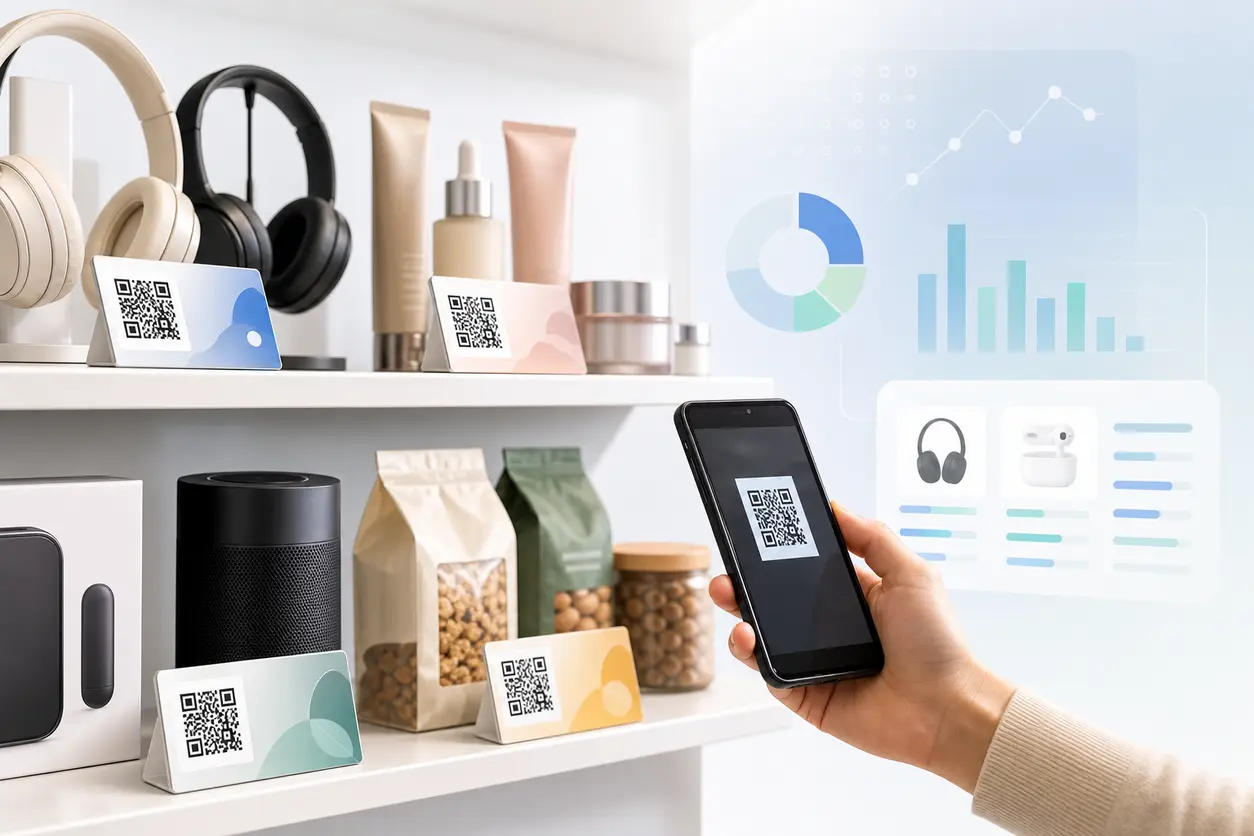
Learn how to use retail shelf QR codes on shelf talkers and aisle signage to help shoppers compare products, watch demos, view details, and convert faster. This guide covers shelf-friendly CTA design, dynamic QR code updates, tracking by store or product line, and practical examples for electronics, beauty, food, and specialty retail.
IntroductionWhat shoppers should get after scanningBest retail use cases by categoryHow to design shelf-friendly QR code CTAsStatic vs dynamic QR codes for shelf talkersHow to track scan performance by store or product lineSeasonal offer rotation without reprintingWhat a high-converting shelf QR landing page should includeA simple rollout plan for retail teamsCommon mistakes to avoidWhy QR Rapid fits this use caseFinal takeawayFAQ
Most retail QR content is planned too broadly. It lives on front windows, packaging, or general store signage. But the real decision point often happens much later: when a shopper is standing in front of two similar products and trying to choose quickly.
That is where retail shelf QR codes can do real work.
A shelf talker has limited space. You may want to explain why one SKU is worth a higher price, show how a product works, answer ingredient questions, clarify sizing, or promote a time-sensitive offer. Printing all of that on the shelf is unrealistic. A QR code gives you a clean bridge from a small physical sign to deeper digital content without cluttering the shelf.
For retail marketers, merchandisers, store managers, and DTC brands in wholesale environments, the value is simple: better product education at the shelf, faster comparison, and more measurable in-store engagement.
With QR Rapid, you can create branded dynamic QR codes for shelf talkers, route shoppers to landing pages, PDFs, videos, image galleries, or promo flows, and track scan performance by store, fixture, campaign, or product line.
What shoppers should get after scanning
A shelf QR code should not send shoppers to a generic homepage. At shelf level, intent is high and attention is short. The destination needs to help them decide now.
The strongest destinations usually do one of these jobs:
1. Product comparison pages
Helpful when shoppers are deciding between similar items in the same category.
Examples:
- A comparison chart for two headphones with battery life, noise cancellation, fit, and warranty
- A skincare comparison showing skin type fit, active ingredients, fragrance-free options, and usage steps
- A specialty coffee comparison showing roast level, tasting notes, origin, and brew recommendations
2. Demo videos
Useful when the product needs to be seen to be understood.
Examples:
- Small electronics setup demo
- Beauty tool tutorial
- Kitchen gadget in-use clip
- Sporting goods feature walkthrough
3. Ingredient lists or material details
Ideal for shoppers who want transparency before purchase.
Examples:
- Food products with full ingredient and allergen details
- Beauty items with active ingredients and what they do
- Apparel or accessories with fabric, care, and sourcing details
4. Size guides and fit help
Important when shelf packaging does not explain fit clearly.
Examples:
- Socks, gloves, braces, shapewear, or pet accessories
- Specialty gear with compatibility charts
- Home replacement parts with dimensions and model match lists
5. Promotions and bundle offers
Useful when you want to create a shelf-level nudge without reprinting the full display.
Examples:
- Scan for this week’s bundle
- Unlock a digital coupon
- See gift-with-purchase details
- Join SMS for instant shelf offer
The rule is simple: the scan destination should remove one specific obstacle to purchase.
Best retail use cases by category
Electronics
Electronics buyers often need reassurance and comparison before they commit. Packaging alone usually does a poor job of explaining the practical difference between models.
Good shelf talker QR code uses for electronics:
- Compare product tiers side by side
- Show a short demo of setup or key features
- Display compatibility details for phones, TVs, laptops, or smart home devices
- Link to warranty terms or support FAQs
- Rotate content during seasonal sales without replacing the printed code
Example: A shelf talker for wireless earbuds can say, "Compare battery life and fit in 20 seconds." The QR code opens a lightweight landing page with three bullets, a side-by-side comparison, and a short demo clip.
Beauty
Beauty shelves are crowded, and shoppers want confidence fast. Shade, skin type, ingredient concerns, and application method often decide the sale.
Good uses in beauty:
- Ingredient explainer pages
- Before-and-after image galleries
- Shade finder or routine-builder content
- Tutorial videos for tools or treatments
- Promotions tied to loyalty signup or SMS
Example: A serum shelf talker can send shoppers to a page with active ingredients, who it is for, when to use it, and products it pairs with.
Food and beverage
Food shoppers often need quick answers on ingredients, dietary fit, sourcing, and flavor expectations.
Good uses in food:
- Full ingredient and allergen info
- Recipe ideas or serving suggestions
- Flavor comparison between SKUs
- Subscription or DTC reorder offers for specialty brands
- Seasonal promotions that change without reprinting shelf tags
Example: A specialty sauce brand can use a shelf QR code to show heat level, recipe pairings, and a limited seasonal discount for a sampler pack.
Specialty retail
Specialty retail includes hobby, outdoor, pet, home improvement, wellness, and premium gift categories. These products often need more explanation than shelf space allows.
Good uses in specialty retail:
- Buyer guides
- Compatibility charts
- Gift recommendation flows
- Use-case videos
- Expert picks or curated bundles
Example: A premium pet supplement can link to dosage guidance by pet size, ingredient sourcing details, and a product comparison against other formulas in the line.
How to design shelf-friendly QR code CTAs
The QR code itself is only part of the conversion. The CTA on the shelf talker is what gets the scan.
Good shelf CTA copy is short, specific, and benefit-led. It tells shoppers what they get, not just what to do.
Better CTA examples:
- Compare models
- Watch it in action
- Check ingredients
- Find your size
- See what’s included
- Unlock today’s offer
- Which one is right for you?
Weaker CTA examples:
- Scan me
- Learn more
- More info
Shelf design tips that improve usability
- Keep the CTA directly above or next to the code
- Use one main action per shelf talker
- Make the code large enough for easy scan at standing distance
- Maintain strong contrast between code and background
- Leave quiet space around the code
- Avoid placing the code too low, too close to shelf rails, or on reflective materials
- If multiple QR codes are used in one bay, label each clearly to avoid confusion
For retail shelf QR codes, clarity beats creativity. A clean code with a direct CTA usually outperforms a heavily stylized code that blends into the shelf.
Static vs dynamic QR codes for shelf talkers
If you are testing one shelf message once, a static QR code can work. But most in-store programs benefit more from dynamic QR codes.
Static QR codes
Best when:
- The destination will never change
- You do not need ongoing optimization
- You are using a very simple permanent link
Limitations:
- You cannot change the destination after printing
- Seasonal offer updates require reprints
- Tracking is less flexible
Dynamic QR codes
Best when:
- Promotions change by season or campaign
- Product education needs updates
- Different stores need different destinations
- You want to track scans by product line, region, or fixture
- You want to test different shelf messaging over time
With QR Rapid, dynamic codes are the better fit for shelf talkers because the printed code can stay in place while the destination changes. That means you can rotate a holiday bundle to a spring promotion, replace a PDF with a landing page, or update a comparison chart after a product refresh without reprinting the shelf asset.
How to track scan performance by store or product line
One of the biggest advantages of retail shelf QR codes is measurement. Even if the final purchase happens offline, scans tell you where product curiosity is strongest and which shelf messaging is doing its job.
A practical structure looks like this:
Track by store
Create separate dynamic QR codes or tracking labels for each store cluster or location.
This helps answer questions like:
- Which stores generate the most shelf engagement?
- Do premium stores scan more comparison content?
- Is one region responding better to education than promotions?
Track by product line
Use naming conventions tied to brand, category, and SKU family.
Example naming approach:
- electronics-headphones-premium-storewest
- beauty-serum-vitc-chaina
- food-sauce-spicy-northeast-promo
Track by placement type
If you run the same campaign across shelf talkers, aisle blades, and endcap signs, label each placement separately. This helps isolate whether the performance comes from the offer or the placement.
Watch the right metrics
For shelf programs, useful scan metrics include:
- Total scans by code
- Scans by location or product line
- Scan timing during promotional periods
- Destination engagement, such as landing page visits or file opens
This is where QR Rapid becomes operationally useful, not just creative. You are not only placing codes on shelves. You are learning which products need more education, which stores respond to comparison content, and which offers deserve expansion.
Seasonal offer rotation without reprinting
Retail shelf materials often stay in place longer than the campaign they support. That creates waste if every offer change means new print production.
Dynamic QR codes solve that problem cleanly.
You can keep the same shelf talker design but swap the destination behind the code for:
- Back-to-school bundles
- Holiday gift guides
- New product launches
- Limited-time rebates
- Clearance messaging
- Seasonal recipe or usage content
This matters for both national retailers and DTC brands in physical retail. If your team has long approval cycles for printed signage, dynamic codes let you keep the physical asset stable while still reacting to inventory, promotions, or assortment changes.
What a high-converting shelf QR landing page should include
Do not send a shelf scan to a busy website page and hope shoppers dig for answers. The landing page should be built for mobile and built for speed.
A strong shelf landing page usually includes:
- One headline tied to the shelf CTA
- A quick answer or comparison above the fold
- Three to five practical bullets
- Optional short video, image, or PDF
- Product-specific proof points such as compatibility, ingredients, or sizing
- A clear next step, such as buy now, find your fit, save offer, or view related products
If the code is designed for store associates as well as shoppers, you can also include a staff-facing quick guide or talking points in a linked PDF.
QR Rapid supports the main shelf content formats teams usually need here: landing pages, PDFs, images, videos, and SMS flows.
A simple rollout plan for retail teams
If you are launching retail shelf QR codes for the first time, keep the pilot focused.
Phase 1: Pick one high-friction category
Start where questions slow conversion most. Good pilot categories include:
- Consumer electronics
- Complex beauty products
- Specialty food
- Fit-sensitive accessories
Phase 2: Choose one shopper question to solve
Examples:
- Which model should I choose?
- Is this safe for my skin?
- Does this fit my device?
- What does this taste like or pair with?
Phase 3: Build one clear shelf CTA
Avoid multi-message signage. One shelf talker, one promise, one scan path.
Phase 4: Use dynamic codes from day one
Even in a pilot, dynamic codes protect you from reprint waste and make it easier to optimize after early scan data comes in.
Phase 5: Review by store and by SKU family
Look for patterns in scan volume, not just totals. If one store scans heavily but another does not, the issue might be placement, staff awareness, or local shopper mix.
Common mistakes to avoid
Retail shelf QR programs underperform when the execution is vague.
Avoid these common issues:
- Sending all scans to the homepage
- Using generic CTA copy
- Placing codes where phones cannot scan easily
- Printing tiny codes on crowded shelf strips
- Forgetting to update seasonal destinations
- Mixing comparison, demo, coupon, and support content into one confusing page
- Failing to organize codes by store or product line for reporting
The best shelf QR experiences feel like a helpful extension of the shelf, not an extra task.
Why QR Rapid fits this use case
This use case depends on flexibility. Shelf materials need to stay neat, compliant, and printable, but campaign content needs to change often.
QR Rapid is a strong fit for retail shelf QR codes because it helps teams:
- Create dynamic QR codes for shelf talkers and aisle signage
- Send shoppers to landing pages, PDFs, videos, images, or SMS flows
- Customize codes to align with brand standards while staying scannable
- Track scan performance across stores, products, and campaign variations
- Update offers or education content without reprinting every shelf asset
That combination is especially useful for brands selling through retail partners, where store-level execution is expensive to change but digital content can be updated instantly.
Final takeaway
Retail shelves are crowded, but shopper questions are still specific. The best retail shelf QR codes do not try to solve every marketing problem. They solve the one decision blocking a purchase right now.
If your shelf talkers can help shoppers compare options, trust the product faster, or access a timely offer, they become more than signage. They become a measurable conversion tool.
If you want a practical way to launch, start with one category, one CTA, and one dynamic destination in QR Rapid. From there, you can expand by store, product line, and season without rebuilding your entire shelf program.
FAQ
What should retail shelf QR codes link to?
They should link to content that helps a shopper make a purchase decision immediately, such as product comparisons, demo videos, ingredient lists, size guides, compatibility charts, or a current promotion.
Are dynamic QR codes better than static QR codes for shelf talkers?
Usually yes. Dynamic QR codes let you update the destination after printing, rotate seasonal offers, and track scans by store, product line, or placement without replacing the shelf sign.
How do I track retail shelf QR codes by store?
Create separate dynamic codes or use a consistent naming structure for each store, region, or fixture. That makes it easier to compare scan performance and identify where shelf messaging is working best.
What is the best CTA for a shelf talker QR code?
Use short, specific CTA text that explains the benefit of scanning, such as Compare models, Watch it in action, Check ingredients, or Find your size. Avoid vague phrases like Learn more.
Which retail categories benefit most from shelf QR codes?
Categories with more shopper questions tend to benefit most, including electronics, beauty, food and beverage, pet products, wellness, home improvement, and other specialty retail segments.
Can QR Rapid help update shelf campaigns without reprinting signs?
Yes. With QR Rapid dynamic QR codes, you can keep the printed code in place and change the linked content, offer, video, PDF, or landing page as campaigns and seasons change.
Similar Blogs
The latest industry news, interviews, technologies, and resources.
 September 14, 2026
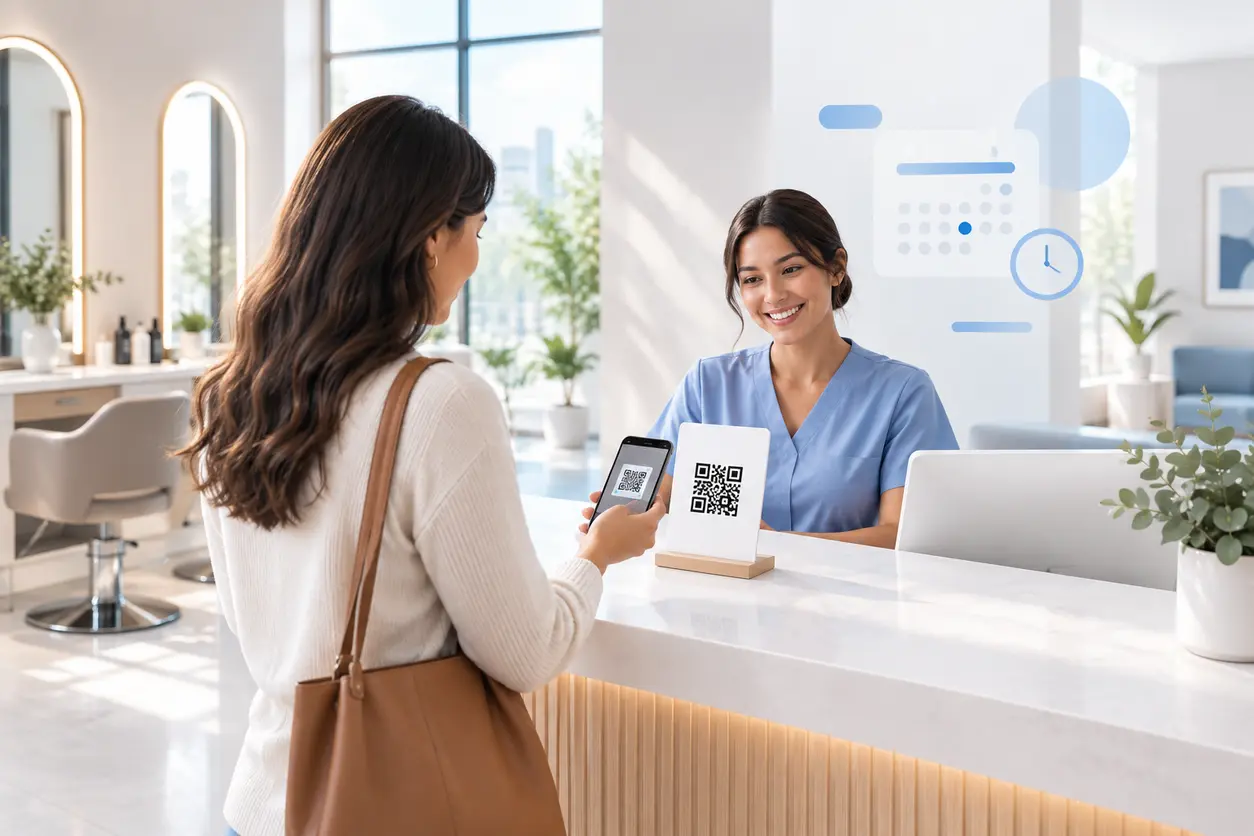
Appointment Booking QR Code Workflows for Service Businesses
Appointment Booking QR Code Workflows for Service Businesses
Read post
 July 16, 2026
QR Codes for Lead Capture at Trade Shows and Conferences
QR Codes for Lead Capture at Trade Shows and Conferences
Read post
Join 2,000+ subscribers
Stay in the loop with everything you need to know.
We care about your data in our privacy policy