
Dynamic QR Platform
Create QR codes Instantly
Website URL
Send users to any webpage
Website URL
Website URL
Send users to any webpage
Wi-Fi
Let users connect instantly
Wi-Fi
Wi-Fi
Let users connect instantly
Menu
Create a digital menu
Menu
Menu
Create a digital menu
Start a chat with one tap
Start a chat with one tap
Image
Showcase visuals
Image
Image
Showcase visuals
Show a downloadable file
Show a downloadable file
04 Aug 2026 • 10 min read
Hotel QR Codes for Guest Services: Digital Welcome Guides, Amenities, and Upsell Requests
A practical guide for hotels using QR codes across the guest journey to share welcome guides, property information, service requests, dining menus, spa bookings, local recommendations, and upsell offers. Learn where to place hotel QR codes, when to use dynamic codes, how to track scans by location, and how QR Rapid helps properties update guest-facing content without replacing printed collateral.
IntroductionWhat hotel QR codes should actually solveThe best placements for hotel QR codes across the guest journeyPlacement-by-placement setup guideStatic vs. dynamic hotel QR codesHow to track hotel QR codes by location and guest journey stageCTA examples that help instead of overwhelmA simple implementation plan for hotel operatorsWhy QR Rapid fits hotel QR code workflowsFinal takeawayFAQ
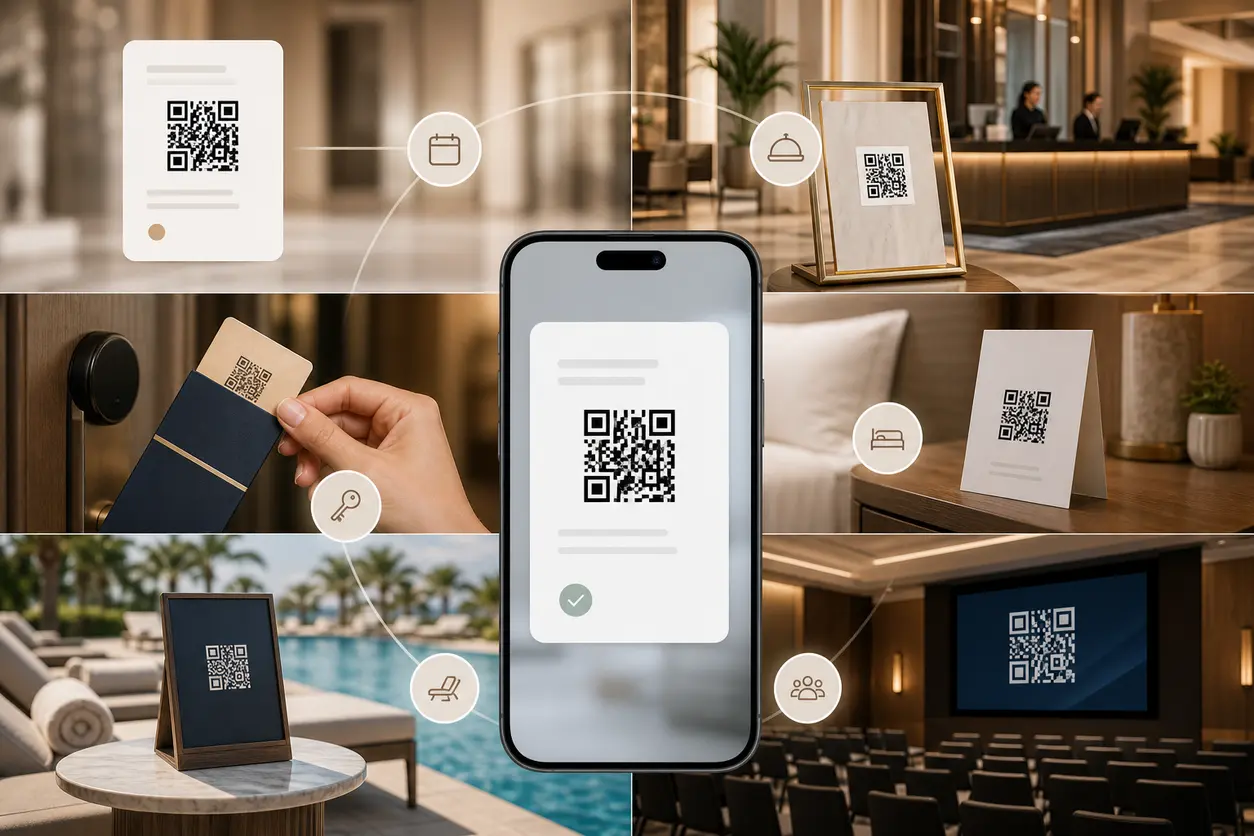
Used well, they become a modular digital concierge system. Instead of forcing guests to call the front desk for every small question, you can connect each physical touchpoint in the property to the most relevant digital action: a welcome guide, a property map, housekeeping preferences, a room-service menu, a spa booking page, or a late-checkout request.
The key is not putting the same code everywhere. The strongest hotel QR codes are mapped to the guest journey, placed where a question naturally happens, and managed dynamically so your team can update content without reprinting cards, signs, or room materials.
What hotel QR codes should actually solve
A hotel QR code strategy should reduce friction first and drive revenue second. If every scan feels like a promotion, guests will ignore it. If every scan solves a real need, more guests will use the system and the right upsell moments will feel helpful instead of pushy.
A good setup should help guests:
- find essential stay information fast
- self-serve simple requests without calling the desk
- discover amenities at the moment they are most relevant
- book extras like spa treatments, dining, activities, or late checkout
- get routed to the right feedback channel before frustration grows
For operators, hotel QR codes should make it easier to:
- update guest information in real time
- reduce printed collateral in rooms and common areas
- separate informational scans from revenue-driving scans
- measure which physical locations create service actions and upsell intent
- keep branding consistent across the property
The best placements for hotel QR codes across the guest journey
Instead of thinking in terms of one master code, think in terms of stages.
| Guest journey stage | Placement | Best destination |
|---|---|---|
| Pre-arrival | Booking confirmation email or PDF | Mobile welcome guide with check-in info, parking, arrival tips |
| Arrival | Lobby signage | Digital concierge landing page, property map, amenities overview |
| Check-in | Key-card sleeve | Wi-Fi instructions, room info, breakfast hours, support options |
| In-room stay | Nightstand card, desk tent, TV stand, minibar card | Room-service menu, housekeeping preferences, spa booking, local guide |
| Leisure moments | Pool area signage | Bar menu, cabana booking, towel policy, poolside service |
| Transit moments | Elevators | Short amenity promos such as rooftop bar, breakfast, late checkout |
| Group/business stay | Conference spaces | Event agenda, room map, catering request, sales contact |
| Departure | In-room card or lobby desk | Express checkout info, late checkout request, private feedback routing |
This structure keeps each scan intent clear. A guest standing at the pool should not land on the same page as someone arriving from a booking confirmation.
Placement-by-placement setup guide
1. Booking confirmations: start before arrival
The pre-arrival email is one of the best places for hotel QR codes because it reaches guests when they are planning their stay. Add a QR code to the confirmation PDF or pre-arrival email graphic that opens a mobile welcome guide.
That guide can include:
- parking and arrival instructions
- check-in time and ID requirements
- property map
- Wi-Fi overview
- breakfast and dining hours
- spa or activity pre-booking links
- local transportation tips
This is also a smart place for light upsells. For example: “Reserve your spa slot before arrival” or “View available late checkout options.” The code should not send guests to a generic homepage. It should open a mobile-first page built for arriving guests.
With QR Rapid, you can use a dynamic QR code generator that points to a landing page and update the content seasonally. Your winter shuttle info, holiday dining schedule, or summer activity list can change without editing the printed code in your confirmation assets.
2. Lobby signage: create a digital concierge hub
Lobby QR codes work best when they reduce lines and basic desk questions. A simple sign near reception, elevators, or seating can invite guests to scan for the essentials.
Good lobby destinations include:
- full property directory
- resort or hotel map
- amenity hours
- dining reservations
- spa booking page
- local recommendations
- FAQs such as parking, checkout, and transport
A lobby sign is one of the best places for a broader digital concierge page because guests are still orienting themselves. This is where QR Rapid landing pages are useful: you can organize links into clear sections instead of sending guests to a cluttered web menu.
3. Key-card sleeves: deliver the core stay information
Key-card sleeves have high visibility and travel with the guest. They are ideal for one primary action, not seven.
For most properties, the best destination is a quick-start stay guide with:
- Wi-Fi connection steps
- breakfast hours
- front desk and housekeeping contact options
- property map
- checkout time
If you want a secondary conversion, add it on the landing page rather than on the sleeve itself. For example, after Wi-Fi instructions, include a small card for “Book spa” or “View tonight’s dining specials.”
This keeps the printed CTA simple while still allowing revenue opportunities once the guest has scanned.
4. Guest rooms: support, service, and upsells
In-room hotel QR codes should replace scattered printed inserts with a few well-placed, role-specific codes.
A practical room setup might include:
- one code by the desk or welcome book for the full digital welcome guide
- one code near dining materials for menu QR code or bar menus
- one code near the bathroom mirror or closet for housekeeping preferences
- one code near the bed or TV for spa, activities, or local recommendations
Useful destinations include:
- mobile welcome guide
- dining or room-service menus
- housekeeping preferences such as extra towels, later cleaning, or do-not-disturb options
- spa or wellness booking page
- curated neighborhood guide
- maintenance or service request form
- private feedback form routed to the right department
The main mistake here is overloading the room with too many similar prompts. Each code should answer a distinct guest need.
5. Pool areas: high-intent amenity and spend moments
Poolside QR codes should focus on leisure convenience. Guests do not want a general information dump when they are looking for a drink, a cabana, or activity details.
Strong pool use cases include:
- pool bar or snack menu
- towel and seating guidelines
- cabana reservations
- kids’ activity schedule
- spa promotion linked to same-day availability
A dynamic QR code is especially useful here because offers can change by daypart or season. The same printed pool sign can promote smoothies in the morning, cocktails in the afternoon, and sunset specials later, all without reprinting anything.
6. Elevators: use short, focused CTAs
Elevators are ideal for quick promotional scans because guests are captive for a few seconds. The mistake is trying to present too many choices.
Better elevator CTAs:
- “See tonight’s dining specials”
- “Book a spa treatment”
- “Request late checkout”
- “Explore hotel amenities”
This placement is best for one targeted destination per elevator graphic. If you rotate campaigns, dynamic hotel QR codes let you swap the destination based on occupancy periods, event weekends, or seasonal packages.
7. Conference spaces: serve event guests and planners
Conference and meeting areas have a different workflow from leisure stays, so they deserve separate codes.
Useful destinations include:
- event agenda or session landing page
- meeting room map
- catering menu or refresh request form
- AV support instructions
- sales or events contact via vCard
- post-event feedback form
QR Rapid can support both branded landing pages and vCard QR code destinations here, which is useful for sales managers or event coordinators who want to share direct contact details without printing updated business cards for every campaign.
Static vs. dynamic hotel QR codes
Static codes can work for permanent information that almost never changes, but most guest-service workflows benefit from dynamic codes.
Use static only when:
- the destination will remain unchanged long term
- you do not need scan data by placement
- the code is for a simple permanent URL
Use dynamic hotel QR codes when you need to:
- update local recommendations each season
- swap dining menus without reprinting room cards
- change spa offers based on availability
- route different guest segments to different landing pages
- track scans by lobby, room, pool, elevator, or conference area
- test CTA copy or landing page structure
For hotels, dynamic usually wins because the physical materials stay in place while the destination changes often.
How to track hotel QR codes by location and guest journey stage
Tracking is what turns QR codes from a convenience tool into an operational channel.
At minimum, create separate dynamic codes for:
- booking confirmation
- lobby signage
- key-card sleeve
- guest room welcome guide
- guest room dining menu
- pool area
- elevator promo
- conference space
- checkout or feedback touchpoint
Name them consistently inside QR Rapid, such as:
- HotelName_PreArrival_Welcome
- HotelName_Lobby_Concierge
- HotelName_Room401_Dining
- HotelName_Pool_BarMenu
- HotelName_Elevator_LateCheckout
Then review performance by:
Location
Which physical placements get used most?
Journey stage
Are most scans happening before arrival, right after check-in, or near departure?
Destination type
Do guests engage more with practical service pages or with upsell pages?
Conversion action
Which codes lead to spa bookings, dining views, feedback submissions, or late checkout requests?
This structure helps you answer operational questions like:
- Are guests finding the room-service menu faster in-room or from the elevator promo?
- Does the pool sign drive more spa bookings than the room tent card?
- Are guests using the key-card sleeve mostly for Wi-Fi or also for welcome guide content?
CTA examples that help instead of overwhelm
Hotel QR code CTA copy should be calm and specific. Avoid loud marketing language in guest spaces.
Good examples:
- “Scan for your welcome guide”
- “View property map and hours”
- “Connect to Wi-Fi and guest info”
- “Set housekeeping preferences”
- “Browse room-service menu”
- “Book spa or wellness”
- “Request late checkout”
- “Share private feedback”
Less effective examples:
- “Scan me now!”
- “Unlock everything”
- “Best offers here”
- “Don’t miss out”
In hospitality, clarity usually outperforms hype.
A simple implementation plan for hotel operators
If you are starting from scratch, do not try to launch every hotel QR code use case at once.
Phase 1: service essentials
Start with:
- booking confirmation welcome guide
- lobby concierge page
- key-card sleeve quick-start guide
- in-room dining or service code
Phase 2: revenue moments
Add:
- spa booking QR code
- pool amenity QR code
- elevator offer QR code
- late checkout request QR code
Phase 3: measurement and refinement
Then optimize:
- separate codes by placement
- rotate seasonal offers dynamically
- test CTA wording
- update local guides monthly
- compare which locations create actual service and upsell actions
Why QR Rapid fits hotel QR code workflows
Hotels need more than a basic QR image generator. They need a system that supports changing destinations, branded presentation, and measurable performance.
QR Rapid is a strong fit because you can:
- create dynamic hotel QR codes for each property location
- update destinations without replacing room collateral or signs
- build branded landing pages for welcome guides and concierge flows
- link to files, menus, videos, SMS actions, or vCards when relevant
- customize designs to match hotel branding while keeping codes scannable
- track scans to understand which guest touchpoints drive engagement
That matters when your printed materials stay in circulation for months, but your offers, hours, seasonal activities, and local recommendations keep changing.
Final takeaway
The best hotel QR codes do not just digitize a menu or a Wi-Fi password. They connect physical guest touchpoints to the next useful action.
When mapped across booking confirmations, lobby signage, key-card sleeves, guest rooms, pool areas, elevators, and conference spaces, they become a digital concierge layer that improves service and opens clear revenue opportunities.
If you want a practical place to start, build four dynamic codes first: pre-arrival welcome guide, lobby concierge, key-card stay guide, and in-room dining or service. Then expand into spa, local recommendations, late checkout, and feedback routing.
With QR Rapid, you can launch those workflows, keep them updated, and measure which hotel placements are actually moving guests from scan to action.
FAQ
Where should hotels place QR codes for the best guest response?
Start with high-intent touchpoints: booking confirmations, lobby signage, key-card sleeves, guest rooms, pool areas, elevators, and conference spaces. Match each placement to the most relevant guest need instead of sending every scan to the same page.
What should a hotel welcome guide QR code include?
A mobile welcome guide should cover arrival details, check-in information, property map, Wi-Fi instructions, dining hours, amenity access, local recommendations, and simple support options. Keep it mobile-first and easy to skim.
Are dynamic QR codes better than static QR codes for hotels?
Usually yes. Dynamic codes let hotels update menus, seasonal offers, local recommendations, spa promotions, and service pages without reprinting in-room materials or signage. They also make scan tracking by location much easier.
How many QR codes should a hotel use in each guest room?
Most rooms work best with two to four clearly defined codes. One can lead to the full welcome guide, while others handle distinct tasks such as dining, housekeeping preferences, or spa and local recommendations. Too many codes can reduce engagement.
How can hotels track whether QR codes are driving service actions or upsells?
Create separate dynamic codes for each placement and destination, then review scan activity by location, guest journey stage, and action type. For example, compare room scans versus pool scans for spa bookings or late checkout requests.
Similar Blogs
The latest industry news, interviews, technologies, and resources.
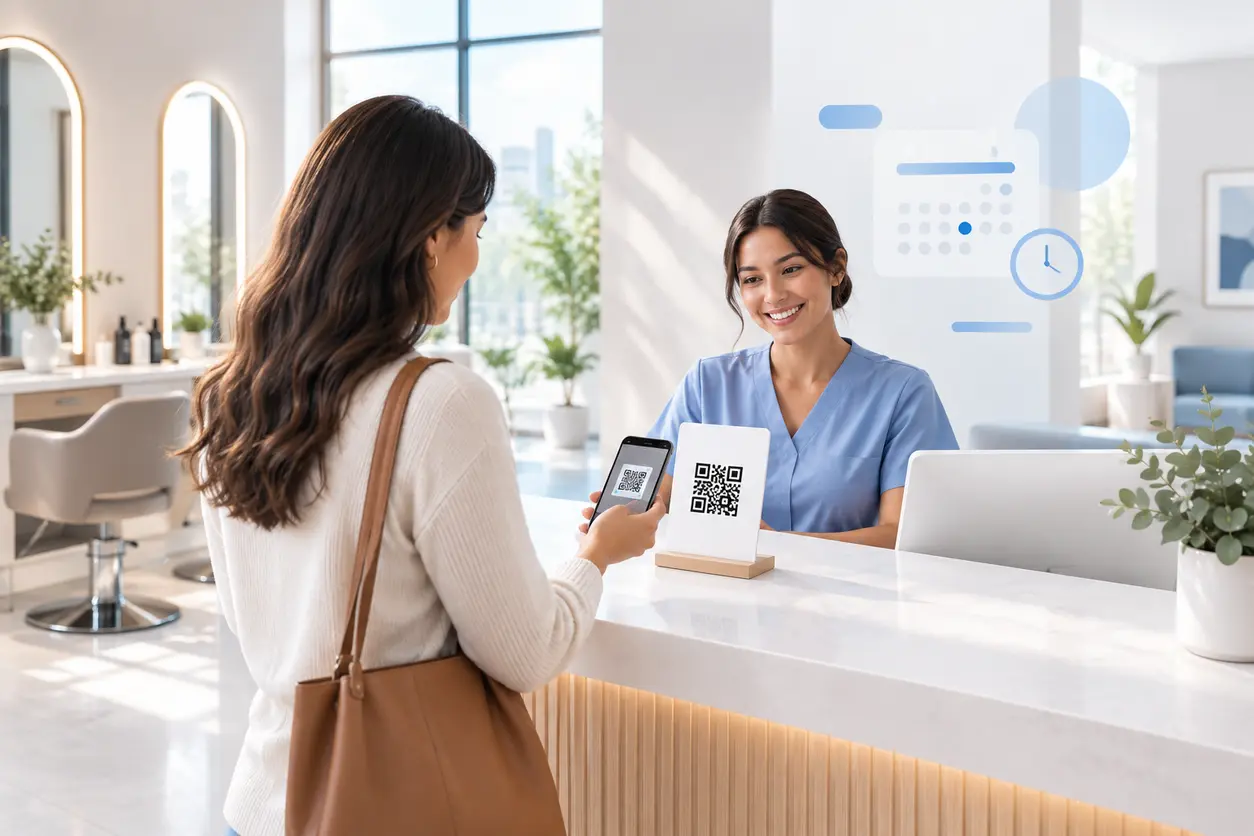 September 14, 2026
Appointment Booking QR Code Workflows for Service Businesses
Appointment Booking QR Code Workflows for Service Businesses
Read post
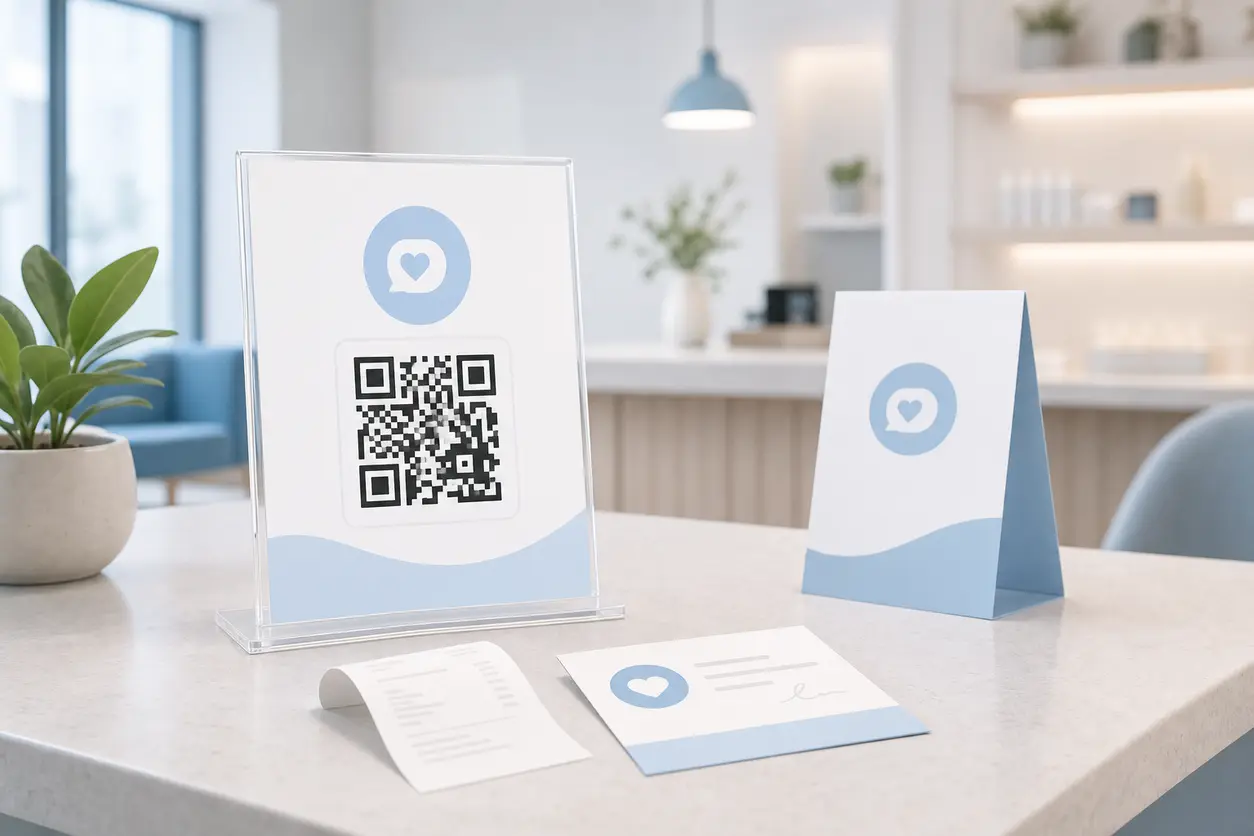 August 15, 2026
QR Codes for Google Reviews: How to Get More Customer Reviews from In-Store Signage
QR Codes for Google Reviews: How to Get More Customer Reviews from In-Store Signage
Read post
Join 2,000+ subscribers
Stay in the loop with everything you need to know.
We care about your data in our privacy policy