
Dynamic QR Platform
Create QR codes Instantly
Website URL
Send users to any webpage
Website URL
Website URL
Send users to any webpage
Wi-Fi
Let users connect instantly
Wi-Fi
Wi-Fi
Let users connect instantly
Menu
Create a digital menu
Menu
Menu
Create a digital menu
Start a chat with one tap
Start a chat with one tap
Image
Showcase visuals
Image
Image
Showcase visuals
Show a downloadable file
Show a downloadable file
26 Sep 2026 • 14 min read
Digital Product Passports for Online Marketplaces: Pre-Purchase Data-Carrier Delivery
A practical implementation guide for brands, importers, marketplaces and catalog teams that need to expose Digital Product Passport information online before an EU shopper can inspect or scan a product.
IntroductionWhy online DPP access is a separate requirement to solveThe practical pre-purchase journeyProduct-page placement: make access obvious before checkoutQR images versus clickable links: use both for different jobsIdentifier consistency: the control that prevents wrong-passport linksBuild DPP fields into the catalog feed—not into manual seller notesMultilingual access: separate language from identityWho needs to coordinate the workflow?QR Rapid’s role in the physical-to-digital handoffA launch checklist for each marketplaceFinal takeaway: treat DPP access as a catalog capabilityFAQ
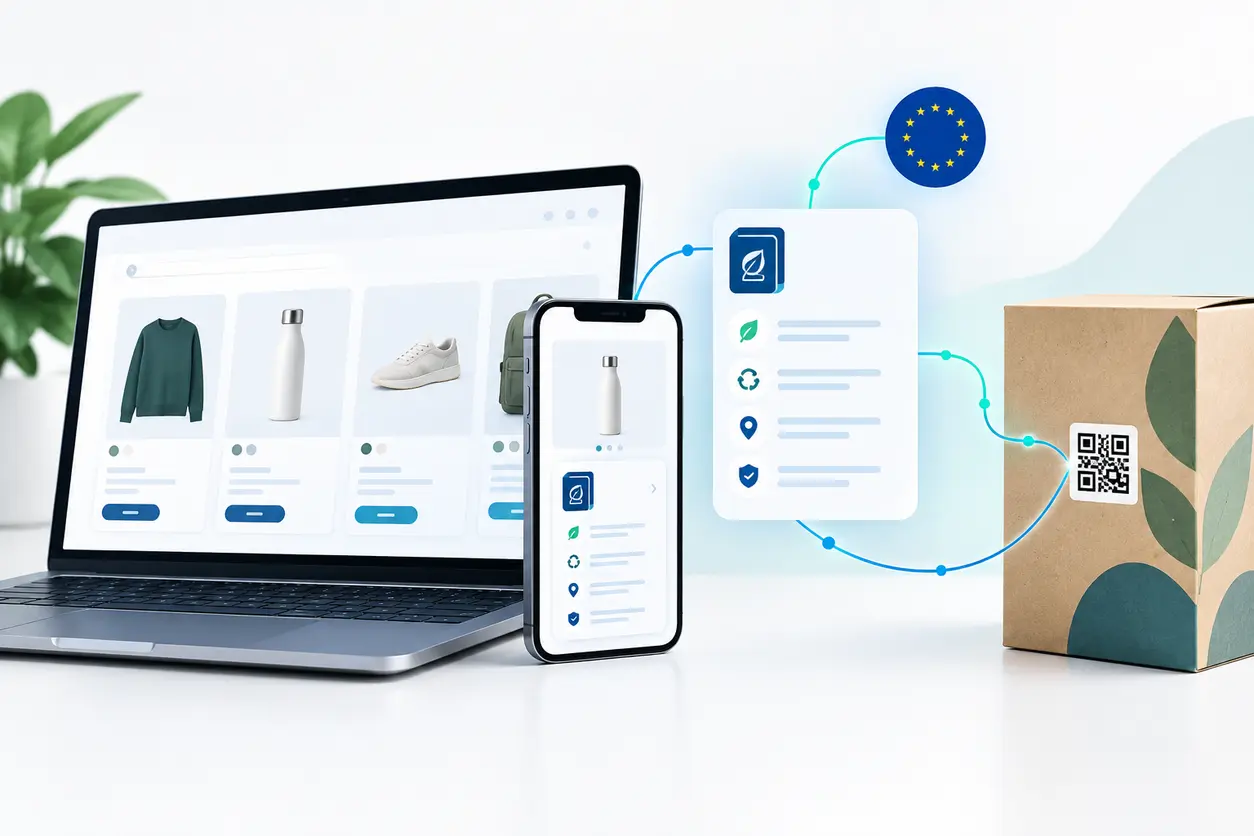
For an EU-facing seller, a digital product passport online marketplace workflow is therefore more than printing a compliant-looking code on packaging. It is a connected publishing process across product-information management (PIM), marketplace catalog feeds, brand-owned product pages, and the physical item delivered after checkout.
The goal is simple: a prospective buyer should be able to open the appropriate DPP information from the online offer, while the buyer who receives the item should be able to reach the passport again through the product’s physical data carrier.
This guide explains how to design that workflow without treating a product-page link, a QR image and a product identifier as interchangeable things.
Why online DPP access is a separate requirement to solve
The Ecodesign for Sustainable Products Regulation (ESPR) creates the framework for Digital Product Passports. Product-specific delegated acts will determine which product groups require a passport and the detailed information, timing and data-carrier rules that apply to them.
For distance selling, the important operational point is clear: the regulatory framework addresses cases where potential customers cannot physically access the product. Economic operators must provide dealers and online marketplaces with a digital copy of the data carrier or a unique product identifier so prospective customers can access the DPP information. The European Commission describes this responsibility in its guidance for economic operators and Digital Product Passports, while the underlying ESPR provisions are set out in Regulation (EU) 2024/1781.
That means a warehouse-only QR code is not enough for an online listing when the applicable product rules require DPP access. A customer needs a usable route from the digital offer to the passport.
The four objects that teams often confuse
Keep these distinct in your project documentation:
- The DPP record: The underlying product information available through the passport system.
- The unique product identifier: The persistent reference that identifies the relevant product, model, batch or item at the required level of granularity.
- The data carrier: The physical or digital mechanism that enables access, such as a QR code or another permitted carrier specified by applicable rules.
- The marketplace access point: A clickable product-page link, linked image or structured catalog field through which an online shopper reaches the DPP before purchase.
A QR image may visually represent the data carrier, but on many shopping experiences it is a poor primary route. Mobile shoppers are already viewing the page on the device they would normally use to scan. They need a tap target, not an instruction to scan their screen.
The practical pre-purchase journey
A durable implementation starts with the customer journey rather than with a barcode design.
1. The shopper finds an offer
A shopper sees a marketplace listing, retailer product-detail page, sponsored offer or comparison-page result. The DPP access route must remain associated with the specific offer and its variant.
2. The shopper opens DPP information
A visible text link or button should take the shopper directly to the DPP destination. If the marketplace supports it, an accessible linked image can be supplied too. The page should load in a standard mobile browser without requiring a proprietary app, account creation or an unannounced download.
3. The DPP destination resolves the correct record
The destination should identify the same product scope presented in the offer. A product family page should not silently replace an item-level passport when the applicable requirements call for item-level identification. Conversely, do not manufacture serial-level distinction for a listing where only a model-level DPP is relevant.
4. The buyer receives the physical product
The physical data carrier on the item, label, packaging or accompanying documentation should lead to the corresponding passport pathway. The post-purchase scan is not a replacement for online access; it is a second access route for a different point in the journey.
Product-page placement: make access obvious before checkout
A DPP link hidden at the bottom of a long description or placed only in a downloadable manual creates needless friction. The best position depends on marketplace templates, but the link should appear where a buyer evaluates product attributes.
Recommended placement on a brand-owned product page
Use a clear text link or button in the information area near specifications, sustainability information, compliance documents or product details. A concise label works better than vague copy such as “Learn more.” Examples include:
- View Digital Product Passport
- Product passport and sustainability information
- Product traceability and circularity details
Repeat the access point in the technical specifications or supporting-document section if the page is long. This gives shoppers another route without filling the purchase area with duplicate controls.
Recommended placement on marketplace listings
Marketplace layouts are less flexible, so map the DPP field to the available content modules in this order:
- A dedicated regulatory, sustainability or product-information field.
- A structured attribute containing a clickable DPP URL.
- Enhanced content or a document/content module, where the marketplace permits a clear outbound link.
- The product-description area, with a descriptive label and the destination where clickable links are supported.
- A linked DPP image as a secondary fallback—not the only route.
Do not assume a marketplace will preserve links in free-text descriptions. Many platforms remove them, convert them to unclickable text, or handle them differently by country, device and seller type. Confirm how each destination marketplace renders the submitted field in the live buyer view.
Avoid pre-purchase dead ends
A robust listing should not send the shopper to:
- A generic sustainability landing page with no product-specific record.
- A PDF catalog that makes the buyer search for the product.
- A login wall that prevents access to required information.
- An expired campaign URL.
- A page that only works in the seller’s home market or language.
- A QR image that cannot be tapped, enlarged or scanned conveniently.
QR images versus clickable links: use both for different jobs
The online listing and the physical product require different interaction patterns.
Clickable DPP links are the primary online mechanism
A standard hyperlink is usually the most practical path for a digital shopper. It works on mobile and desktop, can be keyboard-accessible, can carry a clear descriptive label, and does not require a second device.
Where your marketplace accepts only a URL field, make that URL the canonical DPP destination for that SKU or variant. Where the marketplace permits an anchor label, use plain language that tells the shopper what will open.
QR images are useful as a visual copy of the data carrier
An image of the product’s QR data carrier can help where a marketplace or dealer needs a digital copy of the carrier for its catalog. It also helps maintain visual continuity between the online listing and the label the buyer will see after delivery.
But an image cannot be the sole online access method. A desktop user may scan it with a phone, but a mobile user cannot conveniently scan the screen they are using. Some marketplaces also resize images, add compression or place overlays that affect scannability.
The practical pattern
For every eligible listing, provide both when platform capabilities allow:
- A canonical clickable DPP URL for direct pre-purchase access.
- A high-quality QR-code asset representing the approved data carrier for catalog imagery or download.
- The relevant identifier fields required to match the listing, carrier and passport record.
If you use QR Rapid to create the physical website URL QR code asset, keep the original export and the published destination under controlled ownership. Generate a sufficiently high-resolution image for catalog reuse, preserve a clean quiet zone around the code, and test the marketplace-rendered version rather than only the source file.
Identifier consistency: the control that prevents wrong-passport links
The hardest part of a digital product passport online marketplace rollout is often not the link. It is making sure the correct link follows the correct product everywhere.
A marketplace may distinguish a parent product from child variants. Your ERP may use an internal material number. A PIM may use a SKU. A fulfillment provider may use a warehouse code. The DPP ecosystem may require a different unique product identifier or a specific product-level relationship. These identifiers can coexist, but their relationships need formal governance.
Create an identifier map for every sellable variant
For each online offer, maintain a controlled record containing at least:
- Internal product ID.
- Seller SKU.
- Marketplace SKU or listing identifier.
- Product variant attributes, such as colour, size, capacity or configuration.
- Any GTIN QR code or other trade identifier used in commerce systems.
- The DPP unique product identifier required for the applicable product scope.
- Canonical DPP URL.
- Data-carrier asset ID and file version.
- Packaging/label artwork version.
- Market and language availability.
- Publication status and owner.
The key is not that every system uses the same identifier. The key is that every system can resolve the correct relationship reliably.
Do not use one generic DPP URL for every variant by default
A single landing page can be valid only when the passport information and identification level make that appropriate. If material composition, repair instructions, conformity information or other passport content differs by variant, the marketplace link must resolve the relevant variant rather than leaving a shopper to choose among products.
For example, a footwear brand selling the same model in different material constructions should not point all offers to a general model page if the passport information varies by construction. The feed needs a variant-to-passport mapping rule.
Treat replacements and updates as governed changes
DPP information may need updates over the product lifecycle. The operational question is not merely “Can we edit the web page?” It is “Does every marketplace offer still point to the correct, current record after the update?”
Use controlled change events for:
- New product versions or revised bills of materials.
- Relabeling and repackaging.
- Marketplace SKU changes.
- Product withdrawals or delistings.
- Changes to DPP destination routing.
- Transfers of responsibility between manufacturer, importer or brand owner.
A dynamic QR code destination can make controlled destination maintenance easier than replacing printed carrier artwork. It does not remove the need to preserve the identity relationship between the carrier, product and DPP record.
Build DPP fields into the catalog feed—not into manual seller notes
Manual copy-and-paste is an immediate source of broken links and mismatched variants. Treat DPP access as structured product data.
A workable feed model
Add fields to the master product record, then map them to each dealer or marketplace feed:
- dpp_url: The canonical, shopper-accessible destination.
- dpp_identifier: The required unique product identifier.
- dpp_carrier_asset_url: A downloadable or display-ready data-carrier image where needed.
- dpp_language_or_locale: The locale rule or default language for the record.
- dpp_status: Draft, approved, published, replaced, withdrawn or blocked.
- dpp_effective_date: The internal publication-control date.
Your exact field names will depend on the PIM, marketplace schema and delegated act. The important design principle is to make the data machine-readable internally, even if a marketplace ultimately displays only a single consumer-facing link.
Give marketplaces a dealer-ready package
A marketplace team should not need to request a new PDF, QR image and clarification email for every SKU. Provide a repeatable asset package with:
- The product and offer identifiers needed for matching.
- The canonical clickable DPP URL.
- The digital data-carrier image in the requested file format.
- Approved display text for the shopper-facing link.
- Locale and market rules.
- An escalation contact for data-quality issues.
- A notice of whether the item is a parent, variant, batch or serialized record.
This is especially important for importers and marketplace sellers that are not the original manufacturer. Their listing team still needs clean source data from the responsible upstream operator.
Validate the live listing, not only the feed export
A successful file import does not prove that the customer can access the DPP. Run a live acceptance check for every target marketplace and representative product type:
- Open the listing on desktop and mobile.
- Find the DPP access point without using site search.
- Confirm the link is clickable and opens the intended passport.
- Check the displayed item, variant and language.
- Verify the QR image remains scannable if it is shown.
- Compare the visible offer attributes with the DPP record.
- Record screenshots, test date and tester for auditability.
Multilingual access: separate language from identity
EU-facing catalog operations often confuse localization with product identity. A DPP link can route a shopper to a language-appropriate presentation while still resolving the same underlying product record.
Set a language policy before feeding marketplaces
Decide which of these patterns you will use:
- Locale-aware canonical URL: One stable DPP URL detects or lets the user choose the language.
- Locale-specific URLs: Each marketplace feed receives a language-specific DPP URL for the same underlying identifier.
- Marketplace-market mapping: The feed automation chooses a URL based on the listing country or language setting.
Whichever approach you choose, avoid creating uncontrolled duplicate passport records simply to translate a page. Preserve one authoritative identity relationship, then manage language as a presentation layer where appropriate.
Test language fallback deliberately
A shopper may follow a marketplace link while traveling, using a browser language that differs from the listing country, or opening a shared URL. Check that the destination either presents the appropriate language or offers a clear selector. Never let a locale fallback send the user to a different product variant.
Who needs to coordinate the workflow?
The Commission’s DPP guidance identifies roles and responsibilities for economic operators, while product-specific rules will shape the final operational details. In day-to-day e-commerce, several teams still need to cooperate.
Manufacturer or brand owner
Typically owns source product information, passport content, identifier assignment and physical-label approval. This team should publish a controlled DPP data package rather than expecting resellers to infer it from packaging.
Importer
Needs confidence that passport access and identifier information are available for goods placed on the EU market. For online catalog operations, the importer may also be the party distributing the data package to local dealers or marketplace storefronts.
Dealer, retailer or marketplace seller
Publishes the product offer and needs to display the supplied DPP access route correctly. The seller should not substitute a general brand page or reuse a link from a visually similar product.
Marketplace operator
Needs catalog fields and rendering rules that make the digital copy of the carrier or identifier usable to a potential buyer. Marketplace teams should define where the DPP link appears, how feeds are validated and how updates flow.
Product-information and e-commerce teams
Translate the compliance data model into PIM fields, feed logic, asset management, localization, listing QA and change control. They are often the practical owners of whether pre-purchase access actually works.
QR Rapid’s role in the physical-to-digital handoff
QR Rapid can support the QR-code production side of a DPP delivery workflow: creating a consistent code asset for approved destinations, exporting it for packaging or catalog use, and maintaining a clean asset inventory.
Use a deliberate setup:
- Establish the canonical DPP destination and its identifier relationship before generating the code.
- Create one clearly named QR asset per approved product scope—such as model, variant, batch or serialized item—according to your DPP design.
- Export production-ready assets for packaging and separate catalog-ready assets where required.
- Store the QR Rapid asset reference alongside the DPP URL and product identifiers in your source-of-truth system.
- Test scans from printed proofs, physical samples and the final marketplace image.
- Apply access controls and an approval process before any destination is changed.
A QR code is a delivery mechanism, not the passport itself. The compliance-critical work remains the correctness, availability and governance of the DPP information behind it.
A launch checklist for each marketplace
Before publishing a DPP-enabled product listing, confirm:
- The product group and market are in scope under the applicable requirements.
- The listing’s SKU and variant map to the intended DPP identifier.
- The DPP destination is reachable without a physical product in hand.
- A descriptive clickable link appears in the buyer view.
- The marketplace has received the digital data carrier or identifier required for its catalog process.
- The QR asset shown online is clear and scannable, if used.
- The physical QR code routes to the corresponding record.
- The displayed language is appropriate for the marketplace and there is a sensible fallback.
- No login, broken redirect or generic landing page blocks access.
- A team owner is assigned for feed updates, link checks and incident escalation.
Final takeaway: treat DPP access as a catalog capability
The central issue for a digital product passport online marketplace is not whether a QR code exists somewhere on the package. It is whether an online customer can reach the right product information when evaluating an offer without ever handling the item.
Build a direct clickable route for pre-purchase access, provide a digital copy of the carrier or identifier through structured marketplace workflows, and keep that information synchronized with the physical QR code delivered after checkout. With a governed identifier map, feed-level fields, localization rules and live-listing QA, DPP access becomes a repeatable catalog capability rather than a last-minute compliance patch.
If your team is preparing the QR-data-carrier side of this workflow, use QR Rapid to create organized, production-ready QR assets after the DPP destination and identifier rules have been approved. Then test the whole journey—from marketplace product page to passport record to the physical item—before listings go live. For related operational considerations, see QR codes on product packaging for support and reorders.
FAQ
Does a marketplace listing need a QR code image for a Digital Product Passport?
A QR image can serve as a digital copy of a data carrier, but it should not be the only pre-purchase access route. Online shoppers, especially on mobile, need a clickable link that opens the relevant DPP directly.
Can all product variants use one Digital Product Passport link?
Only when the passport information and required identification level are genuinely the same for those variants. If a variant has different relevant product information, map its listing to the matching DPP record.
What should sellers send to an online marketplace for DPP access?
Provide the canonical DPP URL, the applicable unique product identifier, a digital data-carrier asset where requested, matching seller and product identifiers, locale guidance, and an approved consumer-facing label.
Where should a DPP link appear on a product page?
Place it in a visible product-information area near specifications, sustainability details or compliance information. Use a clear label such as “View Digital Product Passport,” and do not hide it only in a long description or generic document.
How do physical QR codes and online DPP links stay consistent?
Maintain a controlled identifier map that connects the sellable variant, DPP identifier, canonical URL, QR asset and packaging version. Test the live listing link and the physical printed code against the same intended record.
Can a DPP destination be updated after QR codes are printed?
A managed destination can be updated, but the update must preserve the correct relationship between the code, the product identifier and the passport record. Use formal change control and retest marketplace listings after updates.
Similar Blogs
The latest industry news, interviews, technologies, and resources.
 September 14, 2026
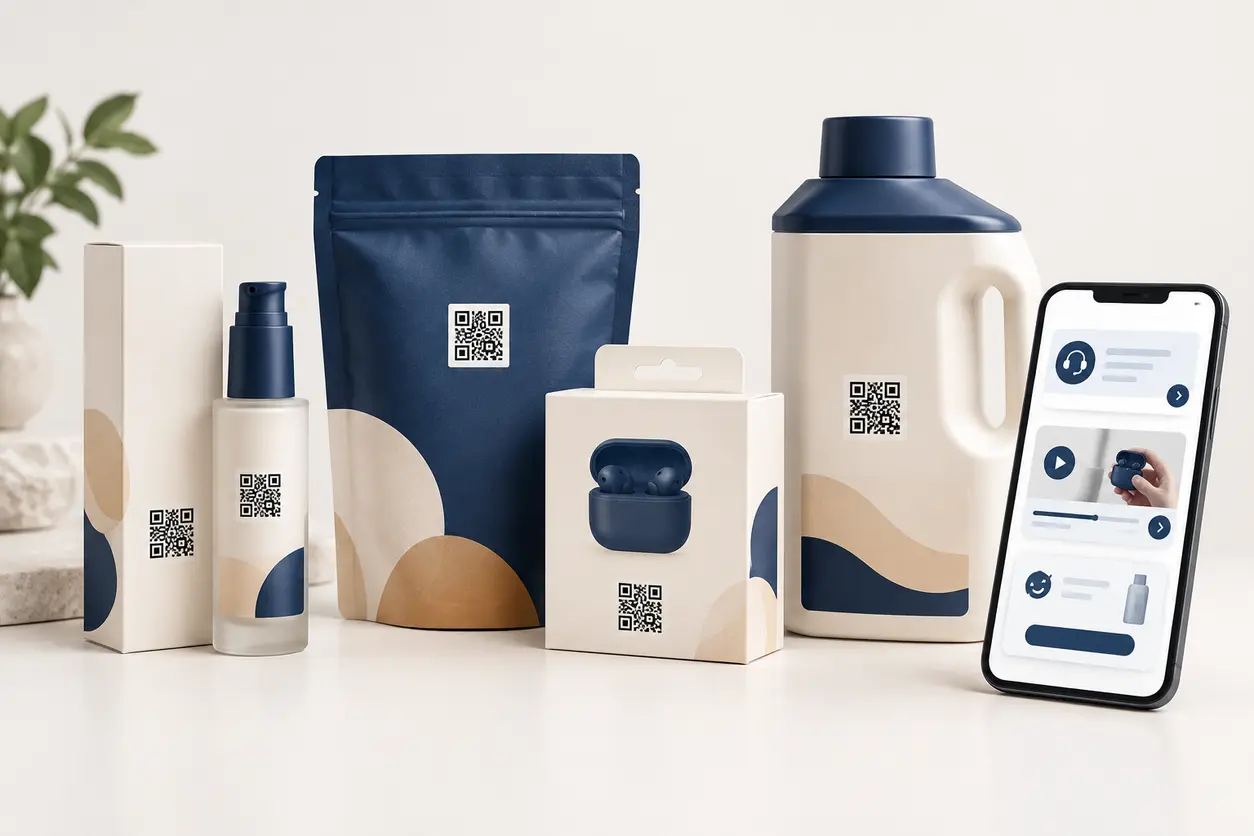
How to Use QR Codes on Product Packaging for Customer Support and Reorders
How to Use QR Codes on Product Packaging for Customer Support and Reorders
Read post

Join 2,000+ subscribers
Stay in the loop with everything you need to know.
We care about your data in our privacy policy