
Dynamic QR Platform
Create QR codes Instantly
Website URL
Send users to any webpage
Website URL
Website URL
Send users to any webpage
Wi-Fi
Let users connect instantly
Wi-Fi
Wi-Fi
Let users connect instantly
Menu
Create a digital menu
Menu
Menu
Create a digital menu
Start a chat with one tap
Start a chat with one tap
Image
Showcase visuals
Image
Image
Showcase visuals
Show a downloadable file
Show a downloadable file
31 Aug 2026 • 10 min read
QR Codes for Restaurants Beyond Menus: Reviews, Loyalty, and Reorders
A practical guide to restaurant QR code marketing beyond digital menus. Learn how restaurant owners can use QR codes for review requests, loyalty signups, reorders, catering inquiries, waitlist forms, and seasonal promotions, with placement tips, dynamic destination strategies, and scan tracking by table, counter, receipt, and poster using QR Rapid.
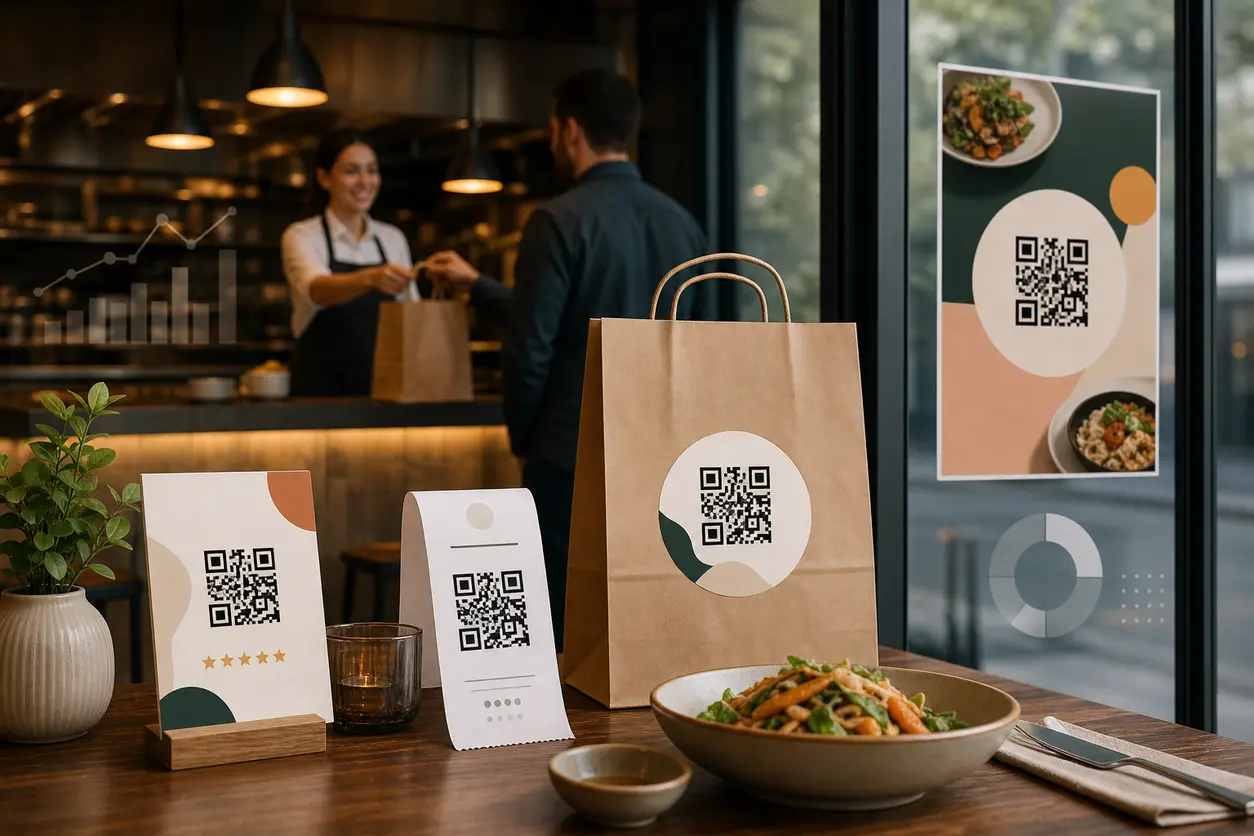
IntroductionWhy restaurants need QR codes beyond menusBuild a restaurant QR map, not a single QR codeWhere each QR code should live in the restaurantWhy dynamic QR codes are the better fit for restaurantsHow to track scans by table, counter, receipt, or posterCommon mistakes that weaken restaurant QR code marketingA practical launch plan with QR RapidThe best restaurant QR strategy is specific, not broadFAQ
That is where restaurant QR code marketing becomes more valuable than a simple menu link. A well-planned QR setup can help you collect more reviews, grow loyalty membership, drive reorders, capture catering leads, reduce host stand bottlenecks, and rotate promotions without reprinting every sign in the building.
The key is to stop thinking in terms of one restaurant QR code and start thinking in terms of a QR workflow. Each placement should have one job, one CTA, and one measurable outcome.
This guide focuses on the post-menu use cases that turn in-person traffic into repeat revenue, and how to build them with QR codes for restaurants.
Why restaurants need QR codes beyond menus
Most restaurants have already solved access to the menu. What many have not solved is how to turn guest attention into the next action.
A guest who just finished a great meal is high intent. A takeout customer holding a receipt is high intent. A person waiting outside at peak time is high intent. A passerby looking at your window poster is high intent too, but in a different way.
Restaurant QR code marketing works best when each of those moments gets its own destination:
- After the meal: ask for a review or private feedback
- At checkout: invite loyalty signup
- After purchase: offer one-tap reorder
- At the counter: highlight catering or group orders
- At the entrance: let guests join the waitlist
- On posters and window signs: promote limited-time offers
This is the gap many competitors miss. They stop at menus. Growth-minded operators need QR codes that keep working after the order is placed.
Build a restaurant QR map, not a single QR code
If you use the same QR code everywhere, you lose context. You cannot tell whether the scan came from a table tent, a receipt, a counter card, or a street poster. You also force every guest into the same experience, even when their intent is different.
A better approach is to create a small set of purpose-built dynamic QR codes for restaurants.
1. Review QR code for dine-in tables
Best placement: tabletop signs, check presenters, dessert inserts, or exit signage near the door.
Best destination: a short landing page with two clear paths:
- Leave a public review
- Share private feedback
This matters because not every guest wants to post publicly. Giving them a private feedback option can help you catch service issues before they become negative reviews.
What to say on the sign:
- Loved your meal? Leave a quick review
- Tell us how we did in 30 seconds
- Scan to rate your visit
Practical tip: do not place the review QR code on the menu itself. That asks too early. The better moment is after the meal, when the guest has actually formed an opinion.
2. Loyalty signup QR code for receipts and checkout
Best placement: printed receipts, counter mats, checkout displays, takeout bags, and cup sleeves for cafés.
Best destination: a mobile-first signup page with the shortest possible form. Usually name, mobile number or email, and one incentive.
This placement works because the guest has already committed to a purchase. You are not asking them to discover you. You are asking them to come back.
What to say on the sign or receipt:
- Join rewards and get your next offer
- Scan to earn points from today’s visit
- Get member-only specials
Practical tip: if you use receipts, make the QR code large enough to scan easily on thermal paper. Pair it with a very clear reward so the scan has an immediate reason.
3. Reorder QR code for takeout and delivery packaging
Best placement: takeout bags, sticker seals, box inserts, beverage carriers, and thank-you cards inside orders.
Best destination: a reorder landing page that prioritizes speed. This can link to your online ordering page, a featured “order again” page, or a category page for bestsellers.
This is one of the most direct restaurant QR code marketing plays because the customer is already consuming your product off-premise. The next step should be frictionless.
What to say on packaging:
- Reorder this meal in seconds
- Skip the search, order direct
- Scan for your next pickup
Practical tip: if your menu changes often, use a dynamic QR code so the bag insert stays the same while the destination changes from lunch specials to family bundles to game-day combos.
4. Catering inquiry QR code for counters and in-store posters
Best placement: near the register, on wall posters, on pastry cases, by the pickup shelf, and on printed catering flyers.
Best destination: a short inquiry form or catering landing page with package options, minimum order guidance, and an inquiry CTA.
Many cafés, bakeries, and fast-casual brands miss easy catering demand because the request path is unclear. A QR code turns idle counter time into a lead capture moment.
What to say on signage:
- Need lunch for the office?
- Ask about catering trays
- Scan for group orders and events
Practical tip: route scans to a page that answers basic questions first. If guests have to email blindly for pricing or minimums, inquiry completion drops.
5. Waitlist QR code for entrance flow
Best placement: host stand, front door, sidewalk sign, parking sign, and vestibule poster.
Best destination: a mobile waitlist form or queue page.
This use case overlaps with operations, but it also supports marketing. While guests wait, you can send them to specials, happy hour offers, or a loyalty page after they join the queue.
What to say on signage:
- Join the waitlist here
- Skip the line at the host stand
- Scan to get in queue
Practical tip: keep the waitlist QR separate from other front-of-house codes. A guest trying to join the queue should not land on a generic promo page.
6. Seasonal promotion QR code for windows, posters, and table inserts
Best placement: storefront windows, sidewalk signs, table tents, restroom posters, receipt backs, and community bulletin placements.
Best destination: a campaign-specific landing page, coupon page, SMS signup page, or limited-time menu page.
This is where dynamic QR codes become especially useful. You can keep one permanent print asset in place and change the destination as the season changes.
Examples:
- Spring brunch offer
- Summer iced drink campaign
- Football catering bundle
- Holiday gift card push
- Slow-day lunch special
Where each QR code should live in the restaurant
A simple way to plan placements is by guest context:
Table
Use table placements for actions that make sense after the experience is underway or complete.
Best fits:
- Reviews
- Private feedback
- Dessert upsell
- Loyalty invitation after meal satisfaction
Avoid using a single tabletop code for five different actions. If the sign says “Scan here,” many guests will ignore it. If it says “Loved your meal? Leave a quick review,” the next step is obvious.
Counter
Counter placements work well for quick-decision actions.
Best fits:
- Loyalty signup
- Catering inquiry
- SMS club
- New product launch
These are ideal for cafés, bakeries, and fast-casual concepts where guests spend a few moments waiting for pickup or payment.
Receipt
Receipts are strong for post-purchase actions because they travel home.
Best fits:
- Loyalty signup
- Reorder link
- Review request
- Bounce-back offer
If you want clean data, do not reuse the same QR code from the counter. Give receipts their own code so you can see whether post-visit scans actually happen later.
Poster or window
Exterior placements capture a different audience: future guests, walk-by traffic, and people deciding whether to come in.
Best fits:
- Seasonal promos
- Waitlist entry
- Catering inquiries
- Limited-time menu highlights
These placements need the clearest CTA of all because the customer is not yet engaged with staff.
Why dynamic QR codes are the better fit for restaurants
Static QR codes are fine when the destination will never change. That is rarely true in hospitality.
Restaurant offers change by season, daypart, inventory, event calendar, and local promotion schedule. A printed tabletop sign might need to point to reviews this month, a loyalty bonus next month, and a private feedback flow after a service reset.
Dynamic QR codes let you keep the printed asset while changing the destination behind it. For restaurant QR code marketing, that matters in a few ways:
- You can rotate promotions without replacing every sign
- You can fix a broken or outdated link instantly
- You can switch a reorder code to a holiday bundle page
- You can update a catering form when package details change
- You can compare placements because each code has its own analytics
With QR Rapid, this is the practical advantage: create separate dynamic codes for each use case and placement, then manage updates centrally instead of treating every printed asset like a one-time campaign.
How to track scans by table, counter, receipt, or poster
Tracking is where restaurant QR code marketing becomes measurable instead of decorative.
The rule is simple: one placement, one code.
Do not use one review QR code across every table, receipt, and poster. Create separate codes so you can see what actually performs.
A simple naming structure
Use a naming convention like:
- LocationA_Table_Review
- LocationA_Receipt_Loyalty
- LocationA_Counter_Catering
- LocationA_Window_FallPromo
- LocationA_HostStand_Waitlist
If you want deeper detail, go one level further:
- Patio_Table12_Review
- FrontCounter_LeftDisplay_Loyalty
- Receipt_DineIn_Reorder
- Poster_Entrance_Right_SummerCombo
This lets you answer useful questions later:
- Do receipt scans convert better than countertop scans?
- Does the patio generate more review requests than indoor tables?
- Which poster placement drives the most catering leads?
- Do takeout bags generate more reorders than box inserts?
What to measure
For each code, track:
- Scan volume
- Destination type
- Time and day trends
- Conversion action on the landing page
- Offer version or campaign period
The scan alone is not the full result. The real goal is the next step: review submitted, loyalty form completed, reorder started, or catering inquiry sent.
Common mistakes that weaken restaurant QR code marketing
Using one generic landing page for every scan
A guest scanning to join a waitlist should not land on the same page as someone trying to reorder.
Asking for too much too soon
Do not request long forms from a receipt scan. Match the amount of effort to the moment.
Placing review requests before the experience is complete
A review prompt belongs near the end of the visit, not at the start.
Failing to update promo links
Nothing makes a QR campaign feel stale faster than a poster for a past offer. Dynamic destinations solve this.
Not separating codes by placement
If every asset uses the same code, you cannot optimize what is working.
A practical launch plan with QR Rapid
If you want to implement this fast, start with four codes before expanding:
- Review QR code for table or check presenter
- Loyalty QR code for receipt or checkout
- Reorder QR code for takeout packaging
- Seasonal promo QR code for window or poster
In QR Rapid, create each as a separate dynamic code, give each one a clear label, and connect it to a mobile-friendly destination page. Then print small batches first and test scan behavior in real conditions: glossy table surfaces, folded receipts, outdoor window glare, and packaging curves.
After two to four weeks, review the scan patterns and keep only the placements that produce real actions. Then add your catering and waitlist flows.
The best restaurant QR strategy is specific, not broad
The strongest restaurant QR code marketing setup is not the one with the most codes. It is the one where every code has a clear purpose, a clear placement, and a clear next action.
Menus may have introduced your guests to scanning, but reviews, loyalty, reorders, catering leads, waitlist entries, and rotating promotions are what turn that habit into measurable growth.
If you want a simple way to build that system, QR Rapid gives you the practical tools to create dynamic QR codes, organize them by location and placement, update destinations without reprinting, and track which restaurant touchpoints actually move guests to act.
Start small, track by placement, and build from the scans that convert.
FAQ
What is the best use of restaurant QR code marketing beyond menus?
The best use depends on the guest moment. Post-meal review requests, receipt-based loyalty signups, packaging reorders, catering inquiry forms, and seasonal promotions are usually the highest-intent workflows.
Should restaurants use one QR code for every marketing placement?
No. Use a separate QR code for each placement and goal. That makes tracking clearer and lets you match each scan to the right landing page or form.
Where should a restaurant place a QR code for reviews?
Place review QR codes where the meal is finishing, such as on table tents, check presenters, dessert cards, or exit signage. Avoid asking for reviews too early in the visit.
Why are dynamic QR codes better for restaurant promotions?
Dynamic QR codes let you change the destination without reprinting signs, receipts, or inserts. That is useful for rotating seasonal offers, updating reorder links, or fixing outdated pages.
How can I track whether table, counter, or receipt QR codes perform best?
Create a different dynamic QR code for each placement, use a clear naming structure, and review scans and conversion actions by asset. This shows which touchpoints drive reviews, signups, or orders.
What should a restaurant link a reorder QR code to?
Link it to the fastest possible reorder path, such as your direct online ordering page, a bestsellers page, or a campaign page for repeat purchase bundles. Keep the path short and mobile-friendly.
Similar Blogs
The latest industry news, interviews, technologies, and resources.
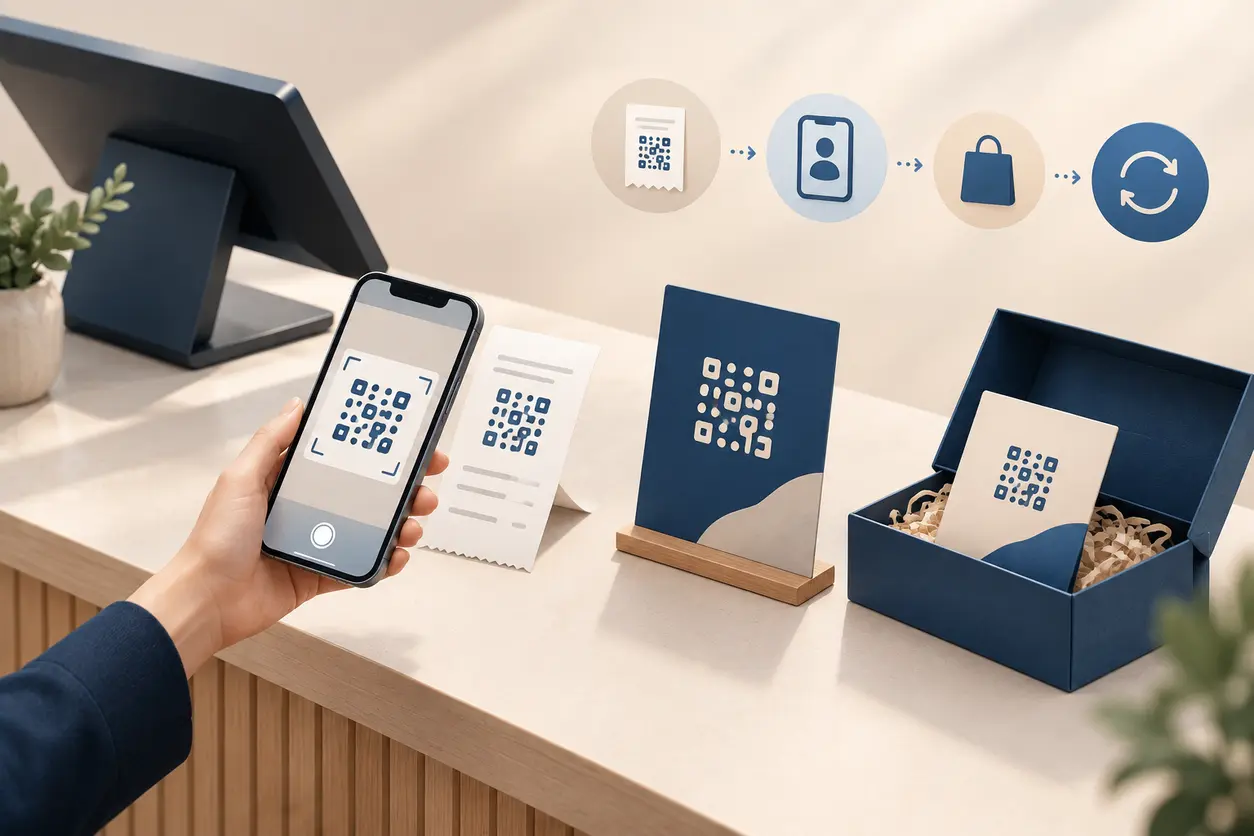 September 14, 2026
QR Codes for Loyalty Program Sign-Ups: A Measurable Offline-to-Member Workflow
QR Codes for Loyalty Program Sign-Ups: A Measurable Offline-to-Member Workflow
Read post
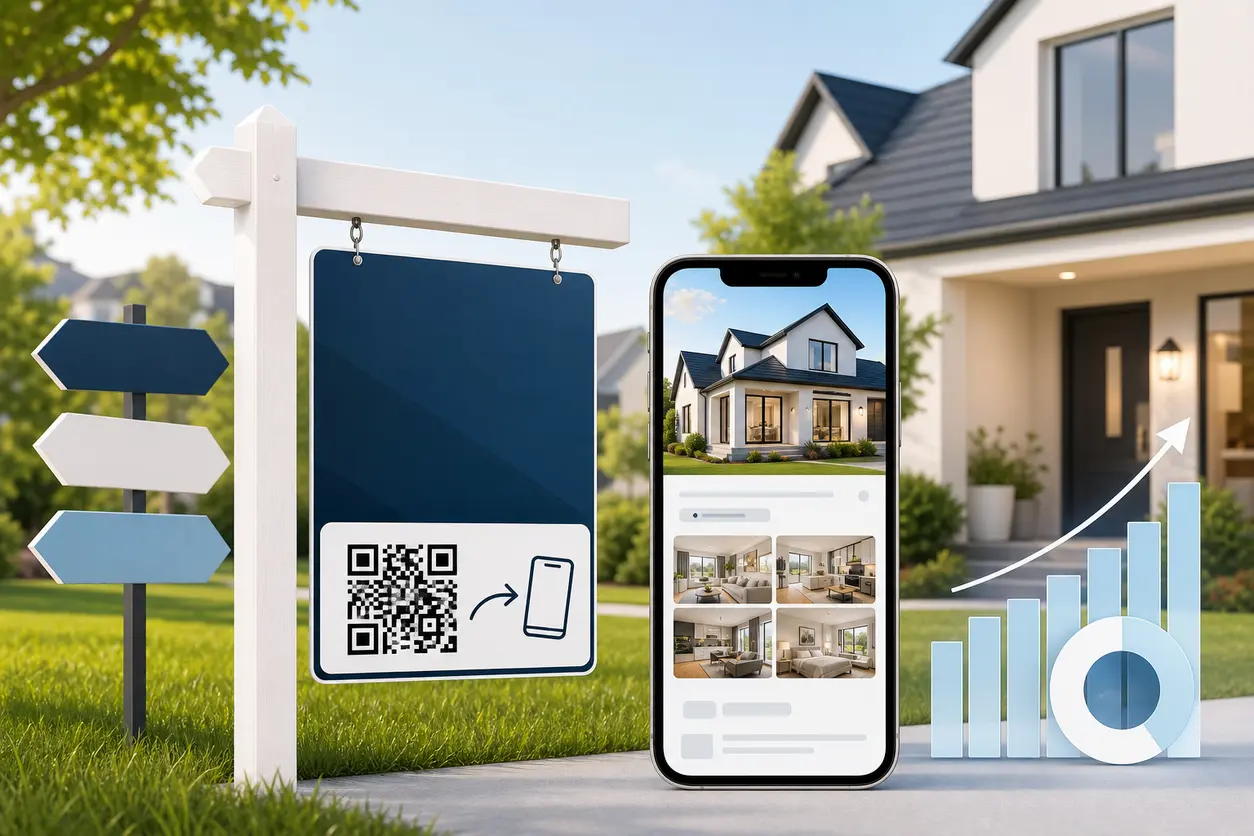 August 19, 2026
QR Codes for Real Estate Sign Riders to Capture Drive-By Leads
QR Codes for Real Estate Sign Riders to Capture Drive-By Leads
Read post
Join 2,000+ subscribers
Stay in the loop with everything you need to know.
We care about your data in our privacy policy