
Dynamic QR Platform
Create QR codes Instantly
Website URL
Send users to any webpage
Website URL
Website URL
Send users to any webpage
Wi-Fi
Let users connect instantly
Wi-Fi
Wi-Fi
Let users connect instantly
Menu
Create a digital menu
Menu
Menu
Create a digital menu
Start a chat with one tap
Start a chat with one tap
Image
Showcase visuals
Image
Image
Showcase visuals
Show a downloadable file
Show a downloadable file
22 Jun 2026 • 10 min read
QR Codes for Warranty Registration and Product Registration Forms
Learn how manufacturers and product teams can use a warranty registration QR code on packaging, inserts, manuals, and receipts to increase product registration completion, collect cleaner first-party data, verify ownership, support warranty eligibility, and stay ready for recalls and service workflows.
IntroductionWhy registration workflows break after purchaseWhere to place a warranty registration QR codeWhat a high-converting registration destination should includeWhy dynamic QR codes are the better choice for registrationRegistration benefits beyond the warranty form itselfHow to design the call to action so people actually scanHow to track registration completion, not just scansImplementation tips for product and operations teamsExample workflows by business typeChoosing the right tool for the jobFinal takeawayFAQ
A customer opens the box, finds a small card or manual, sees a long URL for warranty coverage, and decides to do it later. Later often never happens.
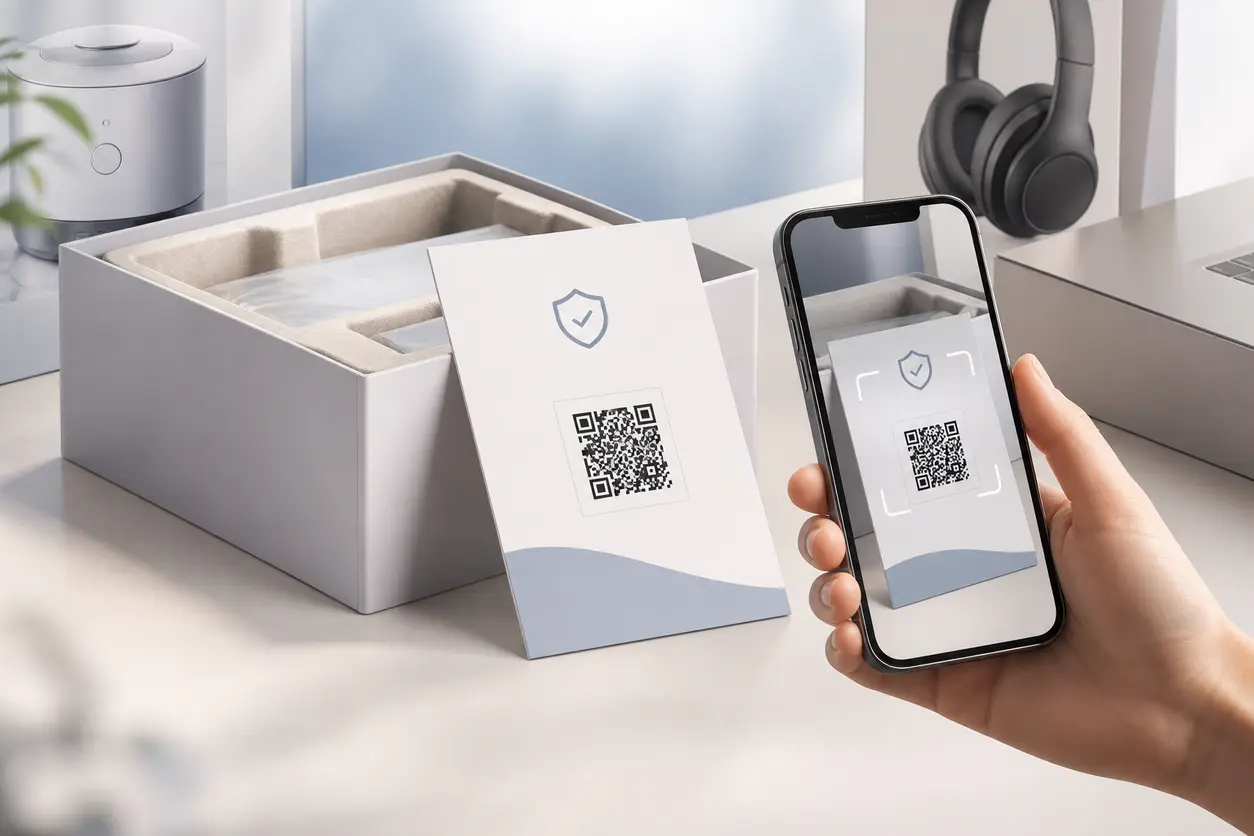
That is why a warranty registration QR code is such a practical post-purchase tool. Instead of asking customers to type a web address from packaging, an insert, or a printed receipt, you give them a one-scan path to the exact registration form or landing page.
For manufacturers, DTC brands, appliance sellers, electronics companies, and product teams, that simple workflow change does more than improve convenience. It helps turn product ownership into an owned-customer relationship.
With the right setup, a QR code can help you:
- increase registration completion
- collect cleaner first-party customer and product data
- confirm support and warranty eligibility
- improve recall readiness
- verify ownership for service, replacement, and claims
- keep the registration destination updated without reprinting materials
This guide focuses specifically on using QR codes for warranty registration and product registration forms, not general support or manual access.
Why registration workflows break after purchase
Most registration processes fail because they add friction at the worst possible time: right after unboxing.
Customers may be willing to register if they can do it in under a minute. They are much less likely to do it if they need to:
- type a long URL from a paper insert
- search for the brand site manually
- dig through a bulky manual to find the form
- create an account before they can even confirm ownership
- fill out a form that is not mobile-friendly
A warranty registration QR code removes the first barrier immediately. The customer scans, lands on the right page, and starts the process on their phone.
That matters because the post-purchase moment is when motivation is highest. The customer has the product, the box, the serial number, and the receipt in front of them. If you delay registration, you increase drop-off.
Where to place a warranty registration QR code
Placement matters because different customers engage with different materials.
On the product box or outer packaging
This is often the highest-visibility option. A printed CTA near the opening flap or side panel can catch customers as soon as they unbox.
Example CTA:
Register your product and activate warranty coverage in under 60 seconds. Scan here.
Best use cases:
- appliances
- consumer electronics
- home devices
- fitness equipment
- tools
- premium DTC goods
On box inserts
An insert gives you more room for context than outer packaging. You can explain why registration matters and what the customer gets.
Good insert messaging can include:
- warranty activation
- support eligibility
- proof of ownership
- recall and safety notifications
- setup tips after registration
This is especially useful if packaging real estate is limited or heavily regulated.
In printed manuals or quick-start guides
Manuals are still a strong placement point because customers often open them during setup. This placement works well when the registration process depends on model or serial details that customers are checking during installation.
This article is different from a product manual QR code workflow. In that use case, the scan delivers instructions. Here, the QR code should lead directly to a registration path, or to a landing page where registration is the primary action.
On receipts or order confirmations
Receipt-based placement is useful for retail and omnichannel brands. It catches customers after purchase, especially when the box is not designed for registration messaging or when the retailer controls some packaging.
Examples include:
- printed in-store receipts
- emailed digital receipts
- packing slips
- shipping inserts
- order confirmation pages
A receipt QR code is also helpful when you want to pair purchase verification with registration.
What a high-converting registration destination should include
The QR code is only half of the workflow. The destination page determines whether scans become completed registrations.
Option 1: Direct-to-form
If your registration form is already mobile-friendly and short, linking directly to it is often the best choice.
This works well when the customer only needs to provide:
- name
- product model
- serial number
- purchase date
- retailer or order number
Option 2: Product registration landing page
A landing page works better when you need context before the form begins. For example, you may want to explain:
- what registration unlocks
- which products qualify
- where to find the serial number
- what documents the customer may need
- how long the process takes
A simple landing page can reduce confusion and improve completion, especially for products with multiple variants or different warranty terms.
Keep the form friction low
Whether you use a form or landing page, follow a few practical rules:
- make it fully mobile-friendly
- keep required fields minimal
- show where to find model and serial information
- avoid forcing account creation before submission
- use dropdowns when it improves data quality
- confirm success clearly after submission
If your form asks for too much too early, the QR code will drive scans but not completed registrations.
Why dynamic QR codes are the better choice for registration
For packaging and printed materials, dynamic QR codes are usually the right decision.
A static code locks you into one URL forever. If your form changes, your domain structure changes, or you decide to route different products to different destinations, you have a problem.
A dynamic warranty registration QR code gives product teams more flexibility.
Benefits of dynamic codes for warranty workflows
#### Update the destination without reprinting
If you replace your form tool, change your registration page, or restructure product families, you can keep the same printed QR code and simply update the destination.
#### Route by campaign, market, or product line
You may want different destinations for:
- US vs EU buyers
- appliance vs accessory lines
- B2B installations vs consumer purchases
- marketplace customers vs direct buyers
Dynamic codes let you manage that more cleanly over time.
#### Track scan activity
Scan analytics help you understand whether packaging and post-purchase materials are actually driving engagement.
With QR Rapid, teams can create dynamic QR codes, update destinations later, and track scan activity without replacing printed materials.
Registration benefits beyond the warranty form itself
A strong registration workflow creates business value after the initial submission.
Cleaner first-party data collection
When customers scan from the product they just bought, they are more likely to enter accurate product details than if they register days later from memory.
That can improve the quality of data tied to:
- model ownership
n- serial numbers
- channel attribution
- geography
- purchase timing
- service eligibility
Cleaner data supports better lifecycle marketing, support routing, and product planning.
Support eligibility and faster service
When registration is tied to a product record, support teams can confirm ownership faster. That helps reduce back-and-forth when customers request help, repairs, replacements, or warranty claims.
A practical example: if a customer contacts support for a defective blender motor, a prior QR-based registration can make it easier to confirm the model, purchase window, and warranty coverage before the support conversation stalls.
Recall readiness
If a product issue or safety notice appears later, registered ownership records give brands a direct communication path.
That does not replace formal recall processes, but it can help product and operations teams communicate faster with known owners.
Ownership verification
Registration also helps with theft disputes, resale questions, installation service records, and premium support tiers. In categories like electronics and appliances, verified ownership can be operationally important, not just a marketing benefit.
How to design the call to action so people actually scan
A QR code alone is not enough. Customers need a reason to act now.
Use benefit-first CTA copy
Avoid generic language like:
- Scan for more info
- Learn more
- Visit our website
Instead, be specific:
- Register your product to activate warranty coverage
- Scan to confirm ownership and get support eligibility
- Register now for warranty, updates, and recall notices
- Scan to complete product registration in under a minute
Match the CTA to the placement
Different materials support different intent.
- Packaging: Activate warranty now
- Insert card: Register for coverage, support, and updates
- Manual: Before setup is complete, register your product
- Receipt: Keep your purchase protected, scan to register
Make the QR code easy to spot
Use enough white space, strong contrast, and a short line of instruction. If the code is tiny, crowded, or buried next to dense legal text, scan rates will suffer.
How to track registration completion, not just scans
A common mistake is measuring only scan volume. Scans tell you interest. They do not tell you whether the customer finished the form.
To track actual performance, build a simple funnel.
Recommended funnel stages
- QR scans
- Landing page visits
- Form starts
- Form completions
- Verified registrations
Practical ways to measure completion
You can do this in a few ways depending on your stack:
- use unique tracking parameters on the QR destination URL
- send users to a dedicated registration landing page with analytics installed
- track thank-you page visits as a completion event
- compare scan counts to submitted form counts by source material
For example, you might create separate QR codes for:
- retail box
- quick-start insert
- printed receipt
- email receipt
That lets you see which placement produces the best completion rate, not just the most scans.
This is where QR Rapid is useful for workflow teams. You can keep the registration experience consistent while testing different placements, destinations, and calls to action across channels.
Implementation tips for product and operations teams
If you want a registration workflow that scales, think beyond the code image itself.
Create one destination strategy before printing
Decide whether each SKU should have:
- one shared registration landing page
- product-family pages
- region-specific pages
- retailer-specific variants
Do not wait until after packaging is printed to figure out the routing logic.
Plan for serial number and model lookup help
Customers often abandon forms because they cannot find the right identifier. A simple diagram on the landing page showing where the serial number appears can make a big difference.
Keep legal and marketing aligned
Warranty terms, consent language, and post-purchase marketing permissions should be reviewed before rollout. Registration data is valuable, but the customer experience needs to feel clear and trustworthy.
Use a post-submission next step
Once registration is complete, do not end the journey with a dead thank-you page. Offer a relevant next action such as:
- download the digital manual
- watch a setup video
- save support contact details
- join a maintenance reminder list
- browse compatible accessories
That is how ownership becomes an ongoing relationship.
Example workflows by business type
Appliance brand
Place the QR code on the box, on the quick-start guide, and inside the installation manual. Send users to a mobile page that explains where to find the serial number and then opens the registration form.
Electronics company
Print a registration QR code on the protective film insert and in the digital receipt email. Route both to the same landing page, but track each source separately to compare completion rates.
DTC home goods brand
Use a branded insert with a warranty-plus-care-plan CTA. After registration, send customers to a thank-you page with care instructions and accessory upsells.
Retail seller with multiple manufacturers
Use receipt QR codes that direct customers to a registration hub page where they choose the product brand and model family before continuing.
Choosing the right tool for the job
If your team is evaluating QR options, focus on the needs that matter for packaging and post-purchase workflows:
- dynamic destination editing
- clear scan tracking
- easy QR management across product lines
- customization for branded print materials
- reliable use across packaging, inserts, manuals, and receipts
QR Rapid fits this use case well because it helps teams create and manage QR codes that are built for change. When registration URLs, campaigns, or regional destinations shift, you do not want to reprint thousands of boxes just to fix a link.
Final takeaway
A warranty registration QR code is not just a support shortcut. It is a post-purchase conversion tool.
Done well, it reduces friction at the moment of ownership, improves registration completion, captures better first-party data, and gives product teams a cleaner path to support eligibility, recall communication, and ownership verification.
If you are still asking customers to type a long registration URL from packaging or a manual, there is a better option.
Use QR Rapid to create a dynamic registration QR workflow, place it where customers already look after purchase, and track which placements actually turn owners into registered customers.
FAQ
Where should I place a warranty registration QR code for the best results?
Start with the highest-intent touchpoints: outer packaging, box inserts, quick-start guides, manuals, and receipts. Many brands use more than one placement so customers can register during unboxing, setup, or after purchase.
Should a warranty registration QR code go directly to the form or to a landing page?
Go directly to the form if it is short, mobile-friendly, and easy to complete. Use a landing page if customers need context, serial number help, or different routing by product, region, or retailer.
Why is a dynamic QR code better than a static one for product registration?
A dynamic code lets you update the destination later without reprinting packaging or manuals. That is useful if your registration form changes, your URL structure changes, or you want to test different post-purchase flows.
What information should a product registration form collect?
Collect only what is necessary to verify ownership and support service workflows, such as name, email, product model, serial number, purchase date, and retailer or order number. Keep required fields minimal to reduce drop-off.
How can I track registration completion rates from QR codes?
Use separate QR codes or tracking parameters for each placement, such as box, insert, or receipt. Then compare scans to form submissions or thank-you page visits to see which source drives the highest completion rate.
Can a warranty registration QR code help with recalls and support eligibility?
Yes. Registered ownership records can help teams confirm product ownership, validate warranty coverage, and communicate faster with known customers if a safety notice or recall-related issue appears later.
Similar Blogs
The latest industry news, interviews, technologies, and resources.
 June 19, 2026
QR Codes for Invoices, Estimates, and Instant Payments
QR Codes for Invoices, Estimates, and Instant Payments
Read post
 June 18, 2026
QR Codes for Open Houses: Capture Buyer Leads and Share Property Details Instantly
QR Codes for Open Houses: Capture Buyer Leads and Share Property Details Instantly
Read post


Join 2,000+ subscribers
Stay in the loop with everything you need to know.
We care about your data in our privacy policy