
Dynamic QR Platform
Create QR codes Instantly
Website URL
Send users to any webpage
Website URL
Website URL
Send users to any webpage
Wi-Fi
Let users connect instantly
Wi-Fi
Wi-Fi
Let users connect instantly
Menu
Create a digital menu
Menu
Menu
Create a digital menu
Start a chat with one tap
Start a chat with one tap
Image
Showcase visuals
Image
Image
Showcase visuals
Show a downloadable file
Show a downloadable file
19 Jun 2026 • 10 min read
QR Codes for Invoices, Estimates, and Instant Payments
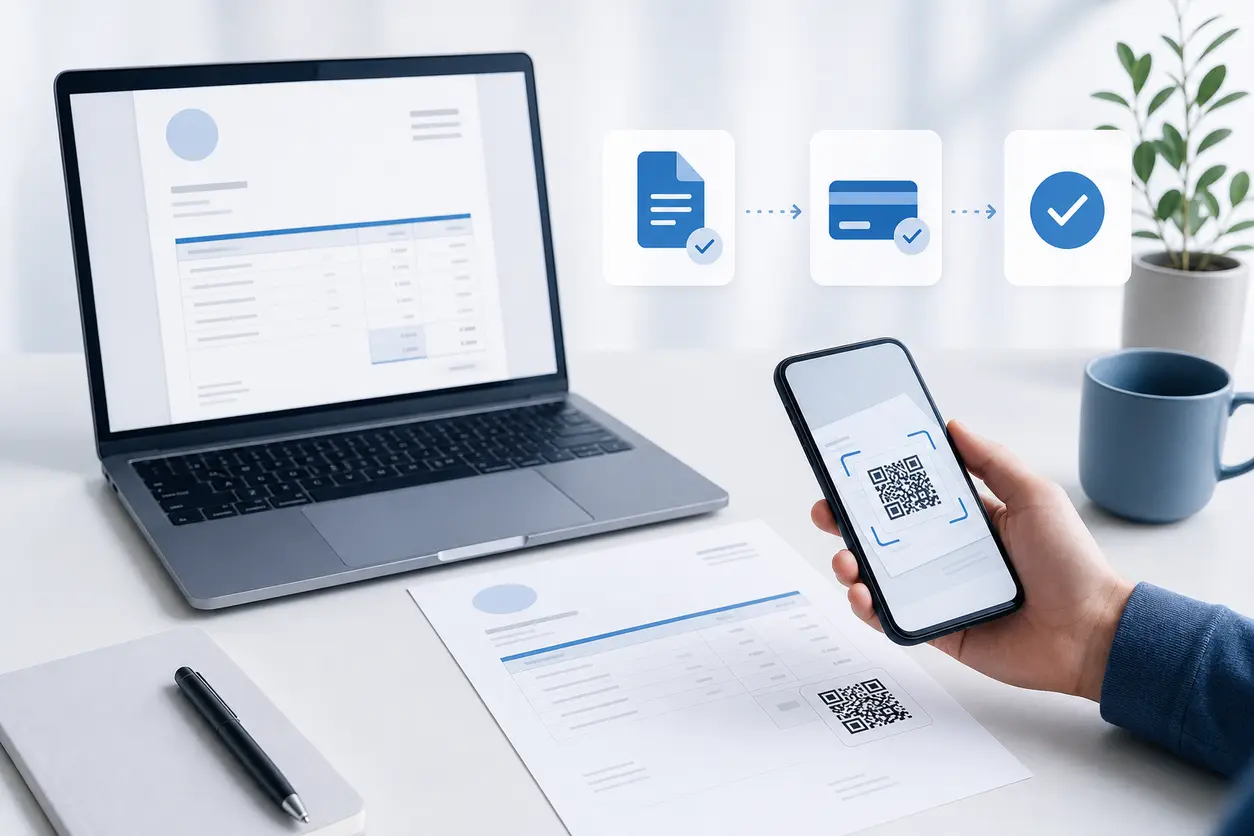
Learn how to use an invoice QR code on estimates, invoices, and payment reminders so clients can scan, approve, and pay in one step. This guide covers payment links, ACH and card options, mobile wallets, deposit requests, quote approval forms, placement tips for PDF and printed invoices, and how scan tracking helps measure payment completion.
IntroductionStatic vs. dynamic QR codes for invoice use casesHow tracking helps measure payment completion and reminder effectivenessPractical invoice QR code setups by business typeCommon mistakes to avoidWhy QR Rapid fits invoice and payment workflowsMake invoices actionable, not just sendableFAQWhy an invoice QR code works so wellBest places to use an invoice QR code in the payment workflowWhat should the QR code open?How to add QR codes to PDF invoices, printed invoices, and email statements
Static vs. dynamic QR codes for invoice use cases
For invoice workflows, dynamic usually wins.
Static QR codes
A static code can work if the payment URL will never change. That is rare in real billing workflows.
Static codes are limiting when:
- your payment processor changes
- your invoice template gets reused across clients
- you want to update destinations later
- you need scan tracking
- you want separate codes for estimates, deposits, and reminders
Dynamic QR codes
Dynamic QR codes are a better fit because they let you:
- update the destination without reprinting invoice templates
- use one design framework across multiple billing stages
- track scans and compare document performance
- create unique codes for different reminder sequences or client types
- route to different landing pages based on campaign or workflow needs
QR Rapid is especially useful here because the value is not just creating the code once. It is being able to manage and measure the billing workflow after the document has already gone out.
How tracking helps measure payment completion and reminder effectiveness
If you send invoices regularly, tracking tells you where money gets stuck.
A tracked invoice QR code can help answer questions like:
- Are clients scanning estimates but not approving them?
- Are deposit requests getting scanned more from email or printed paperwork?
- Do reminder notices generate more scans than the original invoice?
- Does a “Scan to pay by ACH or card” CTA perform better than “View invoice”?
- Which client segment responds fastest to mobile payment flows?
You may not always see payment completion inside the QR platform itself if checkout happens on a third-party processor, but scan data still gives strong operational insight.
For example:
- High scans, low payment completion may mean the payment page is confusing.
- Low scans on printed invoices may mean poor placement or weak CTA language.
- Strong reminder scans can show that the original invoice did not make the next step obvious enough.
Over time, this helps you improve both payment collection and reminder timing.
Practical invoice QR code setups by business type
Freelancer
A freelance designer sends a proposal PDF with a QR code that opens a quote approval page. After approval, the same client receives a deposit invoice with a second QR code linked to a secure checkout page. Final invoice reminders use a separate tracked code to measure which reminder email gets payment fastest.
Contractor
A remodeler includes a QR code on printed job paperwork and emailed estimates. The code opens a branded project page with scope summary, deposit request, and payment options. Progress invoices each get their own QR code so the office can see which stage of the project is slowing collections.
Agency
A marketing agency places an invoice QR code on monthly statements and retainer invoices. The code links to a branded billing page with card and ACH options plus invoice reference details. Different codes are used for original invoice emails and late reminders to compare response rates, and a multi-link QR code can be useful when you want to send people to several related payment resources from one scan.
Common mistakes to avoid
Even a good invoice QR code can underperform if the workflow around it is messy.
Avoid these mistakes:
Sending the code to a generic homepage
Clients should not have to hunt for their invoice.
Using the same code for every billing stage
Estimate approval, deposit payment, and overdue reminders are different actions.
Forgetting mobile usability
If the payment page is hard to use on a phone, the QR code loses much of its value.
Not labeling the code clearly
Tell people exactly what happens after scanning.
Printing too small
Invoice QR codes need enough size and contrast to work reliably on paper.
Skipping measurement
If you never track scans by template, reminder type, or channel, you miss easy wins in payment conversion.
Why QR Rapid fits invoice and payment workflows
The real advantage of QR Rapid for this use case is not novelty. It is control.
You can create invoice QR codes that support real billing operations:
- dynamic destinations when payment links change
- branded landing pages for clearer approval and payment flows
- QR management across estimates, invoices, and reminders
- tracking that shows which documents actually drive scans
- easy reuse across PDF, print, and email formats
That lets you turn invoices from passive documents into active conversion points.
Make invoices actionable, not just sendable
If your current process asks clients to find a link, type a URL, reply to approve, or remember to pay later, you are adding friction directly into cash flow.
An invoice QR code gives them the fastest next step: scan, approve, and pay.
For freelancers, contractors, agencies, and service businesses, that can mean fewer stalled estimates, faster deposits, and more consistent payment collection.
If you want a simple way to build that workflow, use QR Rapid to create dynamic invoice QR codes for your estimates, PDF QR code invoices, printed bills, and reminder sequences, then track which ones actually move clients to action.
FAQ
What should an invoice QR code link to?
It should link to the exact next step for that document, such as a payment page, client portal invoice screen, deposit checkout, or quote approval form. Avoid generic homepages.
Can I use one QR code for estimates, invoices, and reminders?
You can, but separate QR codes usually work better. Different billing stages need different destinations and tracking, so separate dynamic codes give you clearer performance data.
Are QR codes useful on PDF invoices if the payment link is already clickable?
Yes. Many clients print PDFs or view them on another screen. A QR code still gives them a fast mobile payment path without copying or retyping a link.
How do I track whether invoice reminders are working?
Use different dynamic QR codes for the original invoice and each reminder stage. Compare scan volume and timing to see which message, channel, or CTA gets the best response.
Should I send clients directly to payment or to a branded landing page first?
Direct payment is best when approval is already done and speed matters most. A branded landing page is better when clients need context, multiple payment options, or invoice details before paying.
Cash flow problems usually do not start with pricing. They start with friction.
A client receives an estimate, opens it on their phone, means to approve it later, forgets, then needs a separate email to find the deposit link. Or they get an invoice PDF, have to copy a long URL into a browser, log in again, decide to do it from a laptop, and the payment slips another few days.
An invoice QR code fixes that gap between intent and action. Instead of making clients search, type, or switch devices, you give them one obvious next step: scan, approve, and pay.
For freelancers, contractors, agencies, and local service businesses, that small change can make invoices more actionable and shorten the path from estimate to deposit to final payment.
Why an invoice QR code works so well
Most service businesses do not lose time because clients refuse to pay. They lose time because the payment path has too many steps.
A QR code reduces that friction by turning any document into a direct response tool:
- an estimate can open an approval form
- a deposit request can open a payment page
- a final invoice can open ACH, card, or wallet-friendly checkout options
- a reminder notice can take the client straight back to the exact payment page
That matters because invoices are often viewed in mixed formats: on a phone, inside an email, as a downloaded PDF, or on paper at a desk or job site. A QR code makes the next step consistent across all of them.
Instead of sending clients to a homepage, portal login, or generic contact page, you can send them to the action that matches the document in front of them.
Best places to use an invoice QR code in the payment workflow
The strongest use of an invoice QR code is not just on the final bill. It works across the full client payment workflow.
1. Estimates and quote approvals
Before payment, you need commitment.
Put a QR code on an estimate that opens:
- a quote approval form
- a branded landing page with project summary and approve button
- a deposit page for accepted proposals
- a scheduler for kickoff after approval
This is especially useful for contractors, consultants, and agencies that send proposals as PDFs. If a client prints the estimate or reviews it on a tablet during a meeting, the QR code gives them an immediate way to respond without digging through email.
A good flow looks like this:
- Client receives estimate
- Client scans QR code
- Client reviews scope and total
- Client approves quote or pays deposit
- You get confirmation and can move the project forward
That is a much tighter workflow than “reply to this email if approved.”
2. Deposit requests before work starts
Many small businesses need money upfront for materials, scheduling, or reserved production time.
An invoice QR code can link directly to:
- a 30% or 50% deposit checkout page
- an ACH payment page for larger invoices
- a card payment page for convenience
- a wallet-friendly mobile checkout for Apple Pay or Google Pay if your processor supports it
This is practical for home services, event vendors, photographers, designers, and agencies with upfront onboarding fees.
The key is to make the QR destination specific. Do not send people to a generic payment page where they have to type the amount or search for the invoice number. Link the code to the exact deposit request whenever possible.
3. Final invoices and progress billing
This is where most businesses think of QR payments first, and for good reason.
On a final invoice, the QR code should take the client directly to the payment step for that bill. Depending on your setup, that could be:
- a secure hosted invoice payment page
- a client portal invoice screen
- a checkout page with ACH and card options
- a branded landing page that explains available payment methods before checkout
For progress billing, you can also place a QR code on each milestone invoice. That is helpful for projects with multiple payment stages, where clients need a clear way to pay each installment without confusion.
4. Payment reminders and monthly statements
Reminders work better when they remove friction instead of just repeating the amount due.
A reminder email, statement PDF, or printed notice with a QR code gives the client an instant way back to the payment page. This is especially effective when the original invoice is no longer handy.
For recurring billing or monthly statements, a QR code can point to:
- the statement detail page
- the current invoice list in a client portal
- a payment page for the balance due
- an account update page for saved payment preferences
If you send reminders in sequences, you can even use different dynamic QR codes for first reminder, second reminder, and final notice to measure which stage actually drives payment.
What should the QR code open?
The best invoice QR code destination depends on where the client is in the workflow.
Direct payment page
Best when the invoice is already approved and the only job left is payment.
Use this when you want the shortest path possible from scan to completed payment.
Branded landing page
Best when the client may need a little more context before taking action.
This works well for higher-ticket invoices, deposit requests, and service businesses that want to show:
- invoice summary
- job or project reference
- payment options
- due date
- contact details for billing questions
With QR Rapid, a dynamic QR code can point to a branded landing page today and be updated later if your payment destination changes, without reissuing the printed invoice template.
Quote approval form
Best for estimates that need signoff before billing starts.
Instead of sending a PDF and hoping for an emailed response, the QR code becomes a built-in approval action.
ACH/card choice page
Best when you want to encourage lower-fee payment methods without removing convenience.
For example, some businesses prefer ACH for large balances but still want to offer card payments. A QR code can open a page that presents both options clearly.
How to add QR codes to PDF invoices, printed invoices, and email statements
Placement matters. If the code is buried in the footer or disconnected from the call to action, scan rates will drop.
PDF invoices
For PDF invoices, place the QR code:
- near the balance due
- next to the payment instructions
- on the first page if the invoice spans multiple pages
- with a short label like “Scan to pay invoice” or “Scan to approve and pay deposit”
PDFs are often viewed on desktop and printed later, so the QR code still adds value even if the link is also clickable.
Printed invoices
For printed invoices, make sure the code is:
- large enough to scan easily
- surrounded by enough white space
- printed with strong contrast
- positioned near the total or remittance section
This is useful for field service businesses, consultants who leave paperwork on-site, or businesses that mail invoices. A printed bill becomes interactive instead of forcing the customer to manually type a URL.
Email statements and reminders
If you email statements, include the QR code inside the PDF attachment and, if appropriate, as an image block in the email body.
A simple reminder format works well:
- amount due
- due date
- short payment message
- QR code
- backup payment link under the code
Similar Blogs
The latest industry news, interviews, technologies, and resources.
 June 16, 2026
QR Codes for Event Sponsorship Booths and Sponsor Lead Capture
QR Codes for Event Sponsorship Booths and Sponsor Lead Capture
Read post
 June 15, 2026
QR Codes for Contractors: Estimate Requests, Job Site Updates, and Review Collection
QR Codes for Contractors: Estimate Requests, Job Site Updates, and Review Collection
Read post

Join 2,000+ subscribers
Stay in the loop with everything you need to know.
We care about your data in our privacy policy