
Dynamic QR Platform
Create QR codes Instantly
Website URL
Send users to any webpage
Website URL
Website URL
Send users to any webpage
Wi-Fi
Let users connect instantly
Wi-Fi
Wi-Fi
Let users connect instantly
Menu
Create a digital menu
Menu
Menu
Create a digital menu
Start a chat with one tap
Start a chat with one tap
Image
Showcase visuals
Image
Image
Showcase visuals
Show a downloadable file
Show a downloadable file
24 Sep 2026 • 14 min read
Plant Protection Product Digital Labels: What the EU’s 2026 Data-Carrier Rules Mean
A practical guide to the EU’s 2026 digital-label rules for plant protection products, including physical labels, data carriers, free access, updates and withdrawal status.
IntroductionWhat Regulation (EU) 2026/1123 changesPhysical and digital labels have different jobsThe data carrier requirement: what it means in practiceFree access and no-account access are design requirementsLabel updates: why a static code can create a lifecycle problemWhat to do when an authorization is withdrawnA practical data-carrier lifecycle modelExample: moving from an active label to an approved status noticeCommon implementation mistakesPre-print checklist for compliance and packaging teamsUsing QR Rapid in a controlled label workflowMake lifecycle management part of label complianceFAQ
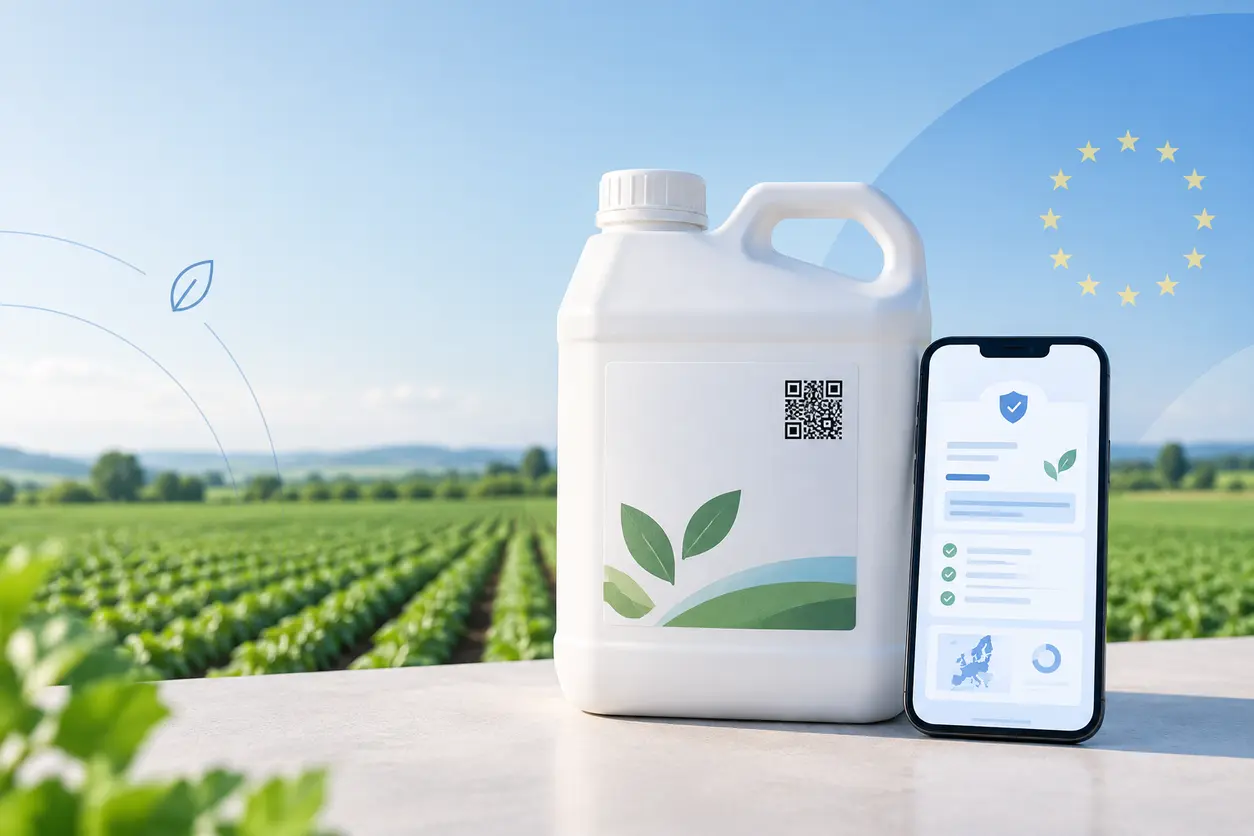
For pesticide and crop-protection businesses, a plant protection product digital label QR code is no longer just a packaging convenience. Under Regulation (EU) 2026/1123, the physical label and digital label are designed to work together: the physical label remains on the product, while a data carrier printed on that label directs users to the corresponding digital information.
The operational challenge is not simply creating a scannable code. Manufacturers, authorization holders, distributors, label designers and compliance teams need a dependable process for linking the right product and authorization information, keeping it current after changes, and showing an unambiguous status when an authorization is withdrawn.
A QR code can be a practical form of data carrier, but teams should not treat QR as the only permitted option. The Regulation uses the broader term data carrier. Your implementation should meet the legal requirements for the physical-to-digital connection rather than assume that one symbol type is mandatory in every case.
This guide explains the practical implications of the EU rules and how to manage a compliant, maintainable plant protection product digital-label workflow.
What Regulation (EU) 2026/1123 changes
Regulation (EU) 2026/1123 establishes rules for making certain label information for plant protection products available in digital form. Its framework is important because it treats the digital label as a regulated extension of, not a replacement for, the physical label.
At a high level, the framework requires the following:
- A physical product label continues to carry required physical-label information.
- A data carrier must be printed on the physical label and link to the relevant digital label.
- Digital-label information must be available free of charge.
- Users must be able to access the digital label without creating an account or registering.
- Digital labels must be updated when authorization information changes.
- When an authorization is withdrawn, the digital label must be deactivated or clearly display the product’s authorization status.
For packaging teams, this means the data carrier becomes part of a controlled-label system. It cannot be treated like a campaign QR code that points to a general product page and is forgotten after printing.
Physical and digital labels have different jobs
A sound deployment starts with a clear distinction between the physical label and the digital label.
The physical label remains the pack-level reference
The physical label is the information a user can inspect directly on the container or packaging. It must remain legible, durable and suitable for the product’s authorized market. A data carrier is an additional bridge from that printed label to the online information; it does not excuse a manufacturer from the physical-label obligations that still apply.
Keep the carrier adjacent to a short, useful instruction, such as “Scan for the current digital label” where approved by your label-control process. The wording should make clear that the destination is regulatory product information, not a promotional landing page.
The digital label provides the linked information environment
The digital label is the online destination reached through the carrier. It should be structured for real use in the field as well as regulatory review. A grower, adviser, distributor or inspector should quickly be able to identify:
- The exact product and formulation.
- The authorization holder.
- The member state or market to which the label applies.
- The relevant authorization number or identifier.
- The current authorization status.
- The version or last-updated date.
- The applicable digital-label content.
Avoid routing scans to a broad brand website, a retailer product listing or an unversioned PDF folder. Those destinations can change, become inaccessible or create uncertainty about whether the information relates to the pack in hand.
The data carrier requirement: what it means in practice
The Regulation requires a data carrier printed on the physical label that links to the digital label. The legal focus is the functional link and accessible digital information. It is therefore safer to describe QR codes as one practical data-carrier option rather than claim QR codes are the sole permissible technology.
For many teams, a website URL QR code is a sensible option because it is familiar to smartphone users, printable on packaging and able to encode a web address. If using one, the plant protection product digital label QR code should resolve directly to the exact digital label for the product and applicable authorization context.
Do not use one generic destination for every pack
A common packaging shortcut is to link all product codes to a category page. That creates a weak compliance workflow. The page may force users to search, may show outdated materials, or may serve content for a different market.
Instead, establish a destination model that is specific enough to identify the correct label. Depending on your system architecture, that may mean a separate destination for each combination of:
- Product name and formulation.
- Member state or authorized market.
- Pack size where label content differs.
- Authorization number or authorization version.
- Language set.
The scan journey should end at the current, relevant digital label—not at a page that asks users to select from a list without a clear starting point.
Plan for field conditions
Crop-protection packs may be handled outdoors, stored in warehouses, exposed to dust or abrasion, and scanned under poor light. Coordinate code design with print and packaging teams.
Practical controls include:
- Keep a clear, unprinted quiet zone around the code.
- Use adequate contrast between the code and background.
- Avoid excessive styling, low contrast and photographic backgrounds.
- Size and test the printed code on the actual substrate, not only on a screen proof.
- Test scans using ordinary smartphone cameras at realistic distances and angles.
- Keep the code away from folds, seams, curved edges, abrasion-prone areas and overprint zones.
- Re-test after artwork changes, printer changes or varnish/lamination changes.
A scan failure is more than a poor customer experience when the symbol is the required route to digital label information.
Free access and no-account access are design requirements
The Regulation requires digital labels to be available free of charge and without registration. The Regulation’s digital-label provisions make this a core access condition, not a nice-to-have website feature.
That has direct consequences for website, portal and cybersecurity design.
What to avoid
Do not place the digital label behind:
- A customer account login.
- Distributor credentials.
- A lead-capture form.
- Mandatory email verification.
- A paid app or software subscription.
- A geo-restriction that blocks legitimate access to the relevant label.
- A cookie wall that prevents a user from viewing the label without consent.
Optional support features can exist elsewhere, but they must not become a barrier to the label itself. For example, a page may offer an optional contact form after the label content, but the user should not have to complete it before viewing the information.
Build for direct, reliable access
The scan destination should load on a standard mobile browser without an app. It should use secure HTTPS, remain publicly reachable and be designed for low-friction viewing. Make essential content available as HTML or as a clearly downloadable document where appropriate; do not require a user to navigate several marketing pages to find it.
A useful digital-label page usually begins with product identity and status, then gives the user direct paths to the label content, authorized uses and related regulatory documents, such as safety data sheets, that your compliance team has approved for publication.
Label updates: why a static code can create a lifecycle problem
Authorization conditions can change after packs have been printed and distributed. The Regulation requires digital labels to be updated following changes to the authorization. That makes destination management central to the project.
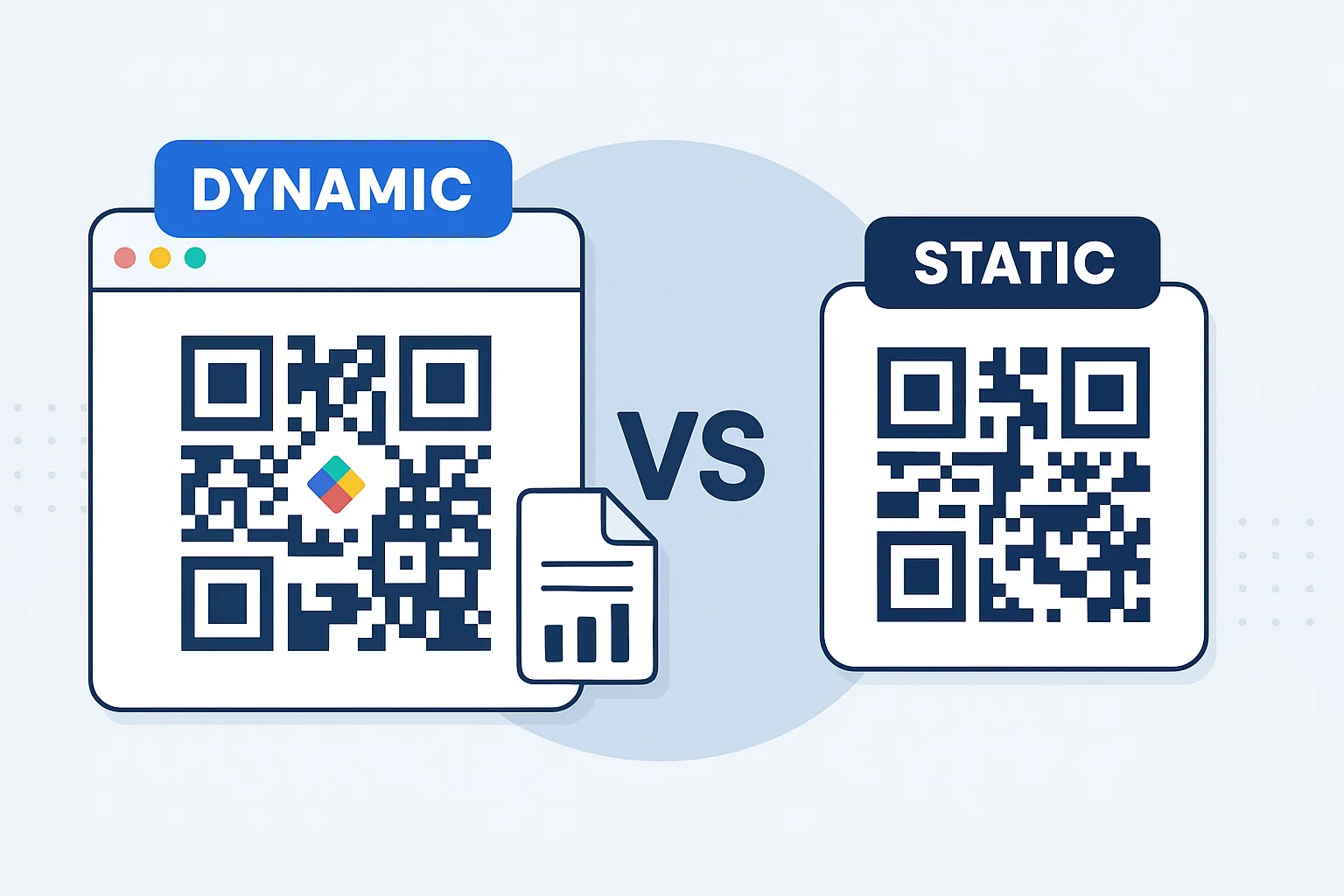
A static QR code embeds its final destination directly in the printed image. If the URL or document location needs to change, the printed code cannot be edited. You may be able to keep the old URL alive and replace its content, but this can become difficult across website migrations, document-management changes, market reorganizations or vendor transitions.
A managed, editable destination gives the business more control. With QR Rapid, a team can create a QR code that points to a controlled destination and update that destination without replacing the printed symbol. This is useful when a revised label must be published or when a temporary status notice must replace a prior label after a withdrawal.
That technical flexibility does not decide what content is legally correct; the authorization holder and regulatory team must still approve every label change. It does, however, reduce the operational risk of having millions of printed packs point to an obsolete location.
Use a controlled update workflow
Treat every online change as a label-control event. A practical process may include:
- Receive and classify the authorization change. Record what changed, which products and markets are affected, and the effective date.
- Identify all linked label records. Map product, formulation, market, language, authorization identifier, digital-label URL and printed carrier ID.
- Prepare approved content. Regulatory affairs supplies the revised content or approved status notice; digital and label teams should not interpret authorization changes independently.
- Publish to a staging environment. Check product identity, version, language, formatting, links and mobile accessibility.
- Approve and release. Keep evidence of the approver, publication time and content version.
- Test the live scan path. Scan the printed code or a production-quality proof and confirm that it resolves correctly without login or payment.
- Archive the prior version. Retain internal records according to your quality and compliance policies, while ensuring public users see the current approved information.
This workflow should work equally well for an updated use condition, a revised authorization detail or a withdrawal event.
What to do when an authorization is withdrawn
Withdrawal is the point where unmanaged QR codes create the greatest exposure. A code that continues to lead users to a normal-looking product label after a withdrawal can create confusion about whether the product remains authorized.
The Regulation anticipates this lifecycle requirement: where authorization is withdrawn, the digital label must be deactivated or provide information on the authorization status. See Regulation (EU) 2026/1123 for the applicable legal framework.
Deactivation versus a status page
The appropriate option depends on the applicable requirements and the authorization holder’s compliance decision.
Deactivation may be appropriate when the digital label should no longer be available. However, a dead link or generic “page not found” message is not a well-managed deactivation outcome. It leaves the scanner without clear information and creates audit difficulty.
A status page can make the position explicit. It may state that the authorization has been withdrawn, identify the affected product and authorization, show the relevant date or status detail approved by the compliance team, and direct users to an authorized contact route where needed. Do not add use, storage or disposal instructions unless they have been legally reviewed for the relevant market and status.
The operational principle is simple: every previously printed carrier needs a predetermined withdrawal response. A dynamic routing model helps because the printed code can remain the same while the controlled online destination changes from an active label to an approved withdrawal-status notice.
A practical data-carrier lifecycle model
The strongest implementation treats each code as a traceable asset with an owner, a destination and a defined retirement path.
1. Assign a unique internal code ID
Give every plant protection product digital label QR code an internal identifier, separate from the product name and separate from the visible URL. Store it in your artwork, regulatory and digital records.
This makes it easier to answer questions such as: Which packs carry this code? Which market does it serve? Who may approve changes? What does it resolve to now?
2. Link code records to authorization data
Maintain a register that connects the code ID with product identity, formulation, member state, authorization reference, language, pack artwork version, destination URL, label version, responsible owner and status.
Do not rely only on individual knowledge in packaging, web or regulatory teams. A central register makes handovers, audits and product portfolio changes safer.
3. Set approval roles before launch
A small RACI-style arrangement is often enough:
- Regulatory affairs: confirms required content and authorization status.
- Label/artwork owner: places the carrier and controls print artwork.
- Digital-content owner: publishes approved content and manages the destination.
- Quality/compliance: verifies evidence, change control and periodic checks.
- IT or web operations: maintains availability, security and domain continuity.
One person may hold more than one role in a smaller business, but approval authority should remain clear.
4. Monitor availability, not just scans
Scan analytics can help identify whether a code is being reached and whether a destination may be broken. But analytics are not a substitute for compliance verification.
Set scheduled checks for live URLs, mobile rendering, HTTPS certificate validity, public access without login and correct status display. Test a sample of real printed packs, not only the QR image saved in an artwork file.
5. Preserve domain and vendor continuity
A data carrier printed on a pack can remain in circulation long after a website redesign, merger or platform change. Avoid destinations on short-lived campaign domains. Make sure that ownership of the destination domain, access to QR account administration and a migration plan are documented.
If QR Rapid is used to manage editable code destinations, keep account ownership and authorized administrators within the business rather than with a single external agency or departing employee.
Example: moving from an active label to an approved status notice
Consider a fictional herbicide sold in more than one EU market. The product has country-specific label content and separate printed pack artwork for each market.
For the German-market pack, the manufacturer prints a data carrier linked to a controlled digital-label page. The page clearly identifies the product, formulation, relevant market, authorization reference and current label version. The public can open it immediately without registering.
Later, the authorization changes. Regulatory affairs approves a revised digital label. The digital-content owner publishes the new approved version at the controlled destination, then quality scans a retained production pack to confirm it displays correctly.
If the authorization is subsequently withdrawn, the team follows its withdrawal procedure. Rather than leaving the old page live, it switches the destination to an approved status notice or deactivates the digital label in the manner required by its compliance assessment. The printed data carrier still has a purposeful outcome: it tells the user the current status instead of silently leading to obsolete information.
This example illustrates the key difference between a code that merely opens a web page and a code managed as part of a regulated product-information lifecycle.
Common implementation mistakes
Treating the code as a marketing asset
Do not mix promotional campaigns with the regulated label route. A user who scans for label information should not be diverted to product videos, dealer locators or lead forms before reaching the digital label.
Replacing a file without version control
Uploading a new PDF with the same filename may look efficient, but it weakens traceability. Use a visible version or update date and preserve internal approval evidence.
Sending every market to one global label
Authorization conditions and label languages can differ. A global product page may not reliably present the right information for the pack or market scanned.
Requiring sign-in to download the label
Free, no-account access must be built into the user journey. Distributor portals are useful for commercial functions, but they are not an appropriate gate for the digital label.
Letting a withdrawal result in a 404 page
A broken link does not communicate authorization status. Define a specific withdrawal or deactivation workflow before launch.
Using untested stylized codes
Heavy branding, tiny symbols or poor contrast can reduce scan reliability. Preserve function first, especially on chemically exposed, curved or compact packaging.
Pre-print checklist for compliance and packaging teams
Before releasing packaging artwork, confirm the following:
- The carrier is printed on the physical label and links to the relevant digital label.
- The destination identifies the correct product, formulation and applicable market.
- The current authorization status and label version can be confirmed quickly.
- The destination is free to access and does not require an account, registration or payment.
- Regulatory affairs has approved the public content and the status wording.
- The printed code scans successfully from representative proofs and production substrate.
- The QR or other data carrier has a unique record in the code register.
- An owner is assigned for content updates, technical availability and withdrawal actions.
- A documented approval and publication process exists for authorization changes.
- A withdrawal plan defines whether the destination will be deactivated or changed to an approved status notice.
- The business controls the destination domain and has access to its QR management account.
Using QR Rapid in a controlled label workflow
QR Rapid can support the practical management layer of a plant protection product digital label QR code program: creating scannable codes, organizing them by product or market, and maintaining editable destinations where your approved digital-label content is hosted.
A sensible setup is to create one controlled code record per authorized product-and-market label route, use a clear internal naming convention, and retain the QR Rapid code ID in the central label register. Before approving print artwork, test the scan experience on actual mobile devices. After launch, use scheduled checks and approved change control whenever authorization information changes.
The important boundary is governance: QR Rapid can help maintain the carrier-to-destination connection, while regulatory and compliance owners remain responsible for the accuracy, approval and legal suitability of the digital-label content.
Make lifecycle management part of label compliance
The key lesson from the 2026 rules is that a digital label is not a one-time upload. It is a living, public-facing component of a plant protection product’s authorization lifecycle.
Start with the carrier on the physical label, provide free and account-free access, publish the correct digital label for the product and market, and prepare for updates and withdrawal status before the first pack is printed. By combining clear governance with an editable, carefully tested data-carrier destination, product teams can make the physical and digital label work together over the full life of the authorization.
If your team is preparing label artwork, create and test a controlled QR destination in QR Rapid early in the packaging workflow—before the code becomes permanent on thousands of packs.
FAQ
Does Regulation (EU) 2026/1123 require a QR code on every plant protection product label?
The Regulation requires a data carrier printed on the physical label that links to the digital label. A QR code can be a practical data carrier, but businesses should not assume QR is the only permitted form unless their legal assessment confirms that for the relevant implementation.
Can a digital label require a distributor login or customer account?
No. The Regulation requires digital-label information to be available free of charge and without registration. The scan route should allow direct public access to the applicable digital label.
What happens to the digital label after an authorization changes?
The digital label must be updated following authorization changes. Use a documented regulatory review, approval, publication and live-scan testing process so the pack continues to lead to current information.
What should the QR code show after a plant protection product authorization is withdrawn?
The digital label must be deactivated or provide information about the authorization status. A controlled, approved status page is generally clearer than allowing a broken-link error, but the exact approach should follow your compliance assessment.
Why use an editable QR destination for crop-protection labels?
Printed packs can stay in the supply chain while label content or authorization status changes. An editable destination helps the business direct an existing printed code to an approved revised label or status notice without changing the code artwork.
Can one QR code link to a generic product page for all EU markets?
That is risky when the product has market-specific authorization conditions, languages or label versions. The destination should reliably present the digital label relevant to the product and applicable authorization context of the scanned pack.
Similar Blogs
The latest industry news, interviews, technologies, and resources.
 September 14, 2026
How to Use QR Codes on Product Packaging for Customer Support and Reorders
How to Use QR Codes on Product Packaging for Customer Support and Reorders
Read post
 September 13, 2026
QR Codes for Safety Data Sheets (SDS): Faster Access to Current Chemical Information
QR Codes for Safety Data Sheets (SDS): Faster Access to Current Chemical Information
Read post
Join 2,000+ subscribers
Stay in the loop with everything you need to know.
We care about your data in our privacy policy