
Dynamic QR Platform
Create QR codes Instantly
Website URL
Send users to any webpage
Website URL
Website URL
Send users to any webpage
Wi-Fi
Let users connect instantly
Wi-Fi
Wi-Fi
Let users connect instantly
Menu
Create a digital menu
Menu
Menu
Create a digital menu
Start a chat with one tap
Start a chat with one tap
Image
Showcase visuals
Image
Image
Showcase visuals
Show a downloadable file
Show a downloadable file
30 Aug 2026 • 9 min read
QR Codes for Job Applications and Hiring Flyers
A practical guide for employers using a QR code for job applications on hiring posters, storefront signs, handouts, and flyers. Learn what to link the code to, how to reduce mobile application drop-off, how to support multiple open roles, and how to track which locations and printed assets generate applicants with QR Rapid.
IntroductionWhy QR codes work well for hiring signsWhat should your hiring QR code link to?How to reduce application drop-off after the scanBest uses on posters, window signs, handouts, and flyersHow to support multiple roles without confusing applicantsHow to track which locations and signs generate applicantsPractical workflow examplesCommon mistakes to avoidWhy QR Rapid is a strong fit for hiring campaignsTurn printed hiring materials into a measurable funnelFAQ
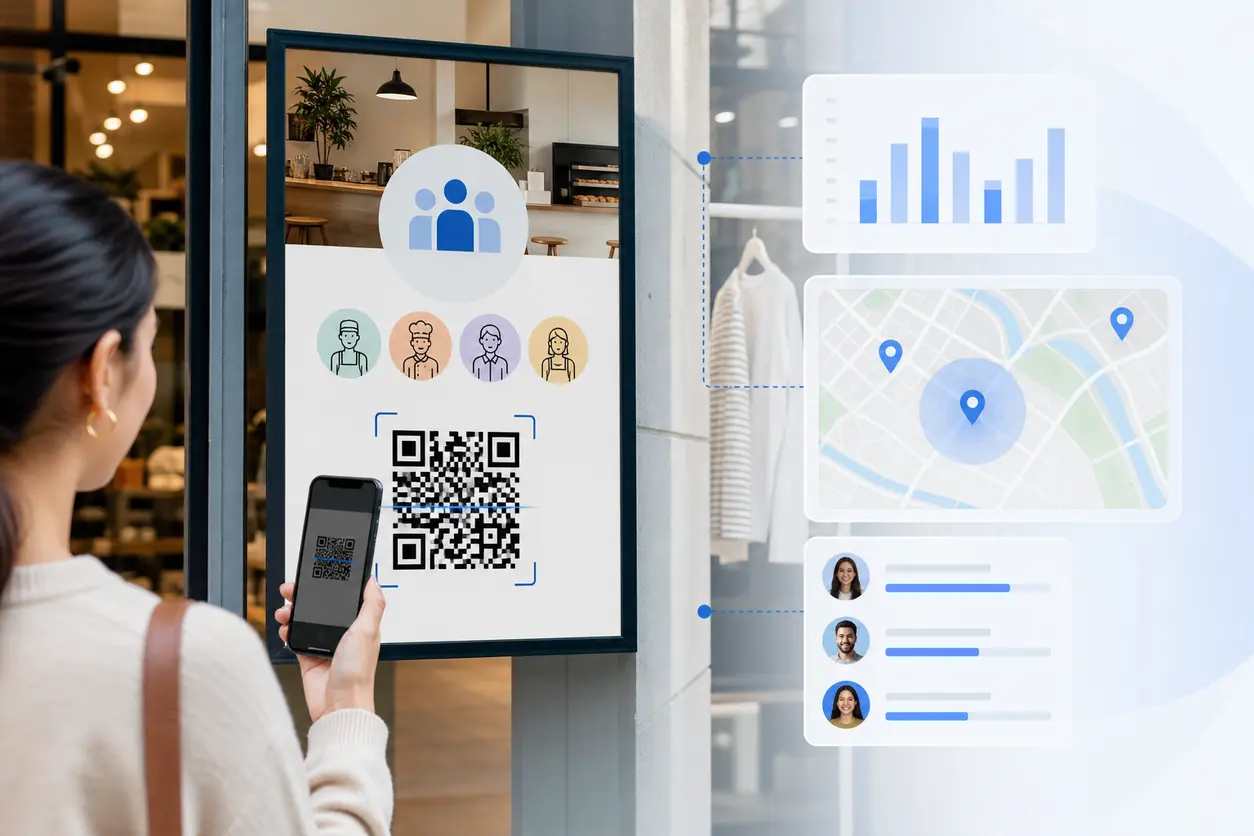
A QR code for job applications fixes that gap by turning a poster, counter card, handout, or storefront flyer into an immediate mobile action. Instead of asking people to remember a URL, search for the company, or ask an employee for details, you let them scan and land directly on the next step.
For hourly hiring, that speed matters. The best recruiting flow is often simple: see sign, scan code, review the role, start the application on the same phone. QR Rapid helps make that flow easier to manage because you can use a dynamic QR code generator to create different hiring assets, update destinations without reprinting, and track which locations or signs attract the most applicants.
Why QR codes work well for hiring signs
Offline recruiting still matters for employers that hire from local foot traffic. Retail stores, restaurants, hotels, gyms, convenience stores, franchise groups, and service businesses all meet potential applicants where they already are.
A hiring sign works best when it answers one question fast: What should I do next?
A QR code gives a clear answer:
- scan to apply now
- scan to view open roles
- scan to see job details and shifts
- scan to send this listing to yourself
That is especially useful for candidates who are already on their phones. They can scan from the camera app while standing outside the business, during a shift change, or while waiting in line. You reduce the chance that interest disappears before they get home.
What should your hiring QR code link to?
The destination matters more than the code itself. For job applications, there are three practical options.
1. A mobile-friendly application page
This is usually the best option when you need completed applications, not just awareness.
Link the QR code directly to:
- your ATS job application page
- a role-specific apply page
- a short pre-screen form that leads into the main application
Use this when the role is active and the application process is already optimized for mobile. If the page loads quickly, shows the job title clearly, and lets candidates begin without hunting through your careers site, you will remove a lot of friction.
2. A PDF job listing
A PDF can work when you need to share a printable or standardized posting, especially for handouts at hiring events or community bulletin boards. But it should not be your default destination if your goal is completed applications.
PDF QR code is best for:
- role summaries
- hiring fair leave-behinds
- bilingual job sheets
- franchise recruiting packets
If you use a PDF, include a strong apply link inside the document. Otherwise the candidate may read the posting and stop there. A PDF is a support asset, not the strongest final step.
3. A landing page with multiple roles
This is often the smartest option for multi-location teams and employers hiring for more than one position at the same site.
A branded landing page can list:
- cashier
- shift lead
- line cook
- front desk associate
- housekeeper
- delivery driver
Instead of printing a different flyer every time openings change, you can update the landing page and keep the same QR code live. That is where QR Rapid is especially useful. You can keep the printed sign in place while changing the destination or landing page content behind it.
How to reduce application drop-off after the scan
The scan is only the first conversion. The real goal is to get people to start and finish the application.
Keep the first screen focused
When someone scans a hiring flyer, they should immediately see:
- the role or location
- pay range if you publish it
- schedule type
- a clear apply button
- a secondary option to view other openings
Do not send them to a generic homepage with a small careers link in the menu. That forces extra taps and causes drop-off.
Match the sign to the destination
If the poster says now hiring for night shift crew, the landing page should open to that exact role or at least that store's open positions. Mismatched expectations make candidates bounce.
Remove unnecessary steps
Hourly candidates often apply in short bursts between errands, shifts, or school. If they have to pinch-zoom a PDF, switch tabs, create an account, and then download an app, you will lose people.
A better sequence is:
- scan the code
- confirm job and location
- tap apply
- complete a short mobile form or ATS flow
Offer a quick-save option
Some people want to apply later. Add a backup option on the landing page such as:
- text this job to yourself
- email the link to yourself
- view all openings later
That way the scan still captures intent even if the full application does not happen on the spot.
Make the page fast and readable
Use short copy, large tap targets, and minimal scrolling. If the first screen looks cluttered, candidates will assume the application is harder than it needs to be.
Best uses on posters, window signs, handouts, and flyers
Different hiring materials serve different moments. Your QR setup should reflect that.
Storefront window signs
Window signs are ideal for walk-by traffic and existing customers who might know someone looking for work. These should link directly to a mobile application page or a location-specific role landing page.
Best CTA examples:
- Scan to apply in minutes
- Scan to see open roles at this location
- Now hiring: scan for shifts and pay details
In-store hiring posters
Posters near the entrance, checkout area, or break room can attract applicants and employee referrals. If current staff will share the sign with friends, a landing page with multiple roles is often better than a single-role link.
Handouts at job fairs or community events
Handouts can support both immediate and later action. A QR code linked to a landing page works well because it gives candidates a simple place to choose the right job family. If needed, you can also attach a PDF listing with role summaries.
Store flyers and bulletin board postings
These are often seen in laundromats, libraries, campuses, apartment common areas, and local shops. Because the audience may be broader, the page should explain the basics fast: location, openings, age requirements if relevant, shift availability, and how to apply.
How to support multiple roles without confusing applicants
One of the biggest mistakes in hiring QR campaigns is using a single generic careers page for every sign.
That can work for corporate recruiting, but it is weak for local hourly hiring. If a store needs three roles now, the candidate should not have to search through dozens of openings across a region.
A better structure looks like this:
One code per location
Use a separate QR code for each store, restaurant, hotel, or branch. That lets the landing page focus on openings for that site.
One landing page per location, multiple roles inside
This is usually the cleanest setup for multi-role hiring. The printed sign can stay simple, while the landing page lists current roles and routes candidates to the right apply link.
One code per role when the job is urgent
If you are urgently hiring one specific position, such as overnight stocker or weekend line cook, create a dedicated code and dedicated sign. That message is more direct and easier to measure.
With QR Rapid, you can keep these codes organized by naming each one by location, asset type, and role focus, then update the destination later if the opening changes.
How to track which locations and signs generate applicants
This is where QR codes become more than a convenience tool.
If every sign shares the same code, you cannot tell what is actually working. If each location and placement has its own dynamic QR code, you can see which assets drive scans and which need improvement.
A practical naming structure might be:
- Store 214 window sign
- Store 214 register handout
- Store 214 community flyer
- Store 214 break room referral poster
- Store 587 drive-thru hiring board
That setup helps you answer useful recruiting questions:
- Which stores generate the most scan activity?
- Are window signs outperforming handouts?
- Does a role-specific flyer drive more interest than a generic now hiring poster?
- Which franchisees need better signage or better landing pages?
Dynamic vs Static QR Codes supports this workflow well because you can create separate dynamic codes, keep the print design consistent, and review scan activity by code. If one location fills a role, you can change the destination to a different opening without throwing away existing posters.
Practical workflow examples
Retail chain example
A retailer with 30 stores creates one QR code per store window. Each code opens a landing page showing that store's current roles: cashier, replenishment, and assistant manager. When one role closes, the page is updated but the same sign stays up.
Restaurant group example
A quick-service brand uses two codes per location: one on the front door for walk-in traffic and one on handout cards given to referred candidates. Both point to the same role page, but the separate codes show whether door signage or handouts create more applicant intent.
Hotel example
A hotel posts a QR code in the lobby and on hiring flyers at nearby transit stops. The landing page lists front desk, housekeeping, and breakfast attendant roles. Candidates pick the role, see the shift type, and start the mobile application immediately.
Common mistakes to avoid
Sending candidates to a generic homepage
This adds friction and weakens conversion.
Using one QR code for every store
You lose location-level visibility and make optimization harder.
Printing a sign before testing the mobile path
Always scan the code yourself, open it on different phones, and complete the application test flow.
Linking only to a PDF with no next step
A PDF can inform, but it should not trap the candidate in a dead end.
Forgetting to update filled roles
Nothing hurts trust faster than a sign that says now hiring but leads to expired listings. Dynamic QR codes solve this because you can update the destination instead of reprinting everything.
Why QR Rapid is a strong fit for hiring campaigns
For recruiting teams, the value is not just making a code. It is being able to run a repeatable hiring workflow across locations and assets.
QR Rapid helps by making it easier to:
- create separate QR codes for each store, poster, or flyer
- use dynamic destinations so signs stay usable when openings change
- direct scans to a mobile application page, PDF listing, or branded landing page
- track which placements are generating candidate interest
That matters for franchise operators, district managers, and local businesses that hire continuously. Instead of guessing which sign worked, you get a cleaner view of where applicant intent starts.
Turn printed hiring materials into a measurable funnel
A hiring poster should do more than announce that you are hiring. It should move the candidate straight into action.
If you build the flow well, a QR code for job applications can turn storefront traffic, community flyers, and event handouts into a faster mobile apply path with less drop-off and better location-level visibility.
If you are hiring across one site or many, QR Rapid gives you a practical way to launch trackable hiring QR codes, keep destinations current, and make every printed sign more useful.
FAQ
What should a QR code for job applications link to?
For most employers, the best destination is a mobile-friendly application page or a location-specific landing page with clear apply buttons. A PDF job listing can support the process, but it should include an obvious next step to apply.
Should each store or hiring location use its own QR code?
Yes. Separate QR codes by location make it easier to track which stores, signs, or flyers generate scans and applicant intent. That also lets each code point to local openings instead of a generic careers page.
Can one hiring QR code support multiple open roles?
Yes. A branded landing page can list multiple roles for one location, such as cashier, cook, and shift lead. This is often the simplest setup for retailers, restaurants, and hotels hiring for several positions at once.
Are PDF job listings a good destination for hiring QR codes?
They can be useful for handouts and bulletin board flyers, but they usually work best as a support asset rather than the final conversion step. If you use a PDF, include a strong apply link inside the document.
How do I reduce drop-off after someone scans a hiring poster?
Send candidates to a fast mobile page that matches the sign, shows the job and location immediately, and offers a clear apply button with minimal extra steps. Avoid generic homepages, long navigation paths, and expired listings.
Why use a dynamic QR code for hiring signs?
A dynamic QR code lets you change the destination after printing. That is useful when a role fills, a new opening replaces it, or you want to route a store sign to a different landing page without reprinting materials.
Similar Blogs
The latest industry news, interviews, technologies, and resources.
 September 14, 2026
Appointment Booking QR Code Workflows for Service Businesses
Appointment Booking QR Code Workflows for Service Businesses
Read post
 July 30, 2026
QR Code Appointment Booking for Service Businesses
QR Code Appointment Booking for Service Businesses
Read post


Join 2,000+ subscribers
Stay in the loop with everything you need to know.
We care about your data in our privacy policy